Leave Management for Remote-First Teams: A Complete Playbook
Remote teams face unique leave management challenges: no visual cues, timezone gaps, and workers who don't take enough time off. Here's how to solve all of it.

In an office, you know someone is on vacation because their desk is empty. Their monitor is dark. Maybe there's a sticky note on their keyboard. In a remote-first team, you find out someone is on vacation when you send them a Slack message at 10 AM and get an auto-reply at 3 PM. Or worse, you don't find out at all and spend half the day wondering why they haven't responded to your pull request review.
Remote work has changed almost everything about how teams operate. But leave management is one area where many remote-first companies are still running the same playbook they used in an office, and it shows. Requests go through email chains that get buried. Calendars aren't synced. Nobody knows who's off on any given day without asking.
The biggest leave management problem in remote teams isn't tracking days. It's visibility. If people don't know who's off, every absence feels like a surprise.
Why Remote Teams Need Different Leave Tools
In a co-located office, leave management can survive on lightweight processes. A shared wall calendar. A quick word with your manager. A glance around the room before scheduling a meeting. Remote teams have none of these ambient signals, which means every piece of leave information needs to be actively communicated through a system.
The core challenges break down into three categories:
- No visual cues. You can't see an empty desk on Zoom. If someone doesn't update their Slack status or your team calendar, their absence is invisible until it causes a problem: a missed deadline, an unanswered question, a meeting with a blank square where their face should be.
- Timezone fragmentation. When your team spans UTC-5 to UTC+2, a vacation day in one timezone overlaps with working hours in another. A developer in Lisbon takes Friday off, but your PM in New York doesn't see the notification until their Thursday evening. By then, they've already assigned Friday deliverables.
- Async communication delays. In an office, a manager can approve a leave request in person within minutes. In a remote team, the request might sit in an email inbox for a day or two, especially if the manager is in a different timezone or heads-down on deep work.
The Integration Layer: Meet People Where They Work
Remote teams live in Slack or Microsoft Teams. That's where conversations happen, where decisions get made, where people check in at the start of their day. If your leave management system doesn't integrate with your team's primary communication tool, you're adding friction to a process that needs to be frictionless.
This is why Slack and Teams integrations aren't nice-to-have features for remote teams. They're essential infrastructure. Here's what that looks like in practice:
Daily absence summaries
Every morning, a message drops into your team channel: "Out today: Maria (vacation), Tomislav (sick leave). Out this week: Erik (vacation, returns Thursday)." Nobody has to ask. Nobody has to check a separate tool. The information is there in the channel everyone already reads with their morning coffee.
The /whoisoff command
Sometimes you need the information on demand. You're about to schedule a meeting for tomorrow and want to know who's available. Type /whoisoff in Slack and get an instant list of who's out today and the rest of the week. No context switching. No opening a separate app. It takes three seconds.
Approval notifications
When someone submits a leave request, their manager gets a Slack notification with approve and reject buttons. No email to dig through. No login to a separate portal. The manager taps a button between meetings and the employee gets instant confirmation. Average approval time drops from days to minutes.
For step-by-step setup guides, see our articles on setting up the Slack vacation bot and Microsoft Teams leave management.
The Remote PTO Problem Nobody Talks About
Here's a counterintuitive problem: remote workers often take less vacation, not more. Multiple studies have confirmed this pattern. Without the social cue of seeing colleagues leave for vacation, without the physical act of walking out of an office, remote workers tend to skip breaks, work through days they should take off, and arrive at Q4 with a pile of unused vacation days.
This is bad for everyone. Burned-out employees produce worse work. Unused vacation days create financial liabilities on your books. And if people try to use all their remaining days in November and December, you end up with skeleton crews during your busiest planning period.
How to encourage PTO usage in remote teams
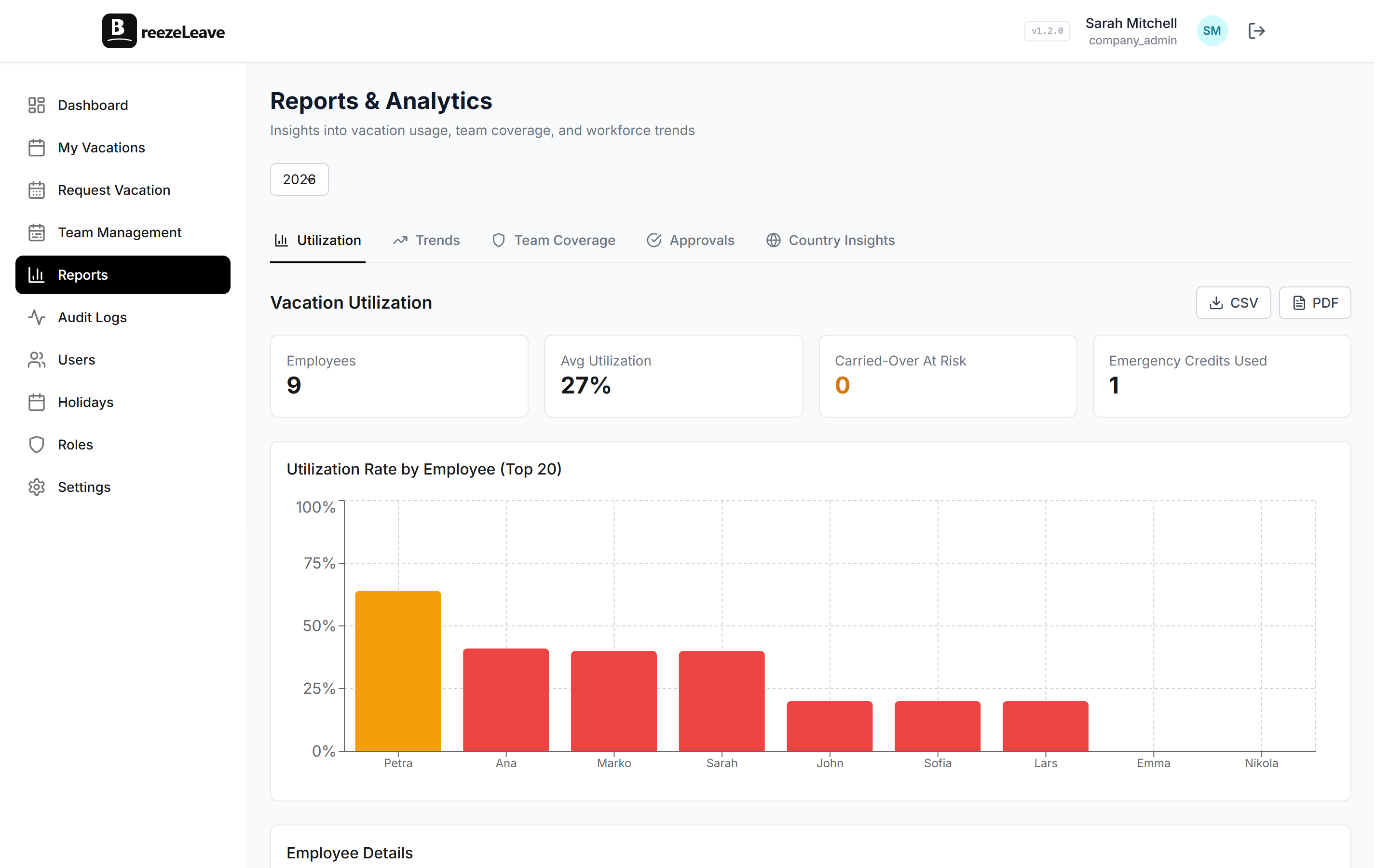
The most effective approach is a combination of visibility and gentle nudges. BreezeLeave shows managers which team members have low utilization rates, so they can proactively encourage time off. Quarterly balance reminders ("You have 14 days remaining with 4 months left in the year") help employees plan ahead instead of hoarding days. Some teams also set minimum usage expectations, not just "you get 25 days" but "we expect you to use at least 20." For more on building PTO policies that work for distributed teams, read our guide on vacation policies for remote teams.
Team Calendar: The Single Source of Truth
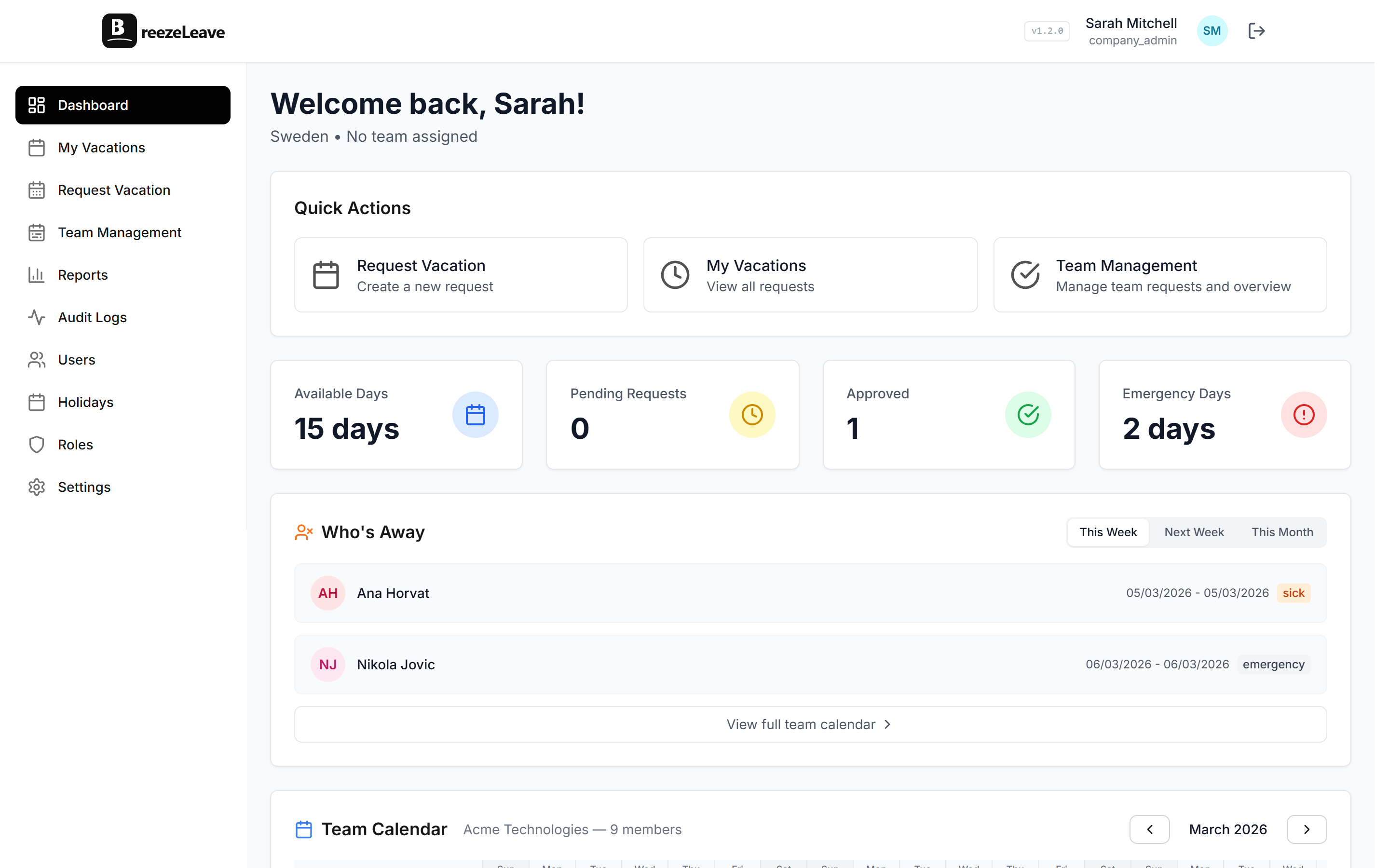
Every remote team needs one place where anyone can check who's off and when. Not a Google Sheet that three people update inconsistently. Not a shared calendar that some people forget to add events to. A single, authoritative source that updates automatically when leave is approved.

The team calendar isn't just about knowing who's off. It's about planning. When your engineering lead opens the dashboard on Monday morning and sees that two of five backend developers are out next week, they can adjust sprint commitments before it becomes a problem. When a project manager is scheduling a client presentation, they can check availability across the team in seconds instead of sending a round of "are you free on the 15th?" messages. Our guide on team capacity planning goes deeper on using leave data for resource planning.
The Remote Leave Management Playbook
After working with dozens of remote-first teams, here's the playbook that consistently works:
1. Centralize everything in one tool
Pick a leave management system and make it the single source of truth. No side channels. No "just email me if it's urgent." Every request goes through the system. Every approval is recorded. Every balance is calculated automatically. This eliminates the "I thought I told you" problem that plagues remote teams running on informal processes.
2. Integrate with your communication tool
Slack or Teams integration is non-negotiable for remote teams. Enable daily absence summaries, approval notifications, and the /whoisoff command. The goal is zero friction between the place where people work and the place where leave information lives.
3. Make absence visible by default
Absence information should be push, not pull. People shouldn't have to go looking for it. Morning notifications in the team channel. Dashboard visible to everyone. Status updates that happen automatically. The more visible absences are, the fewer surprises your team experiences.
4. Set expectations around approval speed
In a remote team, "I'll get to it" can mean tomorrow or next week. Set a clear expectation: leave requests should be approved or discussed within 24 hours. Slack notifications with one-tap approval buttons make this easy to achieve. If a manager is out, designate a backup approver so requests never sit in limbo.
5. Actively encourage time off
Monitor utilization rates. Flag team members who haven't taken a day off in two months. Send quarterly balance reminders. Lead by example. When leaders take vacation and actually disconnect, it gives the team permission to do the same. Remote work should mean more flexibility, not less rest.
Common Mistakes Remote Teams Make with Leave
| Mistake | What Happens | Fix |
|---|---|---|
| No centralized system | Requests get lost in email, balances drift | Use a dedicated leave tool |
| No Slack/Teams integration | Nobody checks the leave tool proactively | Push notifications to where people already are |
| No daily absence summaries | Every absence is a surprise | Automated morning messages in team channels |
| No PTO encouragement | Burnout and year-end day dumping | Quarterly reminders and usage monitoring |
| Slow approvals | Employees can't plan ahead confidently | One-tap Slack approvals, backup approvers |
Making It Work
Remote-first leave management isn't harder than office-based leave management. It's just different. The systems that work in an office rely on physical presence and informal communication. Remote teams need to replace those with digital presence and structured communication.
The good news is that once you set it up properly, remote leave management is actually better than the office version. Everything is documented. Every approval has a trail. Every absence is visible to the whole team. There's no "I mentioned it to my manager in the hallway" ambiguity.
The teams that get remote leave management right aren't the ones with the most sophisticated policies. They're the ones where absence information flows automatically to the places people already look. Make it visible, make it automatic, and most of the problems solve themselves.