
The first sign that a vacation spreadsheet is breaking is usually the third week of December. Someone tries to book two days before the year flips, the formula returns a negative number, and finance asks why the carryover column has gaps. By the time you reconcile it, three people have already left for the holidays with the wrong balance.
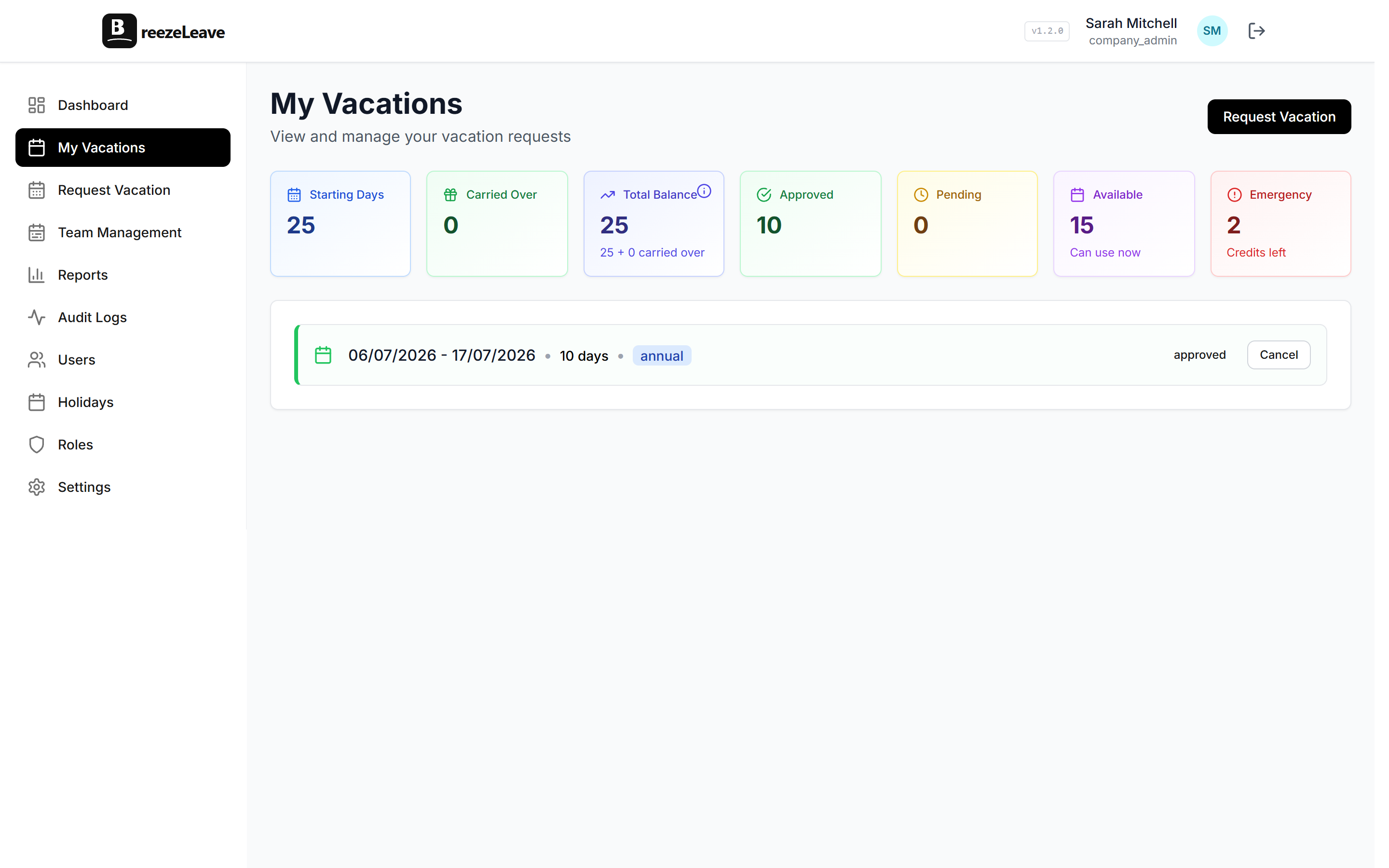
A PTO tracker fixes that loop by treating balances as state that updates from real events: accrual runs, approved leave, cancellations, and year-end rollover. BreezeLeave is built for teams that have outgrown a sheet but do not want a full HR suite. It handles the balance, the approval, and the calendar entry, then hands you a CSV the payroll team can actually import.
Where the spreadsheet breaks first
Most teams know exactly which cell goes wrong first. The shared sheet works for a handful of people, then a few things stack up.
- Two people edit the same row. One overwrites the other, and the original balance is lost. There is no undo on a shared sheet, just version history nobody checks.
- Accrual math is copy-pasted. When the policy changes from 20 to 25 days for senior staff, someone has to update each row by hand. Half the time the formula is fine and the input is wrong.
- Approvals live in Slack. The manager DMs "yes go ahead", and the request never makes it into the sheet. Three weeks later, the calendar shows nothing for that week and the team plans a release.
- Carryover is a year-end project. Someone exports the balances, applies the cap manually, pastes them back, and hopes nothing got skipped. Audit trail: zero.
- Country differences disappear. A team member in Croatia gets a Croatian public holiday in the sheet because someone remembered to add it. The same row in Germany quietly counts that day as PTO.
These are the five places a real PTO tracker pays for itself in the first month. BreezeLeave treats each of them as a primitive rather than a column.
Balances that move with real events
Every BreezeLeave account has a leave types table. For each type you set the annual allowance, the accrual schedule, the carryover policy, and the visibility rule. The system calculates the balance from those inputs plus the request history. There is no separate "current balance" column to keep in sync.
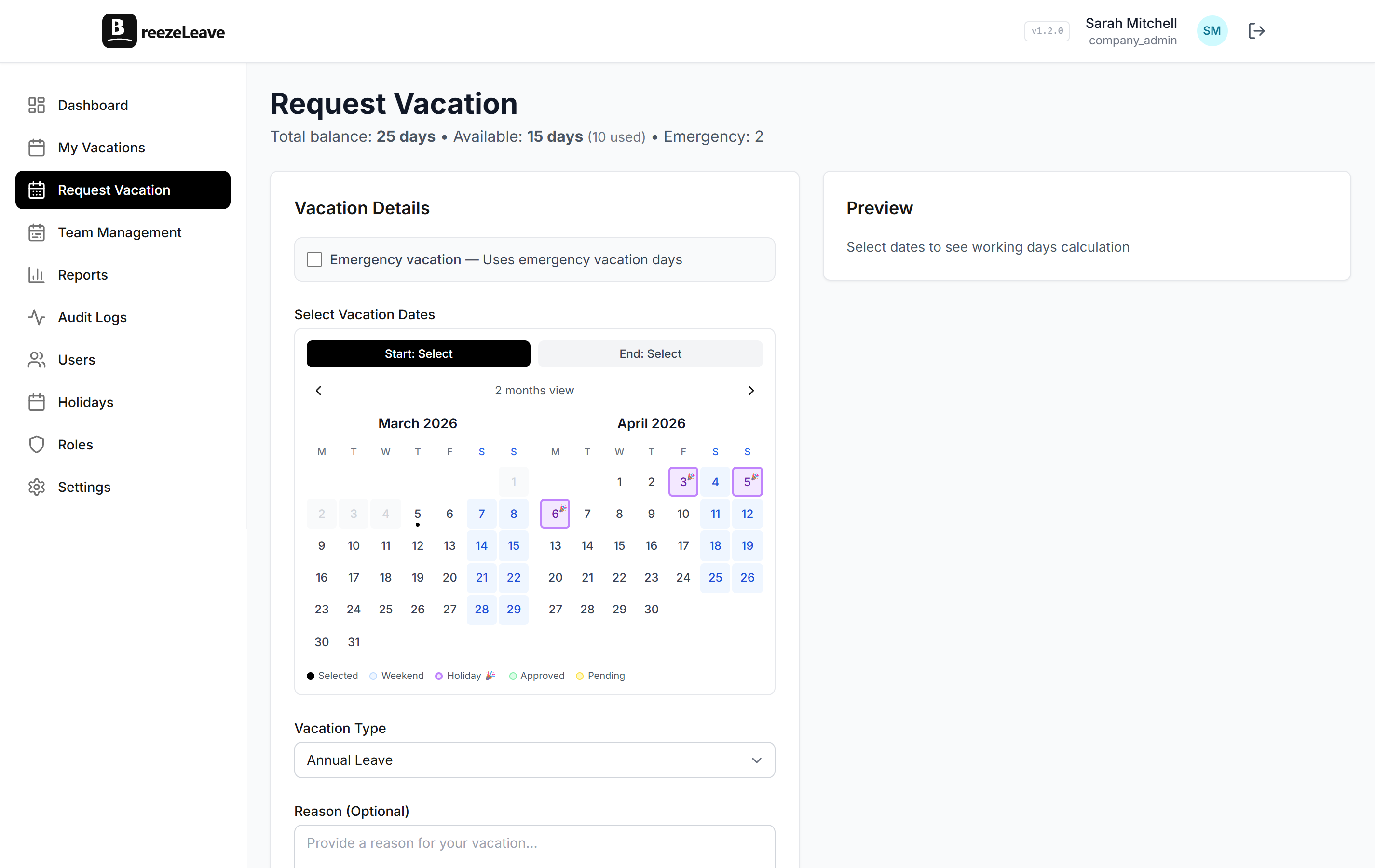
When an employee opens the request form, they see their accrued balance, their pending requests, and the days remaining if every pending request is approved. The number is live and reflects today's date, not yesterday's export.
Accrual schedules that match payroll
A typical setup grants 20 days a year accrued monthly, so each employee earns 1.67 days at the start of every month. BreezeLeave supports that, plus quarterly grants, semi-monthly accrual aligned to pay dates, and a flat annual grant on the start date anniversary. The cron runs daily so balances are never stale, and new hires accrue from their actual join date. The blog post on employee vacation balance automation walks through the math for the most common policies.
Carryover that ages out cleanly
Each leave type carries one of three carryover rules. Unlimited keeps everything an employee did not use. Capped lets you keep up to N days into the new year. Expiring carries the unused balance over but voids it after a given date, which is common in Germany and Austria. The rule applies on January 1 automatically, and the audit log records the carryover amount, the cap, and the resulting balance for every employee.
Multiple leave types per company
Vacation is one type. Sick leave is another. Remote days, study leave, and parental leave each have their own balance, visibility setting, and approval rule. A sick day can be invisible to the wider team if your privacy rules ask for it, while a vacation day shows up on the shared calendar with the dates and the leave type label.
From request to approval in one place
Approvals do not work well as Slack DMs. The request gets lost, the manager forgets, the employee follows up three days later. BreezeLeave keeps approvals attached to the request itself.
An employee picks the dates, selects a leave type, adds a note if they want, and submits. The right manager gets notified in Slack, Teams, or email, with Approve and Reject buttons right in the message. One click and the balance updates, the calendar entry is created, and the audit log records who approved when.
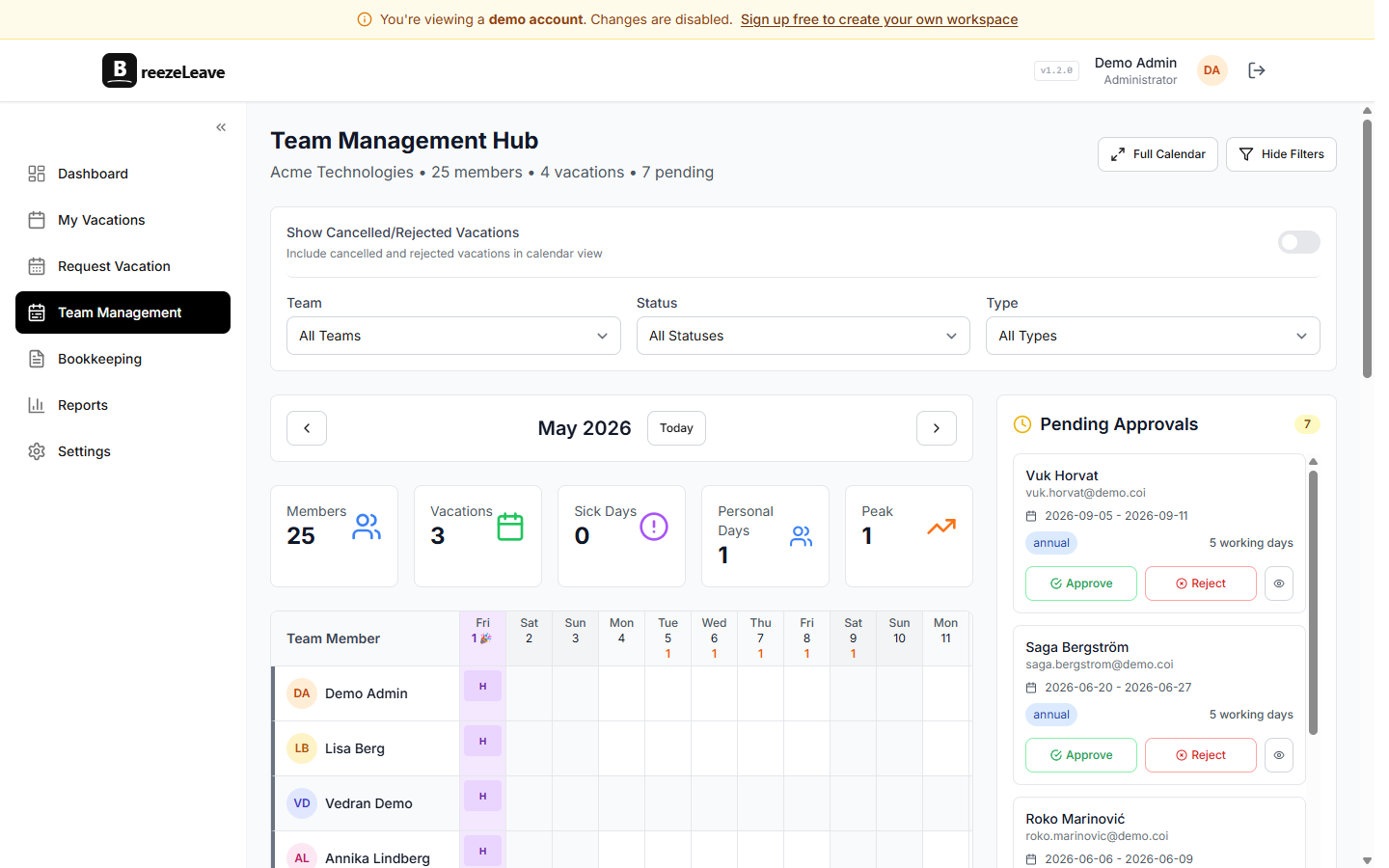
If you need more than one approver, the rules engine can route a request to multiple people with a voting policy. Short requests with enough notice can be auto-approved. Long ones, peak-season requests, or anything over a balance threshold can require manual review.
A team calendar that everyone can read
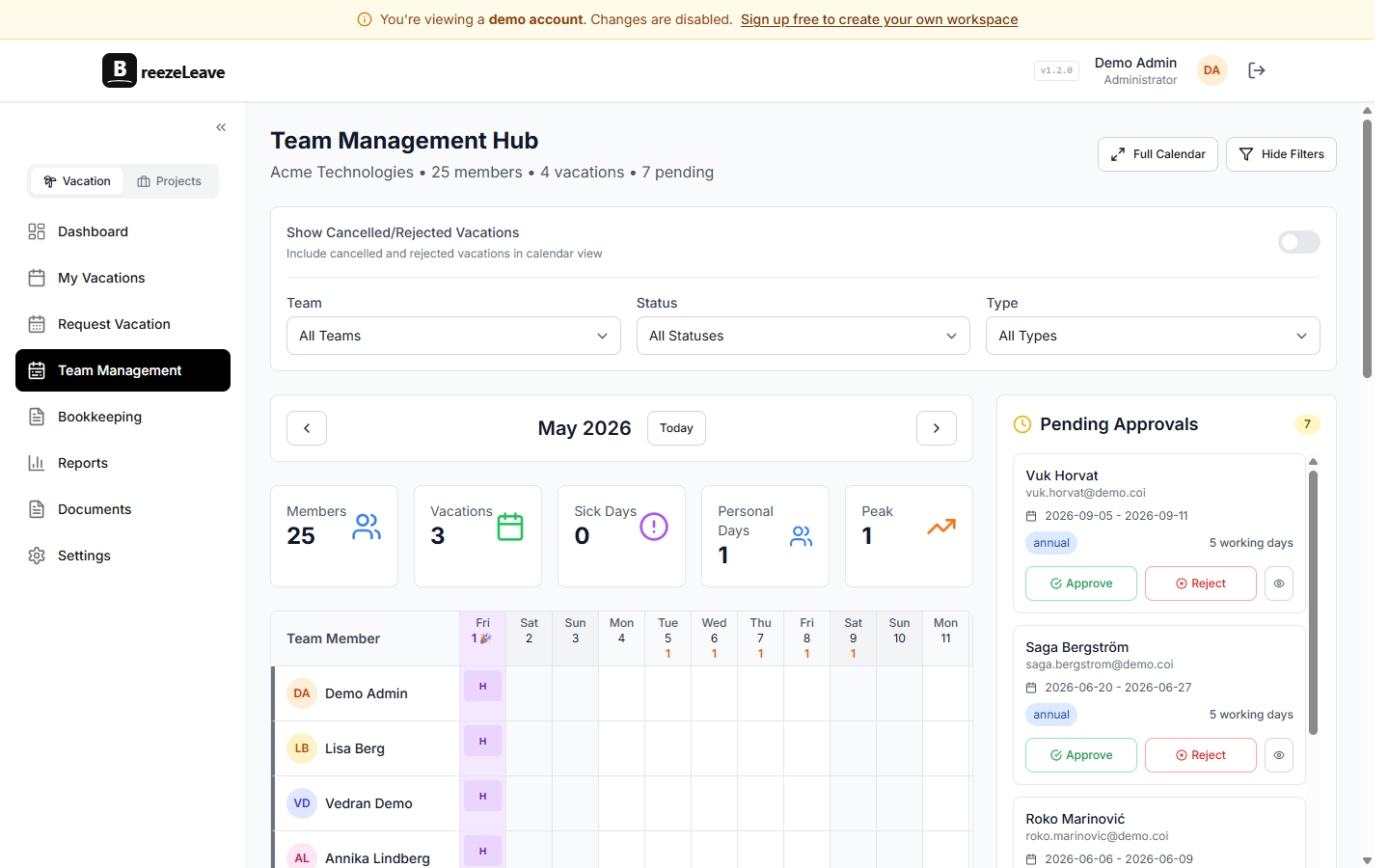
Once a request is approved, it shows up on the team calendar with the dates, the leave type, and the person. Managers can spot overlaps before they happen, and developers can check whether two people on the same project are off the same week before booking their own time. The employee vacation calendar page covers the visibility settings in more detail.
Spreadsheet vs basic tool vs BreezeLeave
Here is how the three common approaches handle the same five problems.
| What it has to do | Spreadsheet | Basic PTO tool | BreezeLeave |
|---|---|---|---|
| Balance updates | Hand-edited formula | Automatic, fixed schedule | Daily cron, any schedule |
| Accrual rules | One formula per row | Monthly only | Monthly, quarterly, semi-monthly, custom |
| Carryover at year end | Year-end migration task | Sometimes supported | Capped, expiring, or unlimited per type |
| Approval thread | Slack DM, lost | In-app only | Slack, Teams, email, or in-app |
| Team calendar | Separate doc | Basic list view | Filterable, colour-coded, country-aware |
| Payroll export | Copy paste | CSV per month | CSV for any date range, with audit log |
| Public holidays | You maintain them | Built-in, one country | 240+ countries, per-employee |
| Setup time | Hours plus ongoing fixes | 30 minutes | About 10 minutes |
The vacation tracker vs spreadsheet template post walks through the same comparison with screenshots and a migration script if you want to see what the switch actually looks like.
Exports payroll can use
Most payroll providers want a CSV with employee identifiers, leave dates, leave type, and the number of days. BreezeLeave exports exactly that format. You pick the date range, the leave types you care about, and whether to include cancellations. The result is a download that the payroll lead can drop straight into their system.
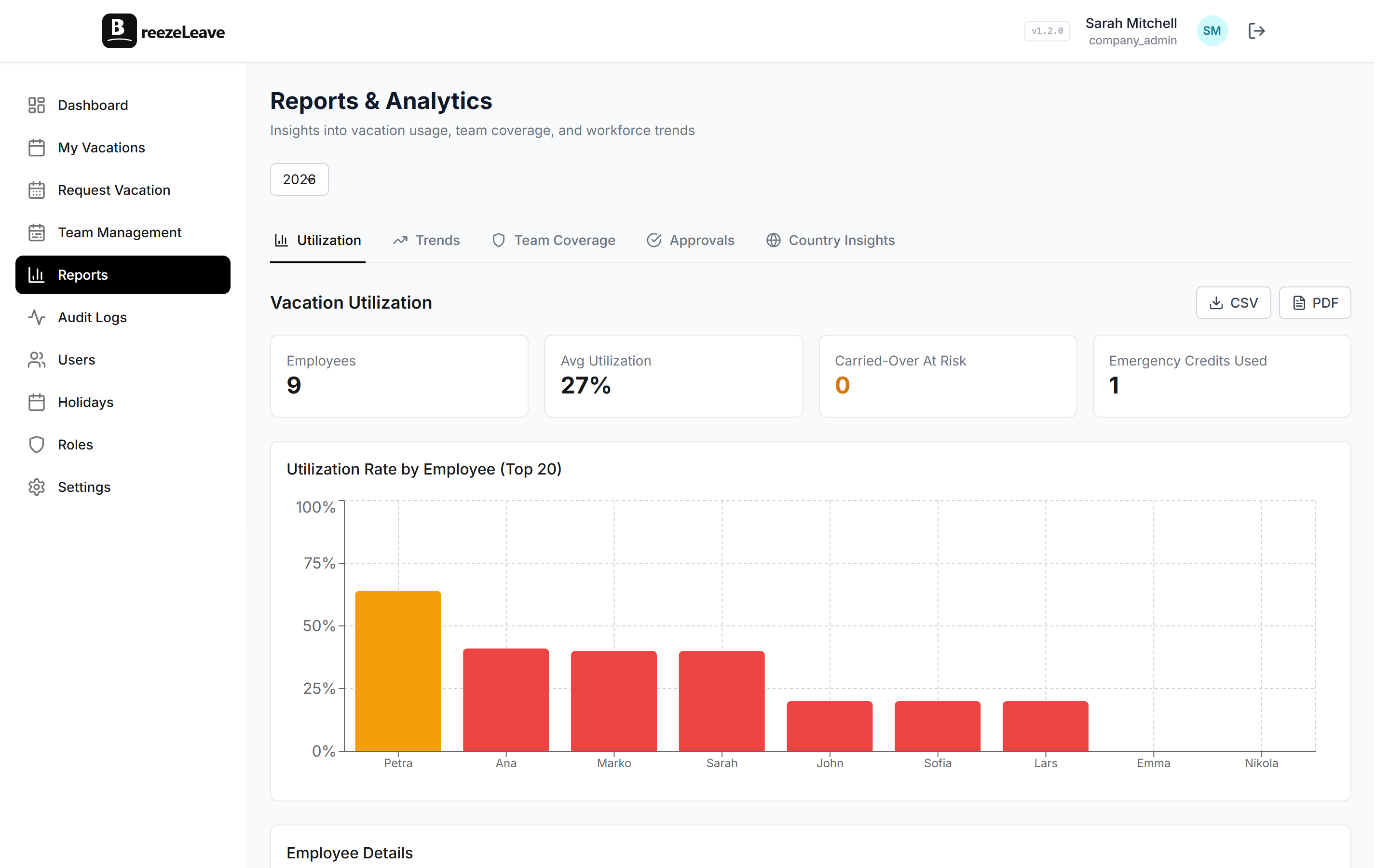
For a deeper look at how teams use the tracker once it is in place, see the vacation tracker overview and the leave management software landing page.
Pairs with Project Operations for agencies
BreezeLeave is two products. The PTO tracker handles balances, approvals, and calendar entries. Project Operations is the add-on for agencies that need to forecast capacity, log hours per project, and track budget against logged time. The two share the same people and the same calendar, so an approved vacation automatically reduces that person's available capacity for the week they are off. If you are running a service business, the Project Operations side is where leave starts to inform staffing and margin decisions instead of just balances.
Migrating from a sheet
Most teams switch in an afternoon. The order that tends to work:
- Create the company and define your leave types and accrual rules. Set the annual allowance for each, the accrual schedule, and the carryover policy.
- Import balances from the sheet. Export the current balance per person and paste it in as the starting balance. Future accruals build from there.
- Invite the team. Employees self-register with the invite link and pick their country so public holidays apply correctly.
- Connect Slack or Teams. Approvals start landing in the right channel immediately. The old DM thread for time off can be archived.
- Run the first payroll export. Compare the CSV to your previous month and reconcile any difference once, then trust the export from then on.
The full pricing breakdown, including what happens at the 10-person line, is on the pricing page. Most teams stay on the free tier for a while and upgrade only when they cross the threshold.
Frequently asked questions
Everything you might want to know before getting started. Still have questions? Reach out anytime.
A spreadsheet stores numbers. BreezeLeave tracks the balance, runs the accrual schedule, holds the approval thread, posts the absence to the calendar, and exports the result for payroll. The whole loop sits in one place instead of three different tabs.
Pick a schedule (monthly, quarterly, annually, or a custom rate per pay period). BreezeLeave runs the accrual on a daily cron, so balances update automatically without anyone touching a sheet. New hires start accruing from their join date.
Yes. Each leave type has its own carryover rule: unlimited, a fixed cap, or a deadline (e.g. unused days expire on March 31). The cron applies the rule on January 1, and the change shows up in the audit log so finance can trace it.
Teams up to 10 people get every feature for free, with no card and no trial expiry. Above 10 the paid plan starts at a per-person rate. The pricing page has the current number.
Yes. The Reports page exports current balances, accrued days, used days, and remaining balance for any date range. CSV format, which most payroll providers can import directly.
Both. Each company defines its own leave types (vacation, sick, personal, remote, parental, study, etc.) and each request can be a half day. The balance deducts in the right increment.
Project Operations is the second product. It connects leave to capacity, logged hours, project budgets, and document handoff. Most teams start with the PTO tracker and add Project Operations when they need to forecast staffing or review project profitability.