
An HR admin at a 90 person company opens Monday morning with three different problems on her desk: a senior engineer is out sick for the third Friday in a row, a designer asked for a same-day emergency leave on Sunday night, and the parental leave for a January start needs balances pro-rated across two countries. Each one is a different absence type, with different rules, different approvers, and different reporting requirements. A vacation tracker built for planned PTO covers about a third of the situation.
Absence management software is the broader category. It treats every kind of time off as a tracked, approved, balance-aware record: vacation, sick days, personal leave, emergency leave, parental leave, bereavement, jury duty, unpaid leave, and whatever custom type your policy defines. BreezeLeave is built for that full picture, not the planned-vacation slice of it.
Where a vacation-only tool stops being enough
A small team can run on vacation tracking alone for a while. The cracks usually show up in three places:
- Sick leave hides in Slack DMs. Someone messages their manager at 7am, the manager nods, and nobody writes it down. Three months later HR cannot tell payroll how many paid sick days that person actually used.
- Emergency leave has different advance-notice rules. A four-week-advance rule works for vacation. It does not work for the child who got sick at school yesterday. Without a separate type, the rule is either too strict or too loose.
- Parental leave needs its own balance and its own pay logic. Statutory parental leave in Germany is different from FMLA in the US. Mashing it into a vacation column produces wrong numbers every January.
Once any of those three appear, the existing tracker becomes a partial system. Absence management software is the upgrade where leave types are first-class citizens, each with their own rules and reports.
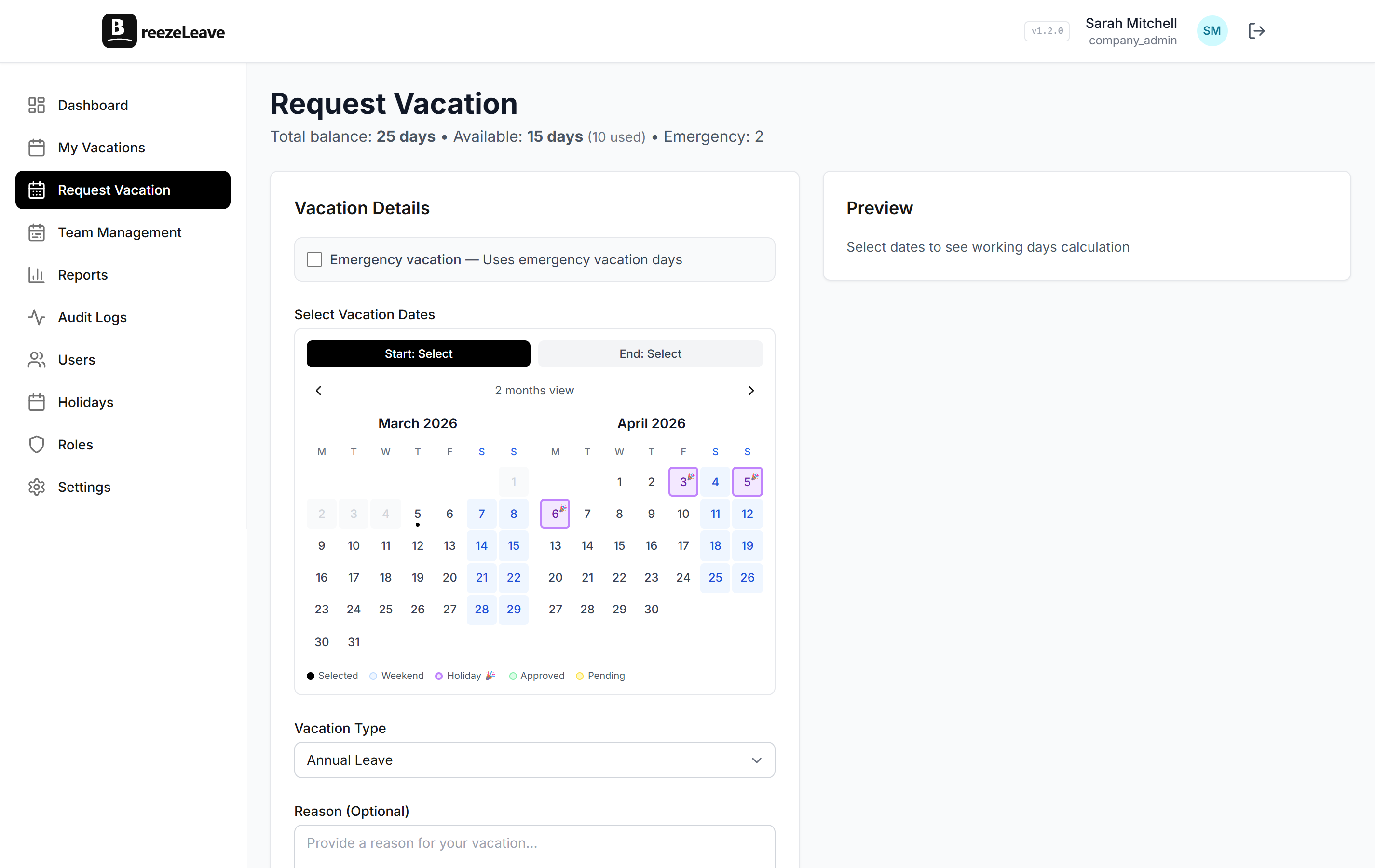
The absence types BreezeLeave covers
BreezeLeave ships with the common leave types pre-configured and lets you add custom ones for anything specific to your company.
Vacation
Planned annual leave with accrual, carryover, and blackout rules. Balances deduct on approval. The shared calendar surfaces team overlaps before the next approver clicks accept. This is the slice the /vacation-tracker page covers in depth if that is the only type you need today.
Sick leave
Configurable as capped (a fixed number of paid days) or uncapped (no balance, full audit trail). Visibility can be restricted to HR plus the direct manager if local rules require that. The sick leave blog covers the data and policy choices in more detail: see the sick leave tracking guide and the European sick leave article.
Personal days
Short paid absences that sit between vacation and emergency. Some teams use them for medical appointments, mental health days, or short personal errands. The distinction between personal and emergency leave matters for reporting and policy clarity. The personal vs emergency leave article walks through how to split them cleanly.
Emergency leave
Same-day or short-notice absences. The advance-notice rule on the vacation rules engine is set per type, so a vacation request requires 14 days while an emergency request requires zero. The approver still receives the request, but the rule does not reject it for being late.
Parental leave
Longer absences with country-specific statutory rules. BreezeLeave does not interpret the statute for you; it does store the balance, the start and end dates, the approver chain, and the audit log. A finance lead can pull parental leave costs by quarter from the reports view.
Bereavement and jury duty
Short, infrequent, usually paid. Each has its own balance and approval policy. Bereavement is the type most teams forget to configure; setting it up once means the request flow is the same as any other absence on the day it is needed.
Custom types
Anything your policy defines: sabbatical, volunteer day, study leave, religious holiday, garden leave. Add a name, an accrual rule, an approval policy, a visibility setting, and the new type appears in the request dropdown.
Per-type rules in the rules engine
The rules engine is where each leave type stops being a label and starts being a real policy. BreezeLeave handles per-type configuration for:
- Accrual. Monthly, annual, custom. Vacation accrues; sick leave usually does not.
- Carryover. Cap and expiry per type. Vacation rolls; emergency leave usually resets.
- Advance-notice rules. 14 days for vacation, 0 days for emergency, 30 days for sabbatical.
- Approval policy. Single approver, sequential, simultaneous voting, role-scoped.
- Visibility. Show on the shared calendar, hide for HR-only types, or anonymize.
- Auto-approval. Short, advance-notice-compliant requests can skip the approver queue per type.
The full rule set lives on the vacation rules engine page. The name covers more than vacation; the engine applies to every absence type.
Setup tip
When you size your absence types, start with five: vacation, sick, personal, emergency, parental. That covers the request shapes most HR teams see in a year. Add custom types only when a real request lands that does not fit any of those five. Fewer types means cleaner reports.
Multi-country and team-scoped policies
Statutory rules for sick, parental, and public holidays vary by country. A US employee and a German employee on the same team usually need different sick leave caps and different parental leave durations. BreezeLeave applies the country profile per employee, and you can override at the policy level for the cases where your company runs a more generous rule than the statutory floor. The multi-country use case page covers the country and holiday handling in detail.
Inside a single country, policies can also vary by role or seniority. A senior engineer might accrue more vacation than a junior. A part-time designer might get a pro-rated allowance. Both sit on the same team without HR having to maintain two parallel lists.
Reports an HR admin actually uses
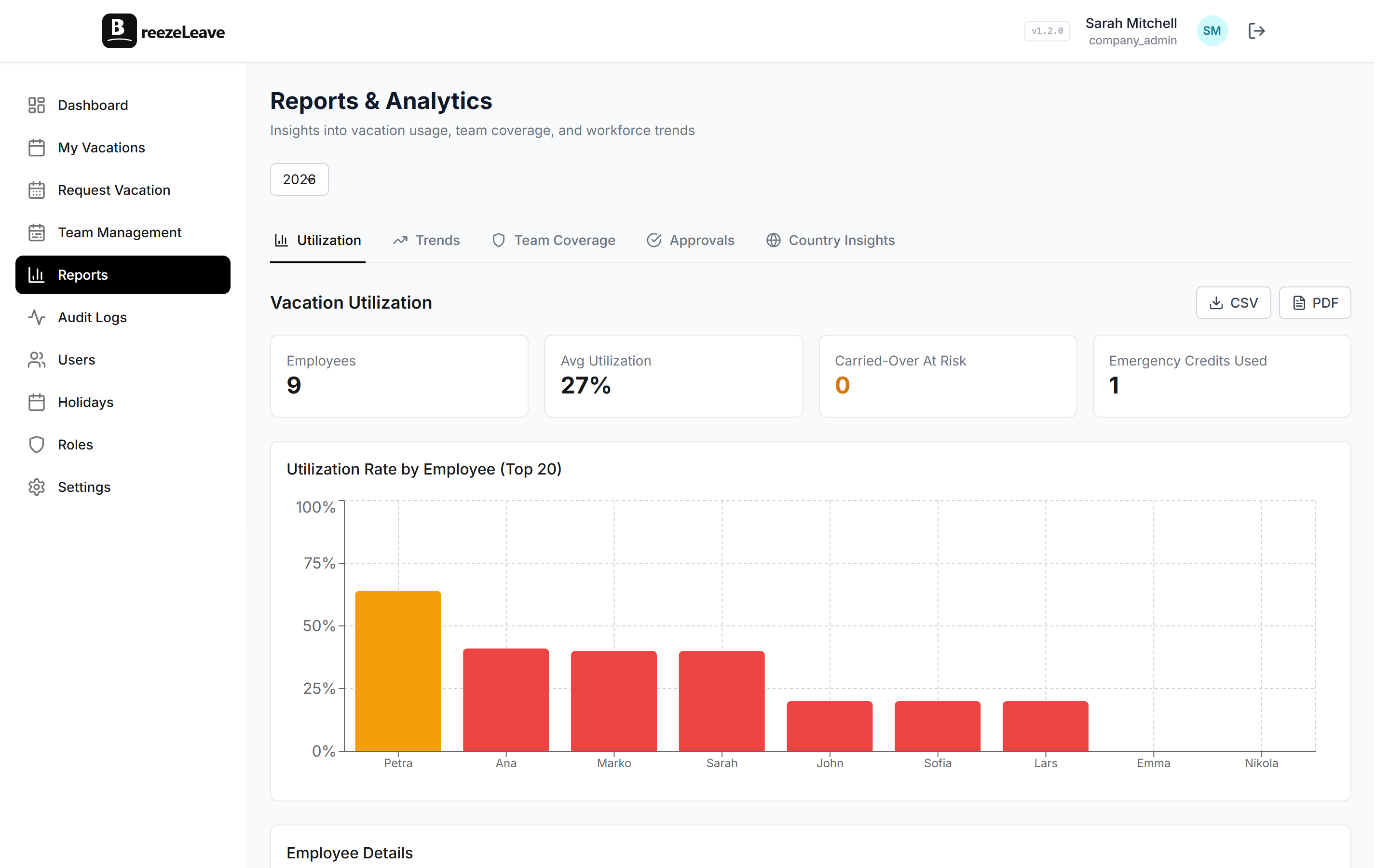
The reports tab is where the data pays off. Common views HR admins pull each month:
- Sick leave by team. Spot a cluster early. Three sick Fridays in operations is a signal, not a coincidence.
- Emergency leave by employee. Some people use it once a year, some lean on it weekly. The data tells the manager which conversation to have.
- Parental leave forecast. Approved start dates over the next six months, by country, so capacity planning has a real input.
- Total absence cost by month. Paid leave totals against headcount cost. Finance can pull this without asking HR for a spreadsheet.
- Audit export. Every change for a given date range, signed off and ready for the works council.
Each report exports to CSV. Each one respects role-based permissions, so the operations lead sees their team and the finance lead sees the company aggregate without seeing individual salaries.
Where BreezeLeave fits in the absence stack
BreezeLeave is purpose-built for leave and absence. It is not a full HRIS. If you need payroll runs, benefits administration, performance reviews, and applicant tracking in one product, a suite tool will serve you better. If you want a focused absence management system that hands clean data to payroll and integrates with the rest of your HR stack, BreezeLeave is the right shape.
Typical fits:
- 10 to 500 person companies that have outgrown a spreadsheet for non-vacation leave types.
- Multi-country teams where sick and parental leave rules differ by country.
- HR admins who need a real audit log for works council, GDPR, or compliance reviews.
- Operations leads who want one view across vacation, sick, and emergency absences.
For broader leave management context, the vacation rules engine page covers the per-type policy layer in depth. The pricing page has the current plan tiers and seat counts.
Frequently asked questions
Everything you might want to know before getting started. Still have questions? Reach out anytime.
A vacation tracker mostly handles planned PTO. Absence management software covers every time-off type your HR admin has to record: vacation, sick days, personal days, emergency leave, parental leave, bereavement, jury duty, unpaid leave, and any custom type your policy defines. Same balances, same approvals, same calendar, but built for the full picture.
Yes. Each leave type carries its own balance, accrual rule, approval policy, and reporting bucket. Sick leave can be unlimited or capped, paid or unpaid, and visible only to HR if local rules require that. Vacation, personal, and emergency leave each live in their own column on the dashboard.
You can configure a separate emergency leave type with shorter advance-notice rules. An employee marks a same-day absence, the request lands in the approver queue with a clear flag, and the audit log captures both the timestamp and any reason note. The vacation rules engine page explains how advance-notice thresholds work per leave type.
Yes. Statutory minimums for sick leave, parental leave, and public holidays vary by country. BreezeLeave applies country profiles for 240+ countries and lets you override per-policy values for the cases where your company runs a more generous rule than the statutory floor.
The absence reports tab shows usage by type, team, country, and month. A monthly view tells the HR admin how many sick days the operations team logged in March, how many emergency days hit the engineering team, and where the parental leave overlap is concentrated.
Yes. Every request, approval, balance adjustment, and rule edit is recorded with the actor and timestamp regardless of leave type. When a works council or auditor asks who approved a 30-day medical leave in October, the answer is one filter away.
Yes. Most teams start with vacation, then add sick and personal leave once the basic setup is running. Adding a new leave type takes a few minutes: name, accrual rule, approval policy, visibility. The /vacation-tracker page is the narrower entry point if vacation is the only thing on the table this quarter.