
Tuesday standup. A team lead asks who is around for the client call on Friday. Two people say they think they are free, one is not sure, and one is already typing into Slack to ask the project manager whether their PTO was approved. By the time the meeting starts, half the team has lost ten minutes to a question that should have a single answer.
That is the gap an employee vacation calendar fills. Approved leave is visible to anyone who needs to plan around it, conflicts get caught when a request is submitted (not when someone misses a deadline), and the lead does not have to chase status in three different tools.
What a team lead actually needs from a vacation calendar
Most calendar tools show events. A team vacation calendar needs to do a bit more, because the work it supports is planning, not just visibility. The four things that matter:
- Up to date with no delay. When a request is approved, it appears immediately. No sync lag, no manual refresh.
- Filterable. A team lead wants to see their team. A regional manager wants to see a country. A project manager wants to see the people on a specific project.
- Conflict-aware. The calendar should not just show overlapping leave; it should help prevent it at the moment of submission.
- Linked to coverage. Who is covering for the person who is out matters more than the absence itself. The calendar should answer "who do I ask?" in the same click as the lookup.

How the BreezeLeave calendar handles each one
Real-time updates
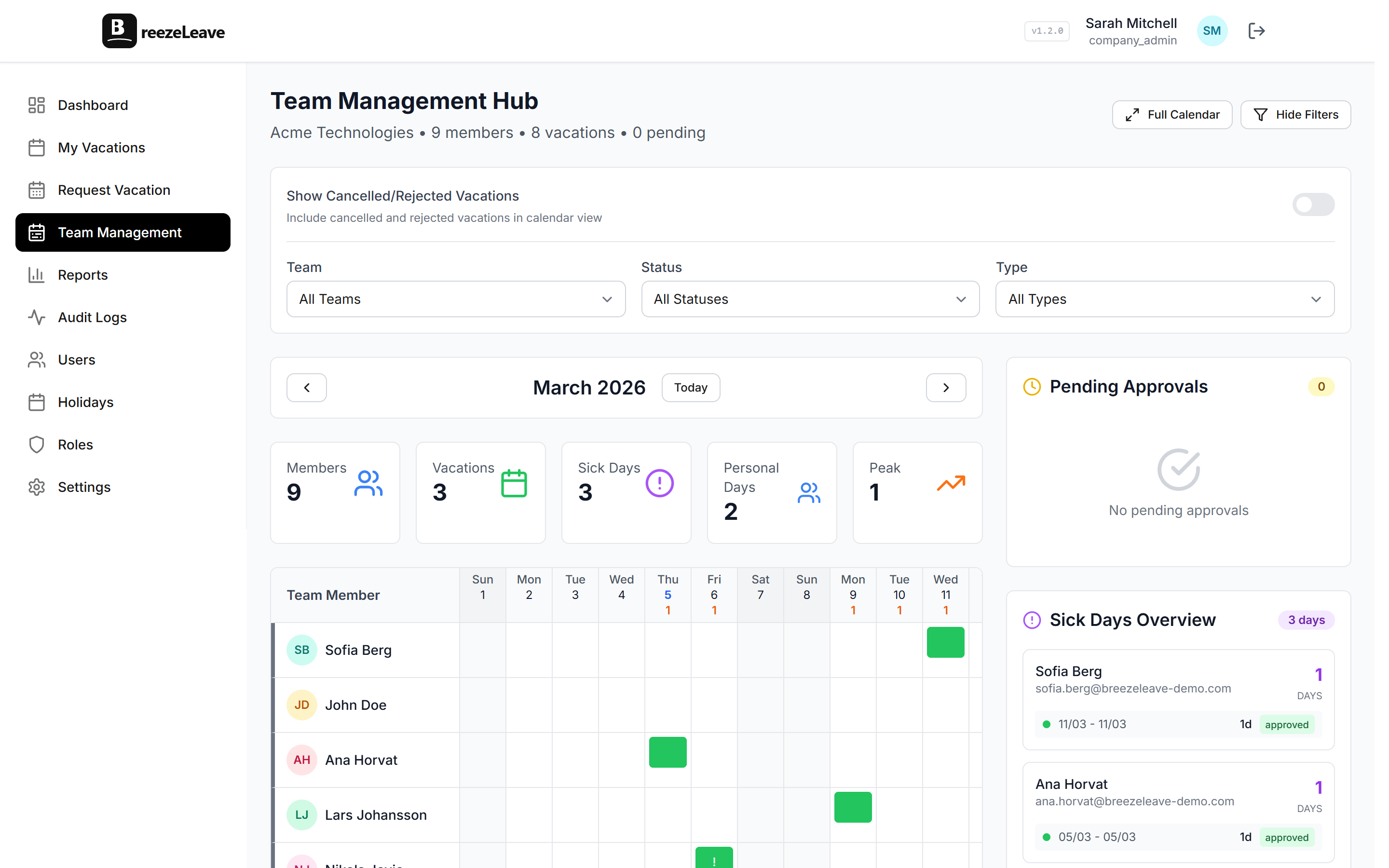
When an approver clicks approve, the calendar updates. There is no background job that runs every 15 minutes. The team lead refreshing the page sees the latest decision the moment it happens. Slack and Microsoft Teams pick up the same change for the daily digest.
Filters by team, country, and date range
The default view shows the whole company, but most users filter to one team. Country filters help regional leads. Date-range filters help when planning a quarter. The filters stack: country plus team plus next 30 days produces a focused view that a single lead can scan in 15 seconds.
Concurrent absence limits
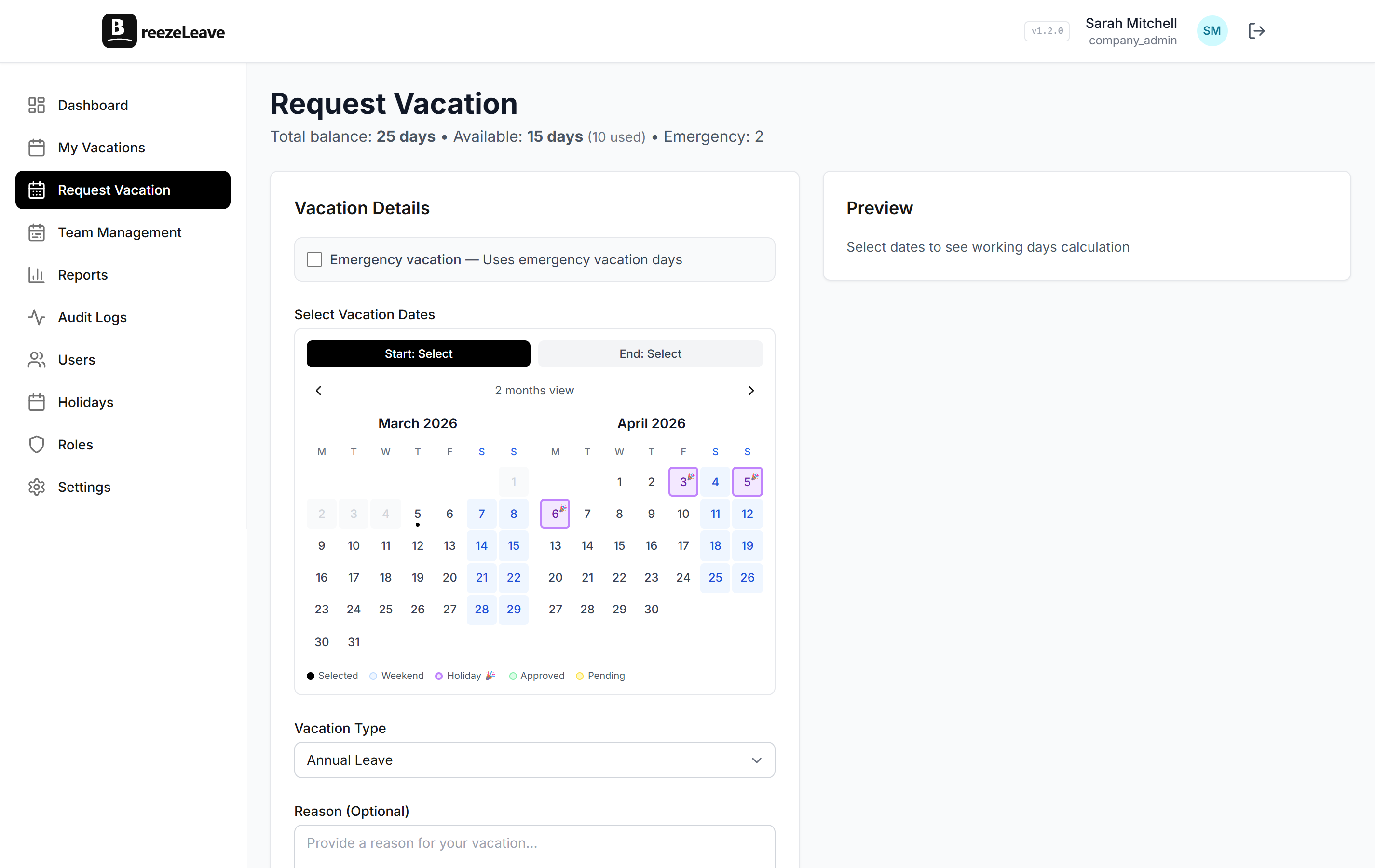
A team can set a maximum number of people allowed to be off on the same day. The rule runs at request time. If approving a new request would push the team over the limit, the request is blocked before it reaches the approver, with the reason visible to the employee. This stops the "three out of four senior devs are off the same week" problem from showing up as a surprise.
Cover person assignments
For roles that need clear coverage (account managers, on-call engineers, client leads), you can assign a cover person per employee. When the employee is out, the calendar shows who is covering. If both the employee and their cover are off at the same time, the system flags the conflict. Read more in the team calendar use case for the full setup.
Visibility that matches your company
Not every company wants every employee seeing every leave type. The calendar has two visibility modes:
- Full leave type visible. "Sarah is on vacation" or "Tom is on sick leave." Useful for small teams where context matters and trust is high.
- Out of office only. The calendar shows that someone is away and hides the reason. Common in larger companies and in regions where leave type privacy is the norm.
The setting is per company. Custom roles can also restrict who sees the calendar at all, which matters for external HR users, contractors, or partner companies that should only see their own team.
Where the calendar shows up beyond the web app
A calendar that lives only on a tab nobody opens is not useful. BreezeLeave puts the same data in the places teams already work:
Slack
A daily digest posts to your chosen channel with who is out today and who is out this week. Slash commands let anyone check status without opening the app. The Slack vacation bot page covers the full integration.
Microsoft Teams
Same digest pattern for Teams users, with Adaptive Cards for approvals and an away notification channel. Details on the Teams leave management page.
Google Calendar
Each employee can connect their own Google Calendar with OAuth. Approved leave appears as all-day events on their personal calendar. If a request is cancelled, the event is removed. This is useful when team members want their leave to show on their own calendar and skip editing twice.
Pro tip
If you run a remote or multi-country team, set each employee country before turning on public holidays. The calendar then shows realistic availability instead of treating everyone as having the same working calendar.
How team leads use it day to day
A typical weekly rhythm for a team lead managing 8 to 15 people:
- Monday: open the calendar filtered to the team, scan the next two weeks. Note who is out and which projects might need attention.
- During the week: approve incoming requests directly from Slack or Teams. The calendar updates without the lead opening the web app.
- Before the planning meeting: check the calendar filtered to the project group. Spot the weeks where coverage is thin.
- End of month: review the team calendar against logged hours to spot patterns. Read the shared team vacation calendar post for examples of how other leads use the same view.
Common views team leads ask for
Different roles open the calendar for different reasons. The views that come up most often in practice:
"Who is out this week?"
The default filter for a Monday-morning check. Team leads scan the current week, note the people on PTO, and adjust standup assignments. Slack and Teams digests answer the same question for people who never open the web app.
"Can we promise this delivery date?"
Project managers filter to a project group and a date range. The calendar shows whether key contributors are around for the milestone. If two important people are off in the same week, the date moves before it gets promised to the client.
"Is there enough coverage for on-call?"
Engineering leads pair the calendar with cover person assignments to confirm that every rotation has a backup. When the primary on-call is out, the calendar shows who picks up. If both are away on the same date, the conflict is visible before it becomes an incident.
"Are too many people booking the same week?"
Concurrent absence limits handle this at request time, but the calendar is where a lead notices a pattern building. Three requests for the last week of August on the same team is a signal to plan for thinner staffing or to ask one person to shift.
When the calendar prevents a real conflict
A scenario from a 25-person agency: three out of five client leads request the same week off for a wedding, a school holiday, and a family trip. Without concurrent absence limits, each request lands separately and each one looks reasonable on its own. With the limit set to two, the third request is blocked at submission with a clear reason. The employee either picks a different week or asks the lead to make an exception with full context. Either way, the conflict surfaces before it becomes a coverage hole.
For team leads who want the broader view on this, the employee vacation calendar guide covers configuration patterns and common pitfalls. If you also want full PTO tracking beyond the calendar, the vacation tracker page walks through how requests, balances, and the calendar fit together.
Frequently asked questions
Everything you might want to know before getting started. Still have questions? Reach out anytime.
A shared view of approved time off across your team or the entire company. Every team lead and employee can open the same calendar and see who is out on a given day, week, or month, instead of asking around or checking a spreadsheet.
Everyone in the company by default, with leave type visibility configurable. Some companies show only "out of office" and keep the leave type private. Custom roles can restrict the view further so external HR users or contractors only see what they need.
Yes. The calendar supports filters by team, country, leave type, and date range. A team lead managing a single team can filter to their team. A regional manager can filter to a country. Finance can filter to a specific leave type to spot-check balances.
Through concurrent absence limits and cover person assignments. You can set a maximum number of teammates allowed off on the same day. Requests that would exceed the limit are blocked at submission with the reason. Cover person assignments tie one teammate to another so the system flags a conflict if both are away.
Yes. The calendar is responsive and works on a phone screen. Team leads usually check it on desktop when reviewing requests, but employees often open it from a phone to plan around a colleague who is already booked off.
Yes. Approved leave can sync to each employee Google Calendar as all-day events. Slack and Microsoft Teams can post a daily digest of who is out today and this week, so the calendar shows up where the team already works.
Public holidays appear on the calendar based on each employee country setting. A US-based teammate sees US holidays, an EU teammate sees their country holidays. The calendar reflects realistic team availability instead of a flat working calendar.
Pricing
The team calendar is part of BreezeLeave on every plan, including the free tier for teams of 10 or fewer. There is no premium calendar add-on. See the pricing page for current details.