
Margin per project is the number agency owners actually need and rarely get on time. Revenue is easy. Cost is messy. By the time the bookkeeper closes the month and emails the margin report, the project has already shipped and the conversation is academic.
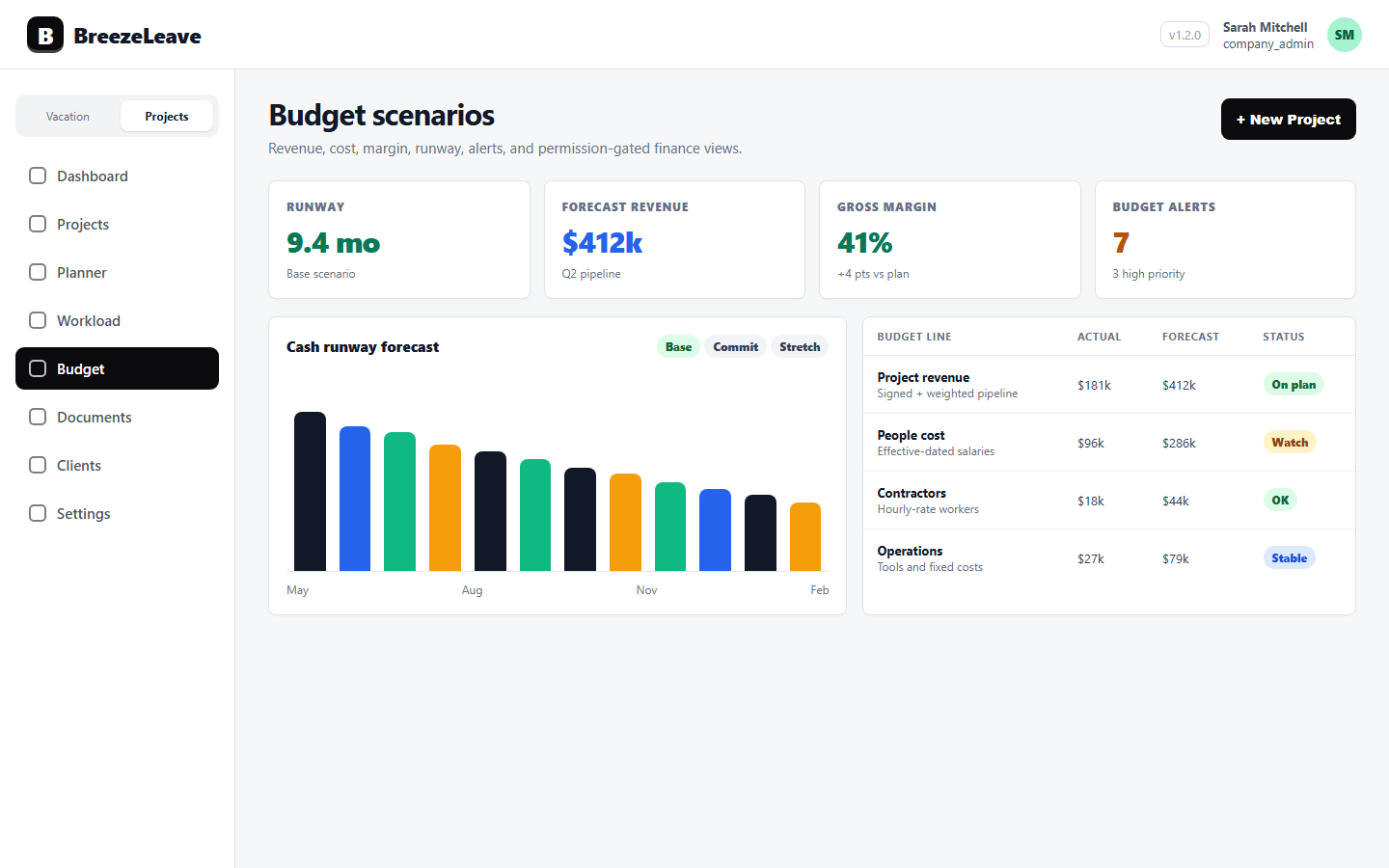
BreezeLeave makes the margin number live. Logged hours from ClickUp multiplied by effective-dated rates produce labor cost. Categorized cost lines add software, contractor invoices, and other charges. Revenue from project values and retainer allocations sits on the top line. Margin = (revenue minus cost) / revenue, computed per project, updated as the data comes in.
The point is not to replace your accountant. It is to give the owner and the finance lead a signal that arrives in time to do something about it.
Why monthly margin reports arrive too late
The usual sequence inside an agency:
- The bookkeeper closes the month around the 8th to 12th of the following month.
- The finance lead pivots the export, allocates costs to projects, and shares a margin sheet.
- By the time the owner reads it, the projects are 5 to 6 weeks old. Scope creep has already happened. The freelancer invoice has already been approved.
- The conversation in the next leadership meeting is post-mortem, not corrective.
A live margin number changes that conversation. When a project crosses 70 percent of its budgeted cost in week 3, the owner can decide whether to renegotiate scope, pause work, or accept the lower margin with eyes open. None of those decisions are easier in week 7.
How the margin number is built
The margin formula is straightforward; the inputs are where most agencies struggle. Read more on the project margin reporting with ClickUp time entries article.
Revenue
Revenue on a project comes from the configured project value (for fixed-fee work) or from the retainer allocation (for monthly retainers). Multi-month projects can be split by phase or milestone so revenue lands in the right period.
Labor cost
Labor cost equals logged hours from ClickUp multiplied by the effective rate for each person on each day. Salary history with effective dates means an April 1 raise does not retroactively change March cost. See the labor cost tracking page for the cost mechanics.
Categorized cost lines
Software subscriptions, contractor invoices, hardware, travel, and any other project-specific charges sit as categorized cost lines. Costs roll up to the project total alongside labor cost.
Margin percent
Margin equals (revenue minus total cost) divided by revenue. The number is shown in the project budget views, in the margin reports tab, and in aggregated views by retainer, owner, or project subtype.
Where margin actually changes decisions
Some agency-specific use cases for the margin number:
Renegotiating a fixed-fee project mid-flight
A fixed-fee project lands at 65 percent of its cost budget in week 2 of an 8 week timeline. That is a problem. The margin view surfaces it. The account manager has the conversation with the client about scope before week 4, not after week 8.
Spotting retainer drift
A retainer is allocated for 40 hours per month. Logged hours hit 52. Margin on that retainer is now negative because the over-delivery is uncompensated. The retainer drift signal in the budget view catches that before the renewal conversation starts on the wrong foot.
Comparing owners and salespeople
Margin grouped by project owner shows which delivery leads consistently run projects close to their planned cost and which ones over-spend. Same for salespeople: which deals come in with realistic scoping and which ones leave delivery to figure it out.
Deciding which retainers to keep
At renewal time, owners want a one-number answer per retainer: was this profitable over the last 12 months? Aggregated margin by retainer gives that signal.
Two reading dimensions: per project and aggregate
The margin reports tab supports two ways of looking at the same data.
| View | What it shows | Best for |
|---|---|---|
| Per-project margin | One project, one number, with the cost breakdown | Delivery lead reviewing a specific engagement |
| Aggregated by retainer | Margin trend on a retainer over months | Account manager at renewal time |
| Aggregated by owner | Margin by project owner across the portfolio | Founder evaluating delivery leadership |
| Aggregated by project subtype | Margin by project type (build, sprint, audit) | Founder deciding which offerings to scale |
| Aggregated by month | Margin trend across the portfolio over time | Finance lead during quarterly reviews |
For broader reading on the metrics owners should track, see the project profitability metrics for agency owners article.
Permissions: who sees margin
Margin is built from revenue and cost. Both are sensitive. BreezeLeave splits visibility:
- projects_revenue_read. Required to see project revenue and therefore the numerator of margin.
- projects_costs_read. Required to see project-level cost. Individual salaries stay hidden behind a separate key.
- projects_person_costs_read. Required if the user should see per-person cost breakdowns inside a project.
- budget_aggregate_costs_read. Required to see aggregate cost trends across the portfolio.
A common configuration: delivery leads get revenue and project cost permissions but not per-person cost. They see margin without seeing salaries. Finance leads get all four. The founder sees everything. A delivery lead who only has cost permission sees the cost side but not margin. The role design avoids the trap where margin reporting accidentally leaks compensation data.
What margin reporting does not replace
Honest scope:
- BreezeLeave margin reporting is a management view, not a statutory P&L. Your accountant still owns the formal financial reporting.
- The margin number is only as good as the inputs. If ClickUp hours are not logged, cost is understated and margin looks better than it should. Confirm logged hours hygiene before relying on the report.
- Revenue recognition is simplified. Multi-year contracts, complex deferred revenue, and credit notes are not modeled the way a full ERP would model them. For audit-level revenue recognition you still need your finance system.
- BreezeLeave does not produce a cash flow or balance sheet view. The focus is project margin and the operating inputs that drive it.
Project Operations add-on
Project Operations is an add-on to BreezeLeave. $8/user/month, or $6/user/month with annual billing (save 25%). 14-day free trial. Add at signup or anytime from billing.
Frequently asked questions
Everything you might want to know before getting started. Still have questions? Reach out anytime.
Margin percent equals (revenue minus cost) divided by revenue, computed per project. Revenue comes from configured project values and retainer allocations. Cost includes labor cost (logged hours from ClickUp multiplied by effective rates) plus any categorized cost lines such as software, contractor invoices, or hardware. The result is shown in the project budget views for users with revenue and cost permissions.
Margin updates as ClickUp time entries sync and as costs are added. You do not need to wait for the bookkeeper to close the month. The number is live, which means you can intervene on a project that is drifting before the next status meeting.
Yes. The project budget views and the margin reports tab support grouping by project subtype, owner, salesperson, and retainer. Owners can see which delivery leads run projects closest to budget. Account managers can see which retainers consistently run over their monthly allocation.
Yes. To see margin you need both projects_revenue_read and projects_costs_read. A delivery lead without revenue permission sees only cost. A finance lead with both keys sees the full margin number. The split keeps sensitive finance data away from roles that should not see it.
Missing hours make labor cost lower than it should be, which makes margin look better than it is. The logged hours reports flag no-log periods and unmapped users so the gap is visible. Treat margin as reliable only on projects where logged hours hygiene has been confirmed.
Aggregated margin and cost trends can be exported through the budget aggregate reports. Per-project margin is visible inside the budget views. The exports are designed for internal management review, not for statutory financial reporting.
Retainers have a monthly allocation (for example, 40 hours at a configured rate). When logged hours exceed the allocation, the retainer drift signal appears in the budget view. That tells the account manager the retainer is eating margin even if the project still shows positive revenue on paper.
Getting margin reports live
A practical sequence for an agency owner or finance lead enabling project margin reporting:
- Confirm ClickUp time data quality. Run logged hours reports for the last 4 weeks. Address no-log periods and unmapped users before trusting any cost number.
- Enter effective-dated salaries. Use the date the rate took effect. Historic margin only works if rate history is right.
- Add categorized cost lines. Pull software and contractor invoices into the relevant projects. Without them, margin is overstated.
- Configure project revenue. Project value for fixed-fee, monthly allocation for retainers, phase splits for multi-month engagements.
- Open the margin reports tab. Sanity-check the numbers against one closed month you already trust.
- Set permissions per role. Decide who sees revenue, project cost, person cost, and aggregate cost.
Once those steps are done, margin updates live as ClickUp time entries sync. The number stops being a quarterly artifact and starts being a weekly conversation. Pricing for the project management add-on is on the pricing page. For the time-tracking side that feeds margin, see the ClickUp time tracking page.