
Most agencies discover a bad project the same way. The retro happens, the team feels burned out, and somewhere in the next finance review a margin number is quietly reported as zero. By then, the people who could have steered the project have already moved on to the next client.
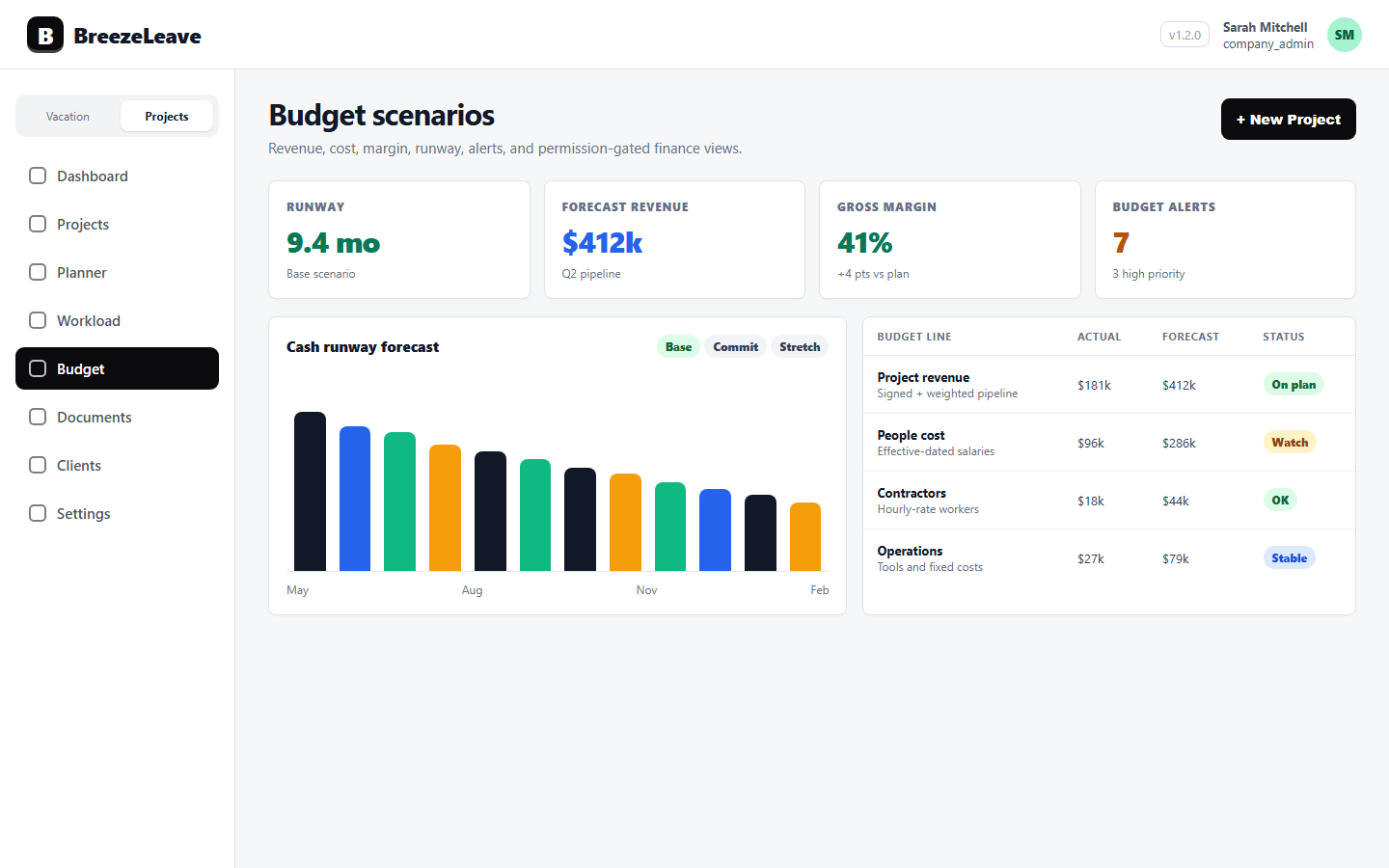
Project profitability software exists to shorten that gap. Instead of reconciling cost three weeks after the fact, the owner and finance lead see per-project revenue, categorized cost, and margin while the work is still in flight. BreezeLeave wires this into the same operating view that holds project structure, retainers, logged hours, and capacity.
What agency project profitability software needs to do
Generic finance tools track revenue and cost at the company level. That works for tax filing. It does not help a project manager decide whether to keep a junior on a fixed-fee build that has already eaten its hours. Agency project profitability software has to answer different questions:
- Which projects are still profitable this month? Revenue, cost, and margin per project, refreshed as logged hours come in.
- Where is the cost concentration? Categorized cost lines (salary, subcontractor, software, expenses) so the team can tell why margin is moving.
- Which owners run the leanest book? Owner-level analytics across the portfolio so a finance lead can see patterns rather than one-off numbers.
- What is the retainer health? Monthly retainer cost vs allocation, so a 50% over-burn shows up in week two rather than month three.
A profitability view that cannot answer those questions is just a report. BreezeLeave is built around the operating decisions, not the reporting export.
Per-project revenue, cost, and margin
Each project in BreezeLeave carries its own financial view. The revenue side reads payment schedules, retainer allocations, and one-off project values. The cost side reads categorized lines built from logged-hour data and direct expense entries. Margin is the difference, expressed as a value and a percentage.
Revenue inputs
Project revenue is set per project type. A fixed-fee project has a contract value spread across payment months. A retainer has a monthly allocation. A time-and-materials project reads billable hours against an agreed rate. Each setup is visible on the project record, so finance does not have to dig through email to find the agreed amount.
Categorized cost lines
Cost is not a single number. The profitability view shows categorized lines so the source of cost is clear:
- Salary cost. Built from logged hours times an internal hourly rate mapped to the user. Aggregated to team level in the visible view; individual salary detail stays behind permission gates.
- Subcontractor cost. Freelance and contractor invoices tied to the project.
- Software and tools. Project-specific licenses, ad spend, hosting, or other variable costs.
- Direct expenses. Travel, third-party services, or any other line that does not fit a standing category.
Margin signals
Each project shows margin in absolute terms and as a percentage of revenue. A small project at 45% margin and a large project at 12% margin tell different stories, and the owner needs both signals at once. Threshold alerts can flag projects that drop below a target margin so they get a finance review before the next milestone closes.
Assumption note
Margin is only as accurate as the cost inputs. The profitability view always shows which cost lines are populated and which rely on assumptions (for example, a placeholder rate for an unmapped freelancer). The number is defensible because the inputs are visible.
How logged hours feed the cost picture
Salary cost is the largest variable cost line for most agencies, and it moves with logged hours. If hours are missing or unmapped, the cost picture is wrong. BreezeLeave handles this with the ClickUp logged-hours integration and a set of time-hygiene checks.
Hours sync from ClickUp into BreezeLeave. The system flags:
- People with expected hours but no logs for a given period.
- ClickUp users not mapped to a BreezeLeave person record.
- Cards with unusually high or low effort relative to the planned estimate.
Time-hygiene reminders nudge the people with gaps before the month closes, so the profitability view has a clean input. For a deeper dive on how this works in practice, see the post on project margin reporting with ClickUp time entries and the broader workload and capacity planning view that uses the same data.
Owner analytics across the portfolio
Project profitability becomes more useful when it is rolled up by owner. A delivery lead who consistently runs projects at 30% margin and another who lands at 5% are giving the owner very different information. BreezeLeave includes owner analytics so this pattern is visible.
The owner view shows, for each project owner:
- Number of active projects and retainers.
- Aggregate revenue and cost across the portfolio.
- Average margin percentage.
- Projects flagged below margin threshold.
This is not a performance review tool. It is an operating signal. A delivery lead carrying ten projects at thin margin may need staffing or pricing support, not a coaching conversation. The data is there to inform the next decision.
A profitability review cadence that holds up
Most agencies pick one of two cadences. Monthly works for portfolios under 30 active projects. Quarterly works for larger books with monthly portfolio snapshots in between. The structure below is for the monthly version.
- Refresh logged hours. Confirm the ClickUp sync is current and no-log alerts have been resolved.
- Review margin signals. Open the budget view sorted by margin percentage. Anything flagged below threshold gets a one-line explanation.
- Walk owner analytics. Look at owner-level rollups. Patterns matter more than one-off numbers.
- Decide on flagged projects. For each below-threshold project: scope change, rate change, scope cut, or accept the margin and move on. Document the choice.
- Feed decisions into next month. Updated assumptions roll into the next budget and forecast cycle. The review closes the loop.
For the longer version of this checklist, see project profitability review cadence for agency owners.
Project profitability vs project margin tools
Agency teams often look at three categories of tools when evaluating this space. Here is how they compare in practice.
| Capability | Spreadsheet | Generic PM tool | BreezeLeave |
|---|---|---|---|
| Per-project margin | Manual formula | Sometimes | Yes, with category lines |
| Time data input | CSV import | Native or none | ClickUp sync, hygiene flags |
| Owner analytics | Pivot tables | Rare | Built-in rollups |
| Permission gating | All or nothing | Basic | Granular per role |
| Capacity context | Separate sheet | Usually missing | Same module |
| Retainer health | Difficult | Rare | Monthly cost vs allocation |
Permission note
Cost detail is sensitive. BreezeLeave permission-gates per-person salary cost, aggregate company cost, and revenue figures. A project owner can run delivery and see project margin while still being shielded from individual compensation data. The view is built around team-aggregate framing by default.
What the profitability view will not do
A short list of honest limits:
- No ROI claim or percentage savings. The benefit is faster review cycles and a defensible margin number, not a marketing metric.
- Margin accuracy depends on logged hours and mapped rates. If half the team forgets to log time, no software can backfill that picture.
- Project profitability is a signal, not a verdict. A low-margin project may still be the right one to keep for strategic reasons. The view supports that conversation, not replaces it.
- Final tax and accounting truth stays in your ledger. BreezeLeave is the operating layer between delivery and finance, not a bookkeeping system.
Project Operations add-on
Project Operations is an add-on to BreezeLeave. $8/user/month, or $6/user/month with annual billing (save 25%). 14-day free trial. Add at signup or anytime from billing.
Frequently asked questions
Everything you might want to know before getting started. Still have questions? Reach out anytime.
Project profitability software tracks revenue, cost, and margin for each project so an agency owner can tell which work is paying and which is bleeding. BreezeLeave does this with categorized cost lines, logged-hour input, and permission-gated views.
Margin is project revenue minus categorized cost. Cost categories typically include salary cost from logged hours, subcontractor cost, software cost, and direct project expenses. The view shows the inputs so a finance lead can defend the number.
Yes. ClickUp logged hours feed into project cost when a billable rate or salary rate is mapped to the user. Time-hygiene tools flag missing logs so the cost picture stays current rather than getting reconciled at month end.
Yes. Per-person cost, salary data, and aggregate cost views are permission-gated. Project managers can plan delivery and see margin signals without exposing individual compensation.
A monthly project profitability review is the common cadence, with a quarterly portfolio review for trend lines. Our blog walks through what to flag in each meeting and how to keep the review under an hour.
No. BreezeLeave is the operating layer for project, capacity, and budget planning. Final accounting truth still lives in the ledger. The profitability view connects delivery data to margin so decisions happen while the work is fresh.
Related resources
- Project budget tracking for the broader budget grid that includes profitability data.
- Workload and capacity planning for the logged-hour and utilization signals that feed margin accuracy.
- Project profitability metrics for agency owners for the operating numbers worth tracking each month.
- Project profitability review cadence for the meeting structure behind a monthly margin review.
- Project margin reporting with ClickUp time entries for how time data shapes the cost side.
- Pricing for the Project Management add-on that covers profitability views.