
Picture an HR admin on the second Monday of January. The annual balance reset went out on January 1. A senior engineer messages: "I think my balance is wrong. I hit my five-year mark in March last year and I should have moved up a tier." The admin opens the spreadsheet, finds the engineer, confirms the hire date was March, confirms the five-year tier is two extra days, and realises the sheet has been showing the wrong balance for nine months. A small adjustment, an apologetic message, and a quiet promise to figure out a better system.
Manual tracking of seniority milestones breaks in this exact pattern. Nobody is deliberately ignoring the anniversary. The work just slips because there is no forcing function that puts the milestone on someone’s desk on the right day. A rules-based ladder fixes the forcing function: configure the tiers, let the daily sync apply them, and the milestone happens on time without anyone having to remember.
A typical tier ladder
Most companies run three to five tiers. A common ladder for a US-style policy:
- 0 to 2 years: 20 days. The starting allowance for new hires.
- 3 to 5 years: 22 days. The first milestone bump.
- 6 to 9 years: 25 days. The mid-tenure milestone.
- 10+ years: 28 days. The long-tenure milestone.
European policies often start higher (25 or 28 days) and bump by one or two days at each milestone. The product does not assume a specific shape; configure whatever your written policy says. The only constraint is that each tier is a threshold (years of service) plus an allowance (days per year).
How the daily sync applies the tier
Every day, BreezeLeave runs a sync that checks each employee against the configured tiers. Three things happen in order:
- Calculate years of service. The current date minus the hire date on the user profile.
- Find the matching tier. The highest tier whose threshold the employee has crossed.
- Update the balance if the tier changed. If the matching tier is higher than the one previously applied, the difference is added to the balance and the change is logged.
The milestone applies once at the threshold. On the day the employee crosses the five-year mark, the system adds the difference between the old tier and the new tier (in the example above, two days) to their balance. There is no proration for the partial year before or after. The bump is the full tier amount and it applies on the anniversary day.
Balance update proof on the user profile
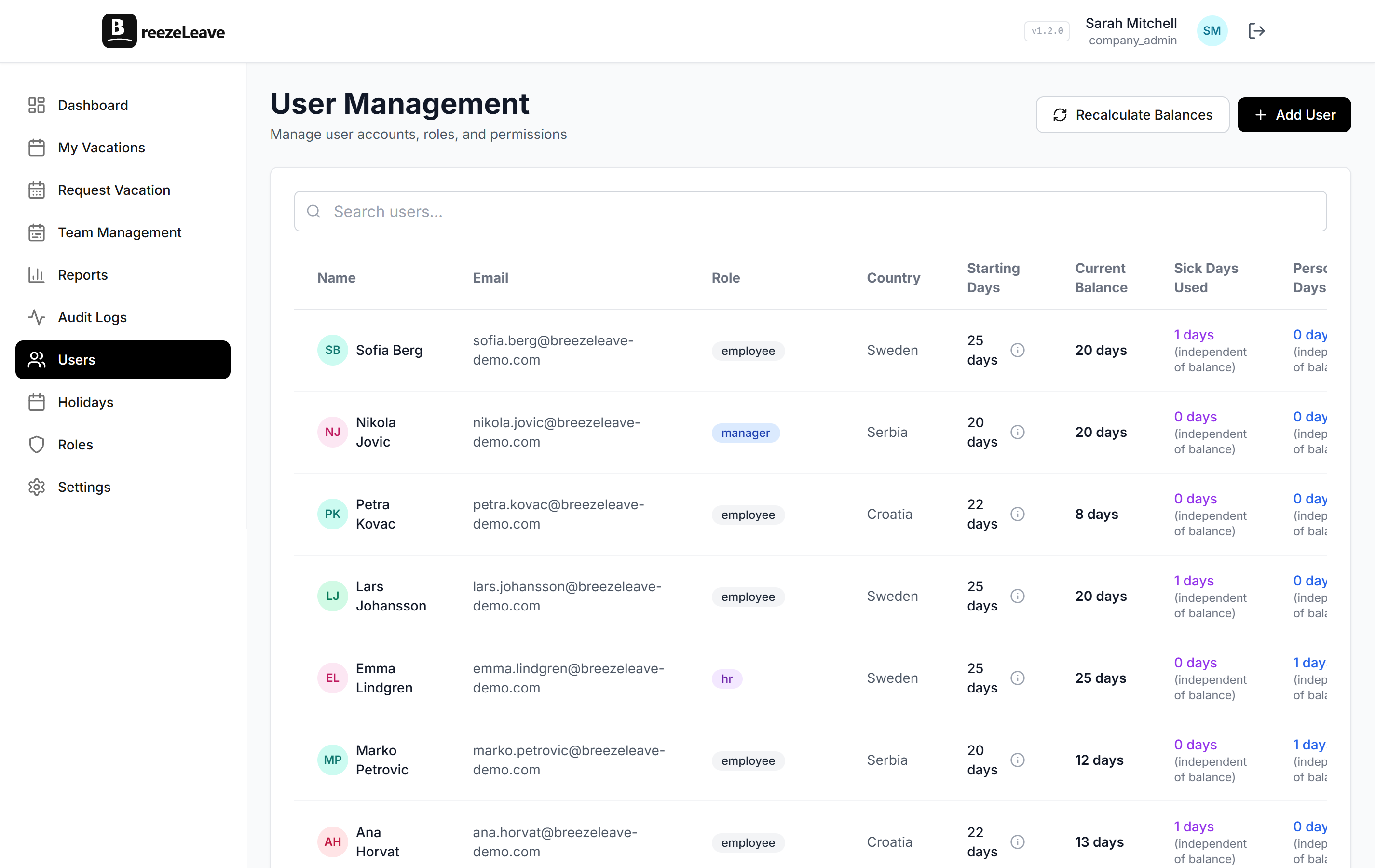
Open the user profile and the balance section shows three things that make the tier visible:
- Current allowance. The days per year at the employee’s current tier.
- Current tier. The years-of-service tier the employee currently sits in.
- Next milestone date. The date the employee crosses into the next tier, and what the new allowance will be.
Every accrual adjustment is logged in the audit trail with the rule that fired and the timestamp. If an employee asks why their balance changed, the answer is on their profile and in the log. There is no need for HR to recompute the calculation from scratch each time the question comes up.
Group-specific ladders for different roles
Most companies do not run a single ladder for every employee. Engineering, sales, and operations often have different starting allowances or different milestone bumps. BreezeLeave handles this by attaching tier ladders to groups. A user belongs to a group; the group has an assigned rule; the rule defines the ladder.
Two operational notes worth flagging:
- Group changes apply on the next sync. If you move an employee from one group to another, the new ladder applies on the next daily sync. If the new ladder has a different tier at the employee’s current years of service, their balance updates accordingly.
- Keep ladders simple. Two or three group-specific ladders are easy to explain. Eight different ladders are not. The more variations you configure, the more questions come up at review time about why two colleagues on similar tenure have different balances.
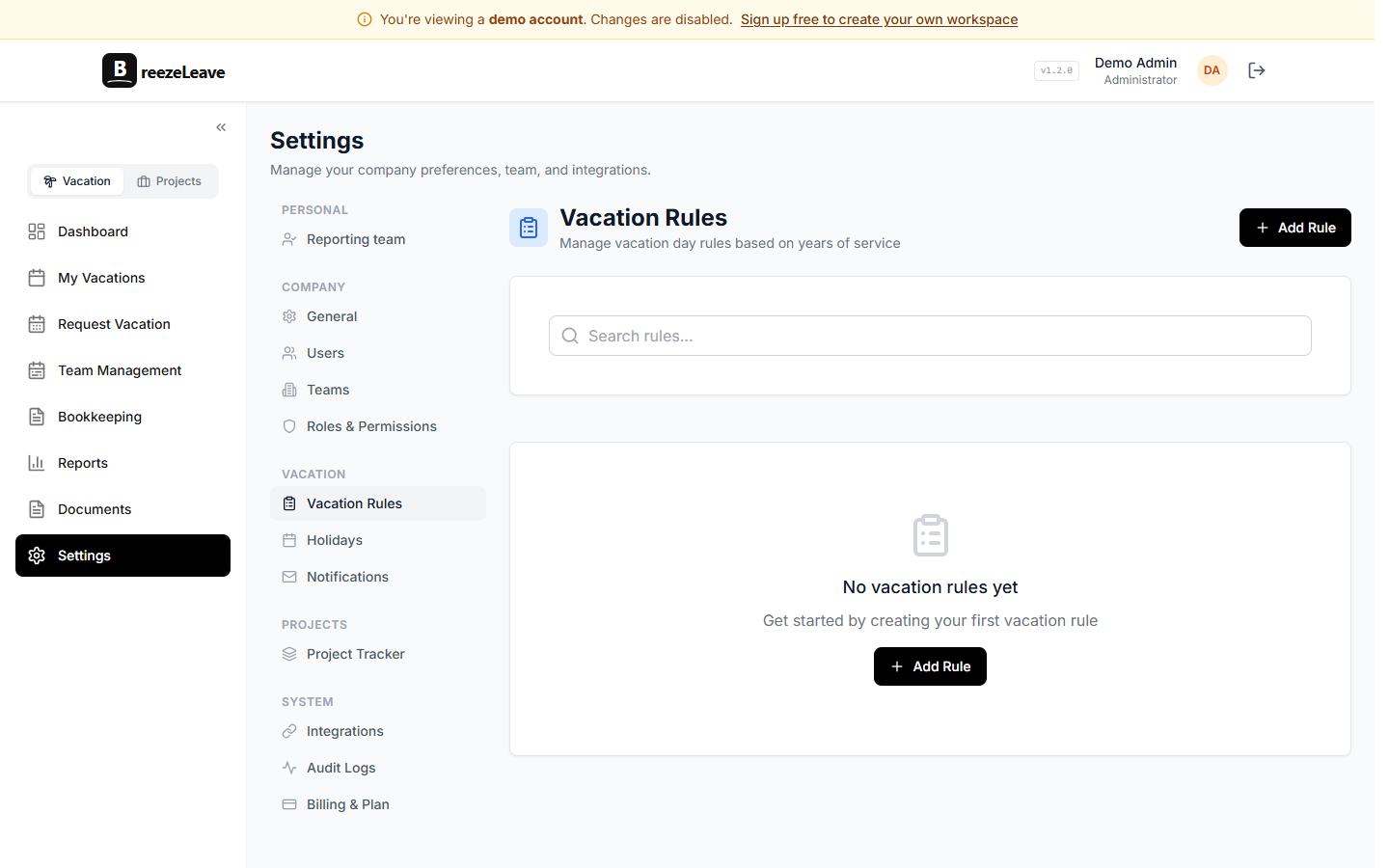
The vacation rules engine page shows where the tier ladder sits among the other rule types (accrual, carryover, blackouts, approval chains).
When the rule changes
Companies update their PTO policy. The three-year bonus that used to be one extra day becomes two. A new ten-year tier is added. Whatever changes, the daily sync applies the new ladder to everyone on the next run:
- Adding a new tier. Employees who already qualify under the new tier are bumped on the next sync. Future hires hit the new tier on their anniversary.
- Raising an existing tier. Everyone currently sitting in that tier sees their allowance raised. The change is logged with the rule version that fired.
- Lowering an existing tier. Possible but rare. The change applies forward; existing balances are not clawed back automatically.
Migrating from a spreadsheet
The most common scenario: a team has been tracking accruals in a sheet for years and wants to move to BreezeLeave without losing the existing tenure. The path that works:
- Export the user list. Names, hire dates, current balances. The hire date is the load-bearing column; the system uses it to calculate years of service.
- Configure the tier ladder. Start from the written policy, not the spreadsheet. The legacy file may have drift from the policy that you want to clean up at the same time.
- Import the users. Each user lands with the right hire date. The daily sync applies the matching tier on the first run.
- Verify on a sample. Pick five employees at different tenures and check that the system’s allowance matches what the spreadsheet showed (or what the policy says, if the two disagree). If the math checks out on five, it works on the rest.
What seniority accruals do not do
Three things worth being explicit about:
- No proration on the partial year. The milestone applies once at the threshold. The full tier bump appears on the anniversary day.
- No retroactive payouts for missed milestones. If you migrate from a spreadsheet and discover the legacy file undercounted a previous milestone, the system can apply the current tier going forward but does not backfill payouts for prior years.
- No partial-week or partial-day allowance. Tier values are whole days per year. If your policy allocates half-days at certain milestones, round to the nearest whole day and use balance adjustments for the half-day edge cases.
Getting set up
- Pull out your written policy. The tier ladder you configure should match the policy exactly, including the threshold years and the allowance at each tier.
- Open Settings and configure the rule. Add each tier in order. Save.
- Assign the rule to a group. If you run a single ladder, assign to the All Employees group. If you run group-specific ladders, attach each rule to the right group.
- Verify on the next sync. Pick a handful of employees at different tenures and confirm the displayed allowance matches what the policy says. The first sync runs within 24 hours of the rule being saved.
Related reading
- How seniority-based vacation accruals work covers the policy decisions before configuration.
- PTO accrual rules examples shows ladders that worked at different company sizes and shapes.
- Vacation carryover use case for the rules that handle the days the tier-based allowance generates.
- See pricing for plan limits (free for teams up to 10).
Frequently asked questions
Everything you might want to know before getting started. Still have questions? Reach out anytime.
The bump applies on the day the employee crosses the years-of-service threshold. The daily sync checks every user against the configured tiers. If a user has crossed a threshold since the last run, their allowance is updated and the milestone is recorded. The full bump appears in the balance at that moment; the milestone applies once at the threshold.
Existing employees who already qualify under the new tier are updated on the next daily sync. The system uses the current rule set and the employee start date to determine which tier applies; it does not require you to walk through the user list and update people one at a time. If you change the tier value (say, raising the 6+ year tier from 25 to 27 days), the new value applies to everyone who currently sits in that tier.
Yes. Tier ladders are configured per rule, and rules can be assigned to groups. Your engineering team can run on a 20/22/25 ladder while sales runs on 22/24/26. New hires inherit the ladder of the group they are assigned to. If an employee changes group later, the new ladder applies on the next daily sync.
No. The milestone applies once at the threshold. If the rule says 25 days at 5 years, the employee gets 25 days on their five-year anniversary. There is no proration for the partial year before or after the threshold. Some HR policies prorate vacation allowance for new hires inside their first year; that is a separate setting and is independent of the seniority milestone.
Open the user profile. The balance section shows the current allowance, the tier the employee currently sits in, and the date the next tier applies. The audit log shows every accrual adjustment with the rule that fired and the timestamp. If a balance ever looks off, those two surfaces explain why.
The daily sync checks every employee against the configured tiers from the moment the rule is saved. An employee who started seven years ago and qualifies for the 6+ tier will get that tier on the first sync after the rule goes live. Migrating from a spreadsheet is the common case for this: configure the ladder, save, and the system applies the right tier to everyone's starting balance.