
Agency owners with a retainer book usually share the same monthly anxiety. The retainer was signed for 40 hours a month. The senior strategist swears the team is on top of it. Finance is about to send the invoice. Nobody can confidently say how many hours have been logged against that retainer this month, who logged them, and whether the work that landed in the client's inbox last week sits inside or outside the agreement.
Agency retainer software exists to remove that anxiety. The job is not glamorous. It is tracking which hours belong to which client, which people make up the retainer team, how the monthly allocation is being consumed, and whether the billing schedule still matches what the team delivered. BreezeLeave handles monthly retainer tracking next to the rest of the agency operating system, so the retainer is not an island.
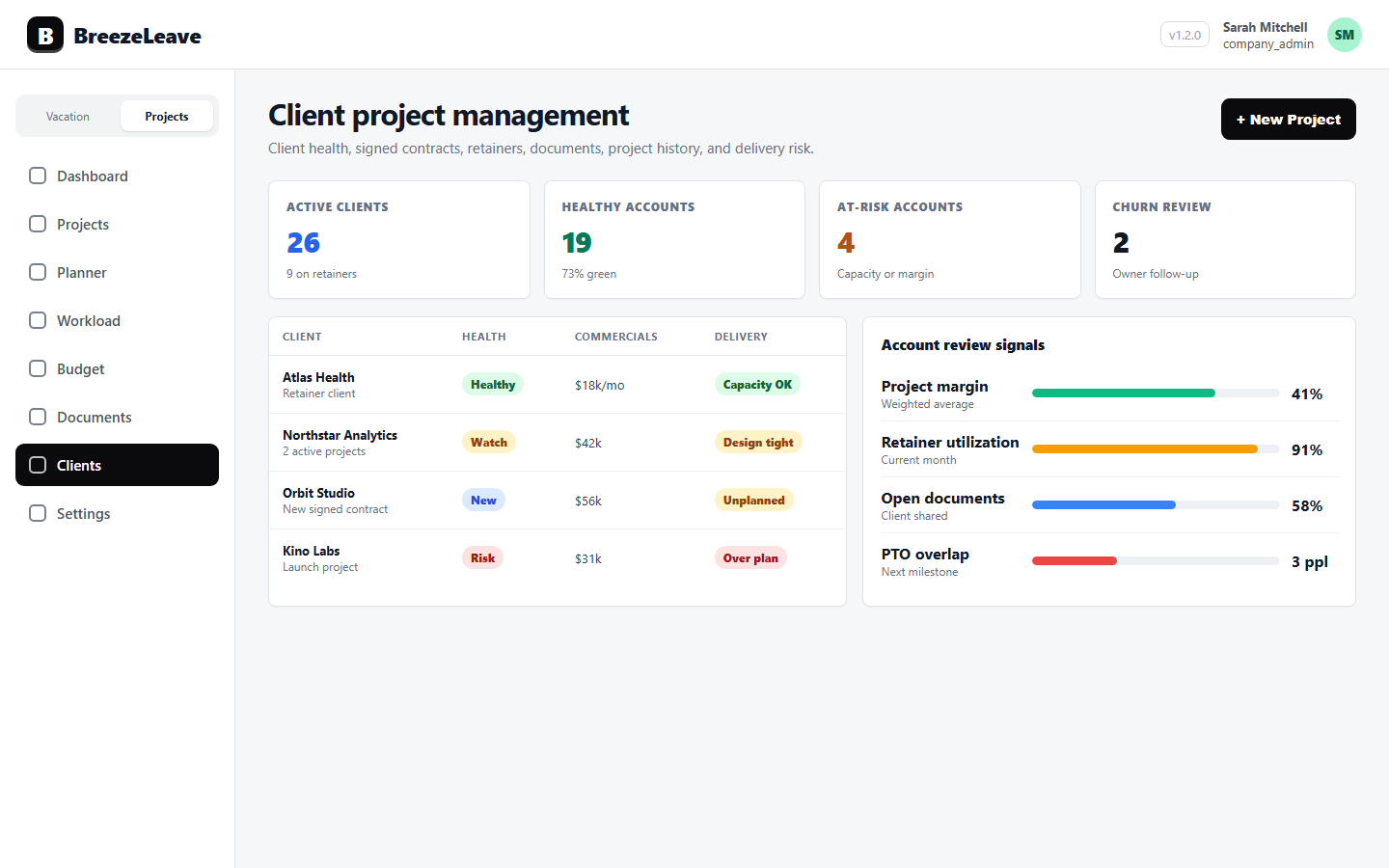
What a retainer has to track
Retainers look simple from the outside: pay X a month, get Y hours of work. The operational layer is denser than that. A retainer that works has to track several things at once, every month, in step with each other.
- The allocation. How many hours the client buys this month. This is the contract number. It rarely changes inside a billing cycle.
- The retainer team. The named people assigned to the retainer. A retainer with no team attached is an unowned promise.
- Consumed hours. Logged hours against that retainer for the current cycle. This comes from time entries, not from a manager's best guess.
- Planned hours. Work that is scheduled but not yet logged. A retainer can be on track for consumption and still over plan for the next two weeks.
- Billing context. The monthly fee, the payment schedule, and the contract start date. Without this, the retainer is a service agreement with no commercial anchor.
- Reset cadence. When the allocation refills. Monthly is the default. Some retainers run quarterly. Carryover rules sometimes apply, sometimes they do not.
Where monthly retainer tracking usually breaks
Agencies rarely set out to mismanage retainers. The system breaks because retainer data lives in too many places and gets reconciled too late.
The signed contract sits in a deal tool. The hours show up in ClickUp or a time tracker. The team list is in a project tool. The invoice runs on a separate billing cadence in the finance system. By the time anyone reconciles them, the month is closed and the team has already started overrunning the next cycle.
Without dedicated retainer management software, the senior strategist becomes the spreadsheet. They remember which hours belong to which client, which work was scoped, and who promised what during the last status call. That works for one or two retainers. At six retainers it stops working, and at twelve it actively hurts.
How BreezeLeave handles retainer management
BreezeLeave brings retainer allocation, retainer teams, consumed hours, planned work, and billing context together against a single client record. The retainer is a structured part of the agency operating system, not a tab in a spreadsheet that someone updates on Fridays.
Monthly allocations with explicit teams
Each retainer is configured with the allocated hours per cycle and the people on the retainer team. The team is named, not implied. A 60-hour retainer staffed by a strategist, a designer, and a developer is set up that way once and reused every month.
Consumed vs allocated, in the open
Logged hours from ClickUp roll up against the retainer's allocated hours for the current cycle. The view shows consumed hours, planned hours, and remaining hours together, so the retainer team can answer "how much have we used this month" instead of rebuilding a report from scratch.
Reset cadence and overrun visibility
The allocation resets at the start of each cycle, monthly by default. When consumed hours push past the allocation, the system surfaces it rather than absorbing it silently. The team gets a chance to discuss the overrun with the client while it is still small, instead of after three months of slow drift.
Billing context attached to the work
Each retainer carries the commercial side: monthly fee, payment schedule, contract start date, and signed documents. Finance can review consumed hours next to the upcoming invoice instead of asking the project manager which version of the contract was the latest one.
Retainer-aware capacity planning
Because the retainer team is named and the allocation is real, retainer hours are not free capacity on the planner. A senior developer on a 20-hour monthly retainer is already booked for those 20 hours. New project work has to fit around the retainer commitment, not on top of it. See how that flows through the rest of the planner in our piece on retainer capacity planning for agencies.
A month-end retainer review that closes cleanly
The point of retainer management software is to make month-end boring. Boring is good. It means the numbers are agreed, the invoice is defensible, and the next cycle starts without an outstanding question.
- Open the retainer view. Filter to the client, the cycle, and the team. The system shows allocated hours, consumed hours, planned hours, and remaining hours.
- Spot-check the time entries. A few clicks into ClickUp from the retainer view will confirm the logged hours match the work that shipped.
- Resolve the overrun, if any. If consumed hours exceeded the allocation, the agency decides whether it is absorbed, billed as extra, or rolled into next month. The decision is logged in the retainer record.
- Confirm the billing schedule. Finance reviews the upcoming invoice against the retainer's payment schedule and the delivery picture.
- Reset for the new cycle. The allocation refills. The retainer team starts the new month with a clean number to work against.
Operator note
Retainers that get into trouble rarely fail because of a single bad month. They drift. Five hours over in January becomes ten over in February becomes fifteen over in March, and by April nobody remembers why. Retainer management software earns its place by surfacing the drift early.
Retainer shapes BreezeLeave supports
Retainer contracts are not one shape. Agencies sign different versions depending on the client, the work, and the maturity of the relationship. BreezeLeave covers the common patterns with the same allocation and team model.
Fixed monthly allocation
The classic retainer: a fixed number of hours per month for a fixed fee. The allocation resets at the start of each calendar month. The retainer team logs against the retainer until the hours are spent, and the unused hours either roll forward, expire, or trigger a client conversation depending on the contract.
Quarterly retainers
Some clients prefer a quarterly cadence with a larger pool of hours. The reset cycle is set to three months, and the team has more flexibility to absorb a heavy month with a lighter one. The model is the same: a real allocation, a named team, consumed vs allocated tracking, and a payment schedule that lines up with the cycle.
Care plans and support retainers
Maintenance retainers for ongoing care, hosting support, or product-style engagements often carry a smaller monthly allocation and a tighter retainer team. The allocation is real but modest, the team is one or two people, and the billing context is steady.
Strategy retainers
Senior strategy retainers reserve a senior person's time at a high hourly rate. The allocation is small in hours and large in fee. Capacity planning for these is sensitive because the senior person is also assigned to other projects, and a strategy retainer consumed in chunks of three hours at a time is harder to track than a full-week project.
Where retainer management fits in BreezeLeave
Retainer management is one part of how BreezeLeave models client work. It sits next to client project management for the broader account view, project capacity planning for delivery commitments, and the agency operations stack covered on the BreezeLeave for agencies page. A retainer is a client commitment with a delivery team and a billing schedule, so the software treats it that way instead of as a separate side ledger.
Project Operations add-on
Project Operations is an add-on to BreezeLeave. $8/user/month, or $6/user/month with annual billing (save 25%). 14-day free trial. Add at signup or anytime from billing.
Frequently asked questions
Everything you might want to know before getting started. Still have questions? Reach out anytime.
Retainer management software is a tool that helps agencies set up monthly client retainers, allocate hours to the right team, track how much of the retainer has been consumed during the month, and connect that allocation to billing context. It sits next to project management and resource planning rather than replacing them.
Each retainer carries a monthly allocation in hours. Logged time from ClickUp and planned work from the project planner roll up against that allocation, so a 40-hour monthly retainer shows clearly how many hours have been consumed and how many are left in the current cycle.
Yes. The default cadence is monthly, with the allocation resetting at the start of each cycle. Agencies that prefer a different cadence, such as quarterly, can configure the reset to match the contract.
A retainer team is the group of named people assigned to a specific retainer. For example, a 60-hour monthly retainer might be staffed by a senior strategist, a designer, and a developer. The retainer team makes it explicit who that allocation belongs to, instead of letting the hours float across the whole agency.
Each retainer carries a payment schedule and the commercial context: the monthly fee, the invoice cadence, and the start date. Finance can see consumed hours against allocated hours alongside the schedule, so the billing conversation lines up with the delivery reality.
When consumed hours exceed allocated hours, the retainer view surfaces it instead of hiding it. The team can decide whether to absorb the overage, surface it to the client, or roll the extra work into next month, before the conversation becomes a billing dispute.
Agency owners and operations leads at digital, creative, and marketing agencies with monthly retainer revenue. It is most useful when retainers stop being a side concern and start representing a meaningful share of the agency book.
Pricing and getting started
BreezeLeave is free for teams of up to 10 people. Agency-scale plans bring in the project module, which includes retainer management, capacity planning, document management, and budget views. Current details are on the pricing page.
Setting up retainer tracking takes about an hour for the first client. Configure the monthly allocation, name the retainer team, attach the signed contract and payment schedule, and connect ClickUp so logged hours flow against the retainer automatically. The first useful signal usually shows up the first time the team can answer "how many hours are left on this retainer" in under a minute.