
Agencies do not manage projects in isolation. Every project belongs to a client relationship, a commercial promise, a delivery team, and often an ongoing retainer.
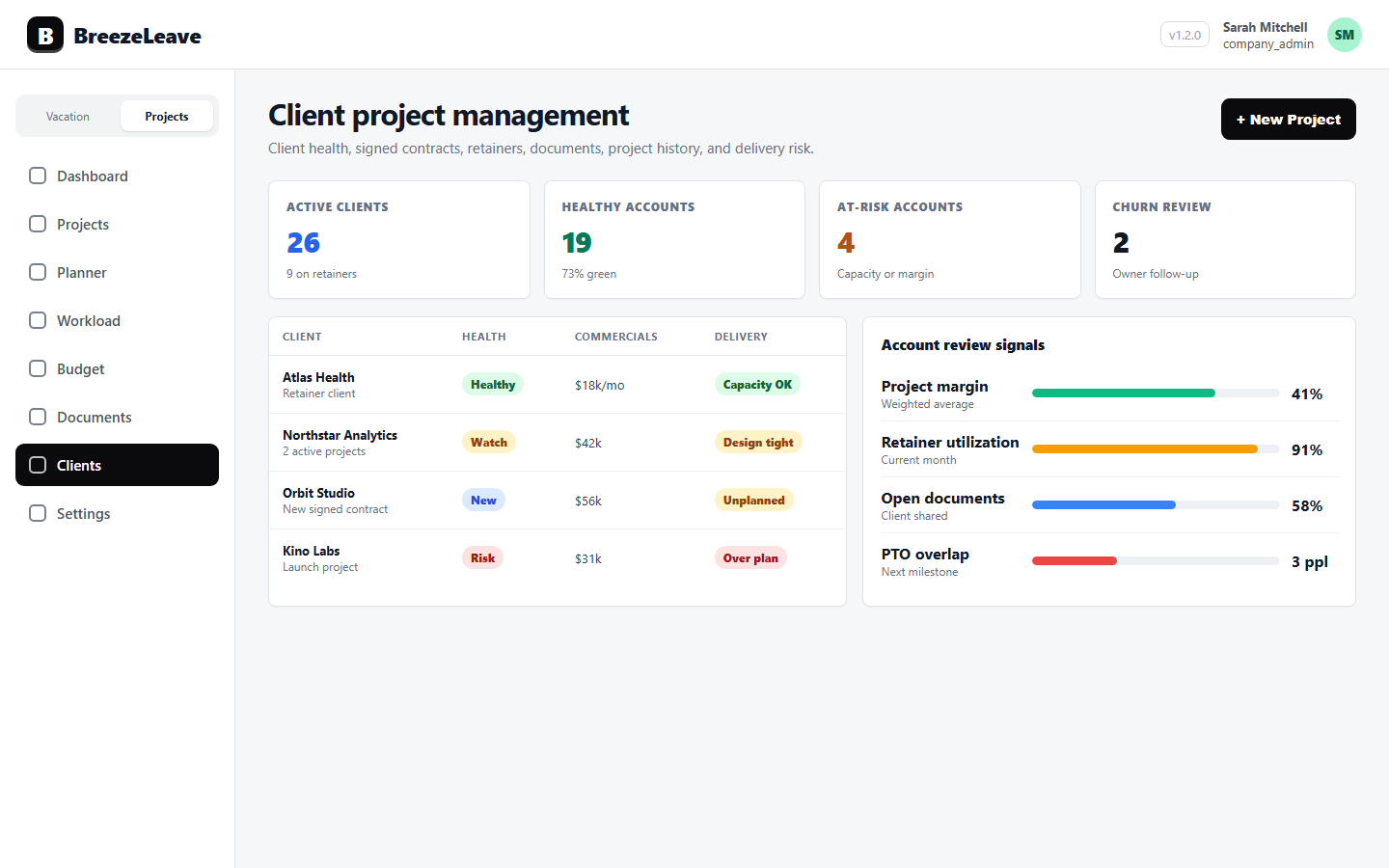
BreezeLeave gives client records the operational context teams need: projects, documents, signed contracts, cost views, efficiency, retainer teams, and capacity pressure all in the same place.
The product was built for account leads and owners who get asked the same question a hundred different ways: how is this client doing right now. The answer should not require opening four other tools to find out.
What gets missed when clients and projects are separate
- Client health is discussed without current project workload or delivery risk.
- Signed contracts do not automatically become planned project work.
- Retainer staffing and project allocations are tracked in separate places.
- Documents, accounting, cost, and efficiency views are hard to connect to the client.
- Churned accounts disappear from view, so retrospectives never happen.
Client operations coverage
Client profiles
Track client type (one-off or retainer), health (healthy, at risk, churned), signed and churned dates, contacts, and delivery context.
Project portfolio
Review client projects, retainers, phases, milestones, resources, and project history in one view.
Accounting and cost views
Connect client work to revenue, costs, efficiency, retainer allocation, and budget reporting with permission gating.
Documents and handoff
Keep client documents, project files, signed contracts, and handoff assets attached to the account record.
Capacity pressure
See which clients are consuming the most delivery capacity right now and where retainer obligations are getting squeezed.
Health signals
Track which accounts are healthy, which are at risk, and which churned, with dates so retros are easier to run.
How client teams use it
- Review client health alongside project status, retainers, and delivery risk in a single screen.
- Use signed-contract handoff to create or update client and project records from GetAccept.
- Plan delivery capacity before moving new work from sales into active execution.
- Keep documents, accounting, workload, and project history visible for account reviews.
- Run quarterly client retros against churned records instead of trying to reconstruct what happened.
Health, type, and signed status as first-class fields
A client record is not just a name and a contact list. Health (healthy, at risk, churned), type (one-off or retainer), signed date, churned date, and contact owners are first-class fields. They show up on the client list, drive reporting, and let account leads sort by where attention is needed.
A healthy client with a steady retainer needs a different review than a churning account with three open projects. Both should be visible without opening a spreadsheet.
Retainers tied to projects, not stored alongside them
Retainers are not a separate object detached from project work. They are linked to the projects that consume them, the people staffed on them, and the monthly allocation each retainer expects.
When a retainer is under-delivered or over-delivered, you can see it from the client record. The fix is usually a staffing change, not a billing surprise.
Frequently asked questions
Everything you might want to know before getting started. Still have questions? Reach out anytime.
Yes. Client records include project, retainer, churned, health, signed-contract, document, accounting, cost, and efficiency context.
Yes. The GetAccept integration can create or update clients and projects, including unplanned work that still needs capacity planning.
Yes. Retainers, monthly allocations, retainer teams, project accounting, and payment schedules can be managed with client context.
Each client carries a health state (healthy, at risk, churned) with signed and churned dates. Account leads can sort the client list by health to focus on accounts that need attention.
Yes. The same permission keys that gate budget views apply on the client and project records. Operational users can see delivery context without seeing private compensation or aggregate costs.
Yes. Churned accounts remain in the system with their churned date so retrospectives can use real data instead of memory.