
Agency forecasting tends to live in three places at once. Sales tracks expected wins in one sheet. Delivery tracks retainer load in another. Finance pulls both into a revenue number that is already drifting by the time the consolidation is done. By the next review, the forecast is out of date.
Budget forecasting software for agencies has to remove that reconciliation work. BreezeLeave keeps revenue assumptions, cost projections, and scenario versions in the same operating view as the projects and retainers that drive them. A finance lead can move from a forecast number to the project record behind it without leaving the page.
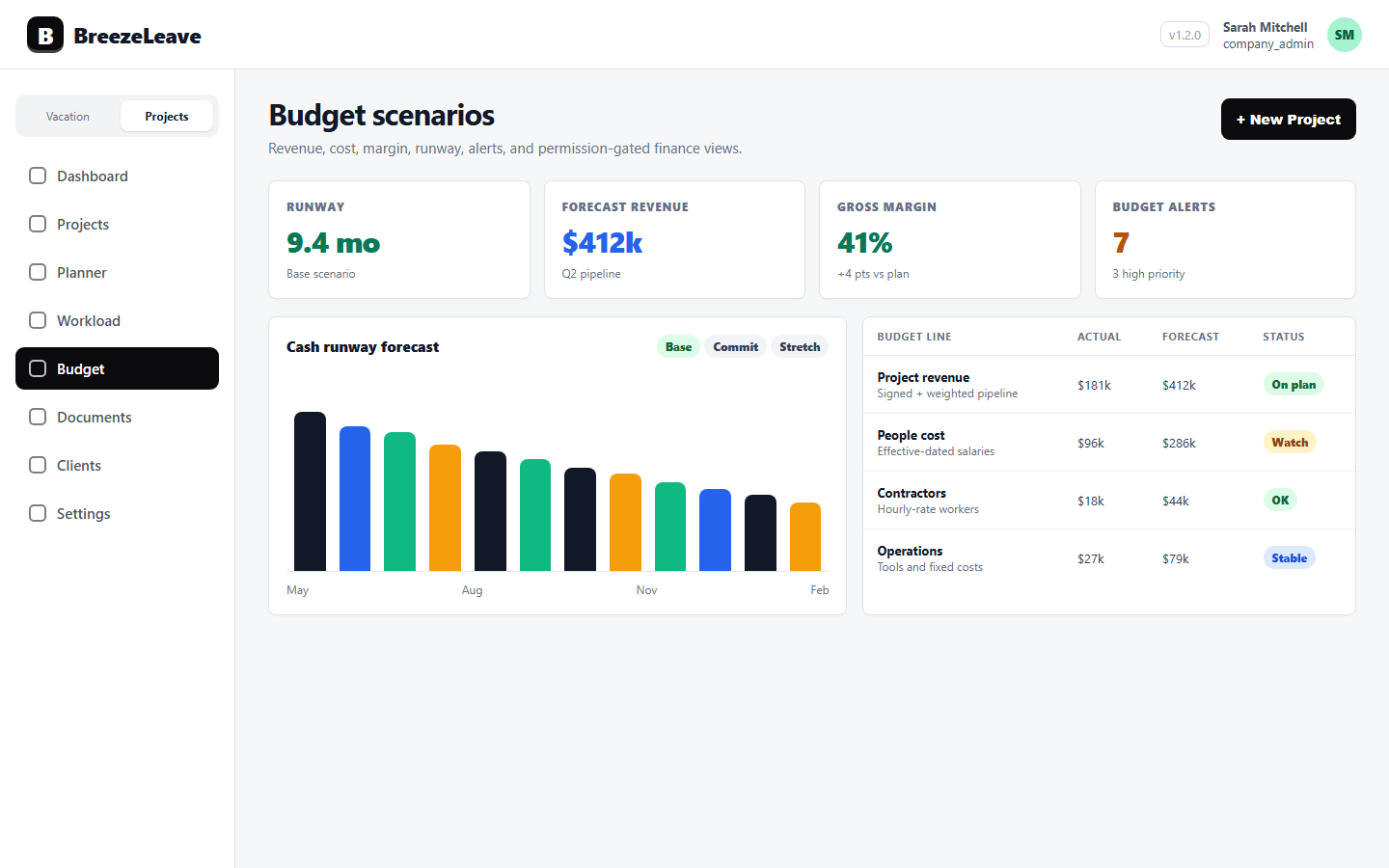
Why agency budget forecasts go stale
Most forecast misses share the same root cause. The forecast was built once, then never revisited because updating it across three spreadsheets was painful. Three months in, the plan is fiction.
The patterns that show up most:
- Sales pipeline is detached from delivery capacity. The forecast assumes three new projects start in May. The delivery team is already at full capacity in May.
- Cost assumptions never update. A planned senior hire was supposed to start in February. They started in April. The cost model still shows February.
- Retainer churn is not modelled. A client who is paying $20K/month today might not be in three months. The downside scenario should reflect that, but usually does not.
- There is one number instead of three. A single forecast is a guess. A baseline, stretch, and downside set is a defensible range.
Forecasting only works when the inputs are visible, the assumptions are named, and the scenarios are easy to refresh. That is what BreezeLeave is built around.
Three scenarios, one operating view
BreezeLeave keeps three named scenarios live at all times. Each one carries its own revenue projection, cost assumptions, and headcount line. A finance lead can switch between them, or view all three side by side in the same report.
Baseline
Current retainers, current headcount, no new wins. This is the floor. The baseline scenario answers: what happens if nothing new comes in and nothing changes? Run-rate against the baseline tells the team whether the year is pacing as expected.
Stretch
Add expected wins, the retainer expansion that is in late-stage negotiation, and the planned hires. The stretch scenario answers: what does the year look like if the plan works? It is the target the leadership team is rowing toward.
Downside
Remove the largest retainer, delay the planned senior hire by six months, and reduce new business by half. The downside scenario answers: how exposed are we if a few things go wrong at once? It is the version that sets the conservative cash position.
Each scenario is a real model, not a label. Revenue and cost lines for each one can be edited independently. A finance lead can adjust the downside scenario alone, while baseline and stretch stay intact. Our walkthrough on the agency budget scenario review covers the operating steps in more depth.
Assumption note
Every scenario in BreezeLeave shows the inputs it was built from. New wins added, retainers adjusted, headcount changes, and cost assumptions are all visible on the scenario itself. The forecast is defensible because the inputs are not hidden in someone's head.
Run-rate against target
A forecast that does not get checked is wishful thinking. BreezeLeave includes run-rate analysis so the team can see whether reality is pacing toward the chosen scenario.
The run-rate view shows:
- Trailing three-month revenue and cost averages.
- Projected end-of-period revenue and cost based on current pacing.
- Gap to baseline, stretch, and downside targets.
- Direction of travel, whether the gap is widening or closing.
A finance lead opens the budget view and sees, at a glance: are we tracking baseline, stretching toward stretch, or slipping toward downside? That signal is what makes a forecast useful instead of decorative. The same data feeds the cash runway and budget planning view, so finance is not toggling between two tools.
Saved report views
Finance leads run different meetings with different audiences. A weekly check-in does not need the same view as a quarterly board prep. BreezeLeave supports saved report views so each cadence has its own filter set ready to go.
Common views agencies set up:
- Monthly close. Per-project revenue, categorized cost, and margin for the closing month. Logged-hour gaps flagged for resolution.
- Quarterly portfolio. Portfolio-level rollup, owner analytics, scenario comparison, and run-rate against each target.
- Retainer health. Filtered to retainer projects, with monthly retainer cost vs allocation, churn risk flags, and expansion notes.
- Forecast deep dive. Side-by-side comparison of baseline, stretch, and downside, with assumption notes visible on each scenario.
Each view is permission-gated. The finance lead controls who can open which report, and what level of detail is visible inside each one.
Forecasting vs cash runway: when to use each
Both views matter, and they answer different questions. Treating them as the same exercise is a common mistake.
| Question | Forecast scenarios | Cash runway view |
|---|---|---|
| Time horizon | Quarterly to annual | Today forward, in months |
| Key input | Revenue and cost projections | Starting cash and net burn |
| Updated when | Per planning cycle | Monthly, after close |
| Output | Revenue, cost, margin path | Months of cash on hand |
| Best for | Sales and delivery planning | Hiring and cash decisions |
The forecast sets the assumptions. The runway view tracks whether the cash position is keeping up. A finance lead typically refreshes scenarios once a quarter and the runway view every month after bookkeeping close.
A quarterly forecast cadence that holds up
Most agencies run forecasts quarterly with monthly check-ins. The structure below is for a full quarterly refresh, which takes about two hours with the BreezeLeave budget view open.
- Refresh baseline. Confirm current retainers, current headcount, and any contract changes. Lock the baseline scenario.
- Update stretch. Add new wins from the pipeline with weighted probability. Add the planned hires with realistic start dates. Update the retainer expansion list.
- Re-cut downside. Pick the largest retainer most at risk. Delay the planned hire that is least committed. Cut new business by half. Document the choices.
- Compare all three. Look at revenue, cost, margin, and run-rate gap across scenarios. Where is the spread narrow? Where is it dangerous?
- Decide one focus per scenario. What needs to be true for baseline to hold? What needs to go right for stretch? What is the first lever if downside materializes? Three decisions, written down, ready for the next monthly check-in.
For the longer version of this process, see project financial forecasting scenarios.
How forecasting connects to project budgets
A forecast is only credible if the per-project numbers underneath it are credible. BreezeLeave ties the forecast to the project budget grid so a finance lead reviewing a scenario can drill into the projects that drive each line.
Click a revenue line in the stretch scenario and see which projects make it up. Click a cost line and see categorized cost by project. Click a margin gap and see which projects fell below target. The forecast stops being abstract because the underlying data is one click away. This is the value of having forecast scenarios and project budget tracking in the same module.
Permission note
Forecast scenarios and cost projections are sensitive. BreezeLeave permission-gates these views so only roles with budget read access can see them. Sales and delivery leads can run their day-to-day work without ever seeing the forecast assumptions or scenario splits.
What budget forecasting will not do
Honest limits worth naming:
- BreezeLeave does not predict the future. The forecast is a model. The output is only as good as the inputs and the discipline to refresh them.
- There is no ROI metric or guaranteed savings claim. The benefit is faster forecast cycles and defensible scenarios, not a marketing number.
- Forecast accuracy depends on pipeline quality. If sales data is unreliable, no software can fix the input.
- Accounting truth still lives in your ledger. The forecast view shapes operating decisions; it does not replace the books.
Project Operations add-on
Project Operations is an add-on to BreezeLeave. $8/user/month, or $6/user/month with annual billing (save 25%). 14-day free trial. Add at signup or anytime from billing.
Frequently asked questions
Everything you might want to know before getting started. Still have questions? Reach out anytime.
Budget forecasting software lets a finance lead project revenue, cost, and margin forward and compare different scenarios in one view. BreezeLeave does this with baseline, stretch, and downside scenarios that each carry their own revenue and cost assumptions.
Baseline is current retainers and headcount with no new wins. Stretch adds expected wins and any planned hires. Downside removes a major retainer or delays new business. Each scenario carries its own projection so a finance lead can compare them side by side.
Yes. The budget view shows run-rate against target across the forecast window. A finance lead can see whether the trailing months are pacing toward the scenario target or drifting off-plan.
Forecasting is about future revenue and cost projections, usually over quarters. Cash runway is about months of cash on hand right now given a burn rate. The two views are connected: the active scenario feeds the runway calculation.
Yes. Custom report views can be saved and compared across periods. A finance lead can save a monthly cadence view, a quarterly review view, and a project-level deep dive view, each filtered to the data that meeting needs.
Forecast and budget data are permission-gated. Finance leads and owners typically see all scenarios. Operational roles can be limited to delivery views without exposing the underlying forecast assumptions.
Related resources
- Project budget tracking for the budget grid that holds the per-project numbers underneath the forecast.
- Cash runway and budget planning for the runway view that uses the active scenario.
- Agency budget scenario review guide for a step-by-step walkthrough of running the quarterly review.
- Project financial forecasting scenarios for how baseline, stretch, and downside fit together.
- Pricing for current plan details, including the Project Management add-on that covers forecast views.