
ClickUp is the source of truth for tasks and time. Your developers, designers, and consultants already log effort against cards there. BreezeLeave does not replace that; it reads from it.
What BreezeLeave adds is the reporting, hygiene, and budget layer above ClickUp. Expected vs logged hours, missing logs, unmapped users, card efficiency, project mix, and budget accuracy all happen here.
Think of it as the answer to a different question. ClickUp answers "what was worked on." BreezeLeave answers "is the team logging accurately, is the project healthy, and is the budget still on track."
Where ClickUp time tracking needs context
- Logged hours exist, but managers do not know who missed time or why.
- Cards consume more QA, design, or development effort than expected without an obvious signal.
- Time entries are not connected to PTO, capacity, project budgets, or utilization.
- Finance reviews time data after it is too late to fix missing or inaccurate logs.
- New team members start logging time but their entries land under an unmapped user.
ClickUp reporting features
Logged-hour dashboard
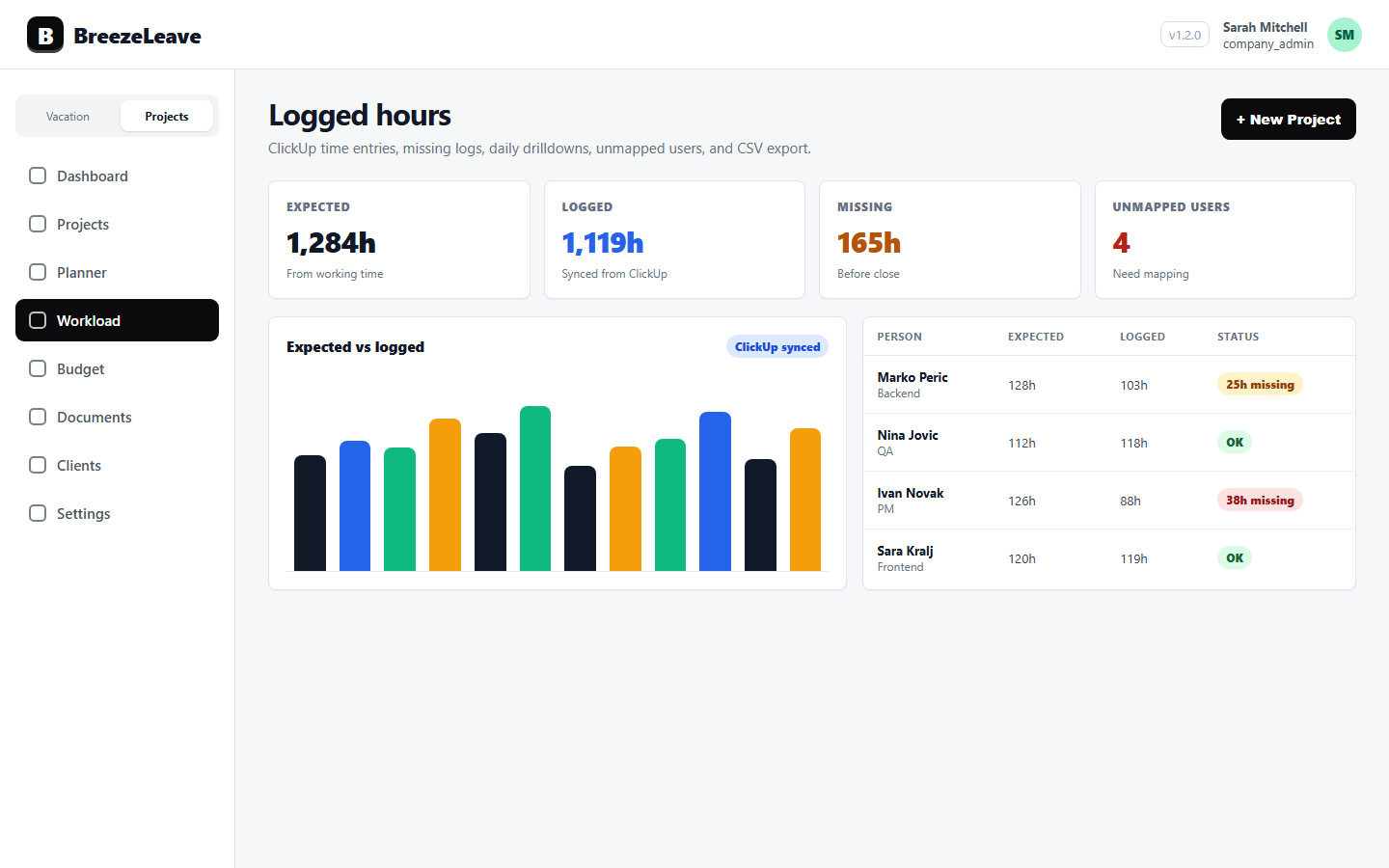
Track expected vs logged hours, daily drilldowns, no-log periods, unmapped users, and CSV export from a single view.
Workload context
Connect ClickUp time to planned hours, utilization, PTO impact, capacity, and project mix.
Card efficiency
Flag cards with unusual QA, missing QA, high unclassified effort, or imbalanced delivery effort across roles.
Budget accuracy
Use real time entries to explain project cost, margin, owner analytics, and monthly financial snapshots.
Unmapped user checks
Detect ClickUp users whose entries do not yet map to a BreezeLeave person and resolve the gap before reporting drifts.
Hygiene reminders
Surface no-log periods so the team can fix missing logs while the work is still fresh.
A healthier time-tracking workflow
- Sync ClickUp time entries into BreezeLeave for the current work period.
- Review missing logs, no-log periods, and unmapped users before the month closes.
- Use workload and card-efficiency views to find delivery issues early.
- Feed accurate logged time into project budget, profitability, and forecast views.
- Treat ClickUp as the source and BreezeLeave as the reporting layer instead of duplicating data.
ClickUp stays the source of truth
BreezeLeave does not ask people to re-enter time. Workspace, hierarchy, users, tasks, and time entries are synced from ClickUp. Your team keeps using the tool they already know.
On top of that, BreezeLeave runs the analytics that ClickUp does not own: expected vs logged, no-log detection, card efficiency, and the connection back to project budget and capacity.
Hygiene before reporting
A logged-hours report is only as good as the logs behind it. If a third of the team forgot to log this week, the numbers lie. BreezeLeave surfaces no-log periods, unmapped users, and expected vs logged gaps so the team can fix hygiene before finance closes the month.
That order matters. Fixing logs first means budget reviews work with real numbers. Skipping it means decisions get made on a partial picture.
Frequently asked questions
Everything you might want to know before getting started. Still have questions? Reach out anytime.
Yes. ClickUp sync powers logged-hour reporting, workload views, card-efficiency analytics, budget accuracy, and time-logging reminders.
No. ClickUp remains the source of truth for tasks and time entries. BreezeLeave reads from it and adds reporting, hygiene, and budget context on top.
Yes. Logged-hours reporting includes expected vs logged hours, no-log periods, daily drilldowns, unmapped users, and CSV export.
Yes. Actual time entries help explain cost, margin, project profitability, owner analytics, and budget forecast accuracy.
A ClickUp user whose entries do not yet map to a BreezeLeave person. The dashboard surfaces these so logs from new team members do not silently land in a gap.
No. ClickUp is one supported source for logged hours; BreezeLeave runs without it for teams that only need leave management or project planning without time tracking.