
At a law firm, leave is never just leave. An associate going on holiday means a matter that needs covering. A motion deadline does not slide because a partner is in Tuscany. A billable hour missed during trial week is not made up next quarter. The firm needs the leave tool to behave like the rest of the practice: precise, attributable, and defensible.
BreezeLeave is built for the level-based, coverage-aware, audit-heavy operating pattern law firms actually run. Multiple policies per level, coverage assignments per request, practice-group blackouts around filing deadlines, and a complete audit trail that reads cleanly under review. Most firms use the leave module on its own; Project Operations is available for firms that want to track matter capacity, but the leave side is what answers the daily questions.
The work pattern a law firm brings to leave tracking
Court filing deadlines do not move
Discovery responses are due on a specific date. A motion has a return date. A trial is set. The firm cannot have the responsible attorney out without coverage, and it cannot have multiple senior litigators on the same case out the same week. The practical fix is a blackout window for the affected practice group plus a conflict threshold that warns when the matter team's coverage falls below the minimum.
In BreezeLeave, blackout windows are configured per practice group and per date range. A request inside a blackout goes to manual review with the reason shown to both the requester and the approver. Outside the blackout window the same group can fall back to standard auto-approval.
Billable hour pressure
Every day off is a day not billed. That is fine and expected, but the firm wants the data clean for the utilization review. The reports module exports leave by period, by attorney, by practice group. Utilization is then computed against the firm's target hours per level. The leave log is the same data the firm uses for billable reconciliation; there is no separate sheet to maintain.
Attorney coverage by matter
When an attorney requests leave, the request captures who is covering their active matters. The covering attorney sees the assignment in their own notifications. The team calendar shows the coverage relationship. The daily away digest names both the absent attorney and the cover person, so reception, paralegals, and other partners know who to route a client question to.
Audit trail for compliance and disputes
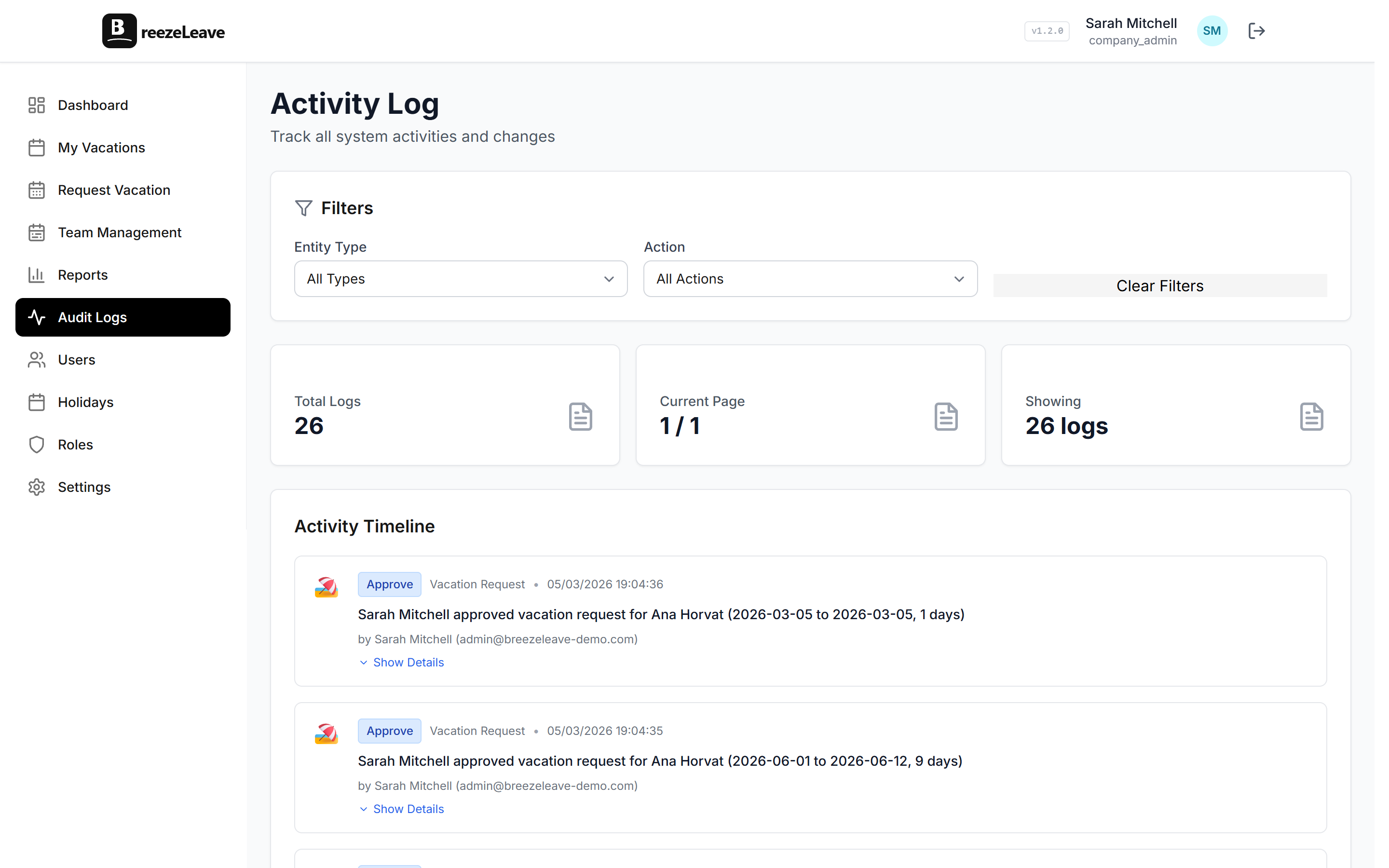
Law firms know the value of clean records better than anyone. Every leave-related action in BreezeLeave is logged with user attribution and timestamp: the original request, every approval or denial, every cancellation, every balance adjustment, every policy change that affected the calculation. The audit log is exportable, filterable, and reconcilable to the current balance.
The reason this matters in practice: a departing associate disputes their final PTO payout. With BreezeLeave the firm produces a per-request audit export covering the disputed period and the balance is reconstructable from the log. With a spreadsheet, the firm spends three weeks defending a number it cannot prove. The audit log is described in more detail on the audit logs page.
Level-based policies, the way firms actually work
A representative firm-wide structure:
- Equity partners on a flexible policy with no formal accrual, audit-logged.
- Non-equity partners on 30 days plus public holidays.
- Senior associates with five or more years on 25 days.
- Mid-level associates on 22 days.
- Junior associates and first-years on 20 days.
- Paralegals on 18 days.
- Administrative staff on 15 to 20 days based on tenure.
Each level is a separate policy with its own entitlement, accrual schedule, and carry-over rule. When an associate is promoted, the new policy applies from the effective date. The audit log preserves the prior policy assignment so the year-end reconciliation is auditable. Role-based permissions control which partners can see firmwide data and which see only their own practice group.
Practice-group conflict detection
The firm organizes by practice group: litigation, corporate, real estate, tax, IP, employment. Each group has its own minimum staffing requirement. Two litigators on the same matter cannot both be out during trial prep week. The conflict checker fires when the group's coverage would fall below the configured minimum, and the approver sees the warning in the same place they make the decision.
The threshold can be different per group and per period. Litigation might run a higher minimum during a trial month. Corporate might raise the threshold around a closing window. The settings are explicit, set by the practice-group leader, and visible in the audit log.
Law firm work pattern matched to product
Court filing deadline or trial week
Practice-group blackout windows, partner review on conflicts
Different PTO band per level
Per-role policy applied automatically by role
Attorney out without coverage on active matters
Cover person field on the request, visible on team calendar
Two senior litigators on the same case out the same week
Practice-group conflict detection with configurable thresholds
Departing associate disputes PTO payout
Audit log reconstructs balance, per-period export
Firmwide utilization review by practice and level
Reports module with per-role and per-group exports
Multi-office firm with different country holidays
Per-office country and calendar setup
A coverage scenario, walked through
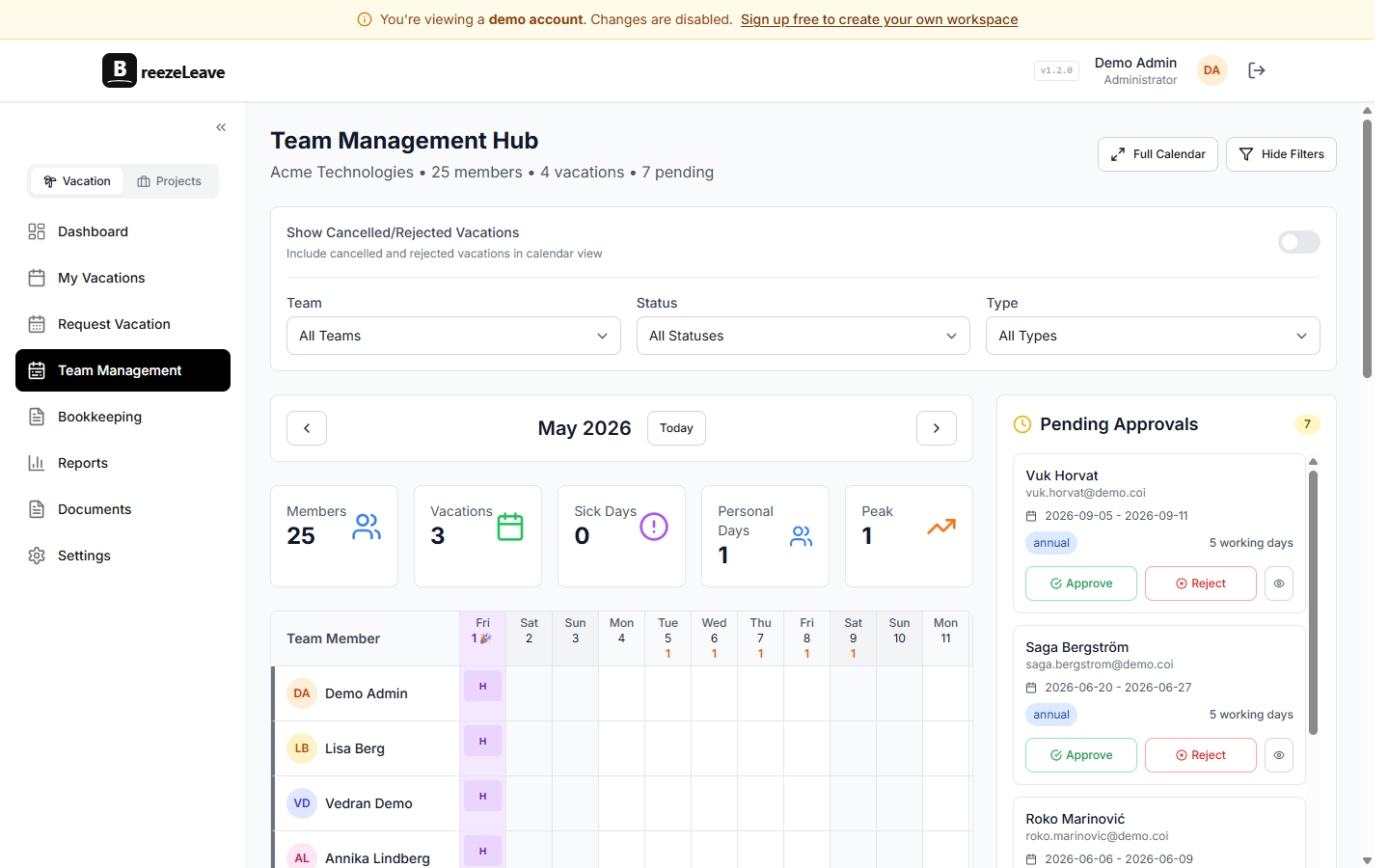
A mid-level litigation associate requests two weeks off in October. The matter team has four litigators staffed on a pending motion that is due during the first of those two weeks. Here is what BreezeLeave does so nobody has to cross-reference a calendar by hand:
- The request is submitted with a cover person designated. The form requires the associate to pick one before it can be saved.
- The conflict checker reports that another senior associate on the same matter is already on approved leave during the overlap.
- The blackout window for the motion week is active for the litigation practice. The request escalates to partner review.
- The practice-group leader sees the warning in the approval message: two attorneys out, motion due, suggested cover person.
- The leader approves only the second week and requests a different cover, or asks for a date shift. Either decision is recorded with the reason in the audit log.
The same flow runs in a spreadsheet too, but it relies on the operations manager remembering the motion date, the second associate's pre-existing leave, and the cover person's availability. The system does the remembering.
Frequently asked questions
Everything you might want to know before getting started. Still have questions? Reach out anytime.
Each role gets its own policy with its own entitlement, accrual schedule, carry-over rule, and approval chain. Equity partners can sit on a flexible policy. Non-equity partners, senior associates, junior associates, paralegals, and administrative staff each get their own band. When an associate is promoted, the new policy applies from the effective date and the audit log preserves the prior state.
Yes. The leave request includes a cover person field. The covering attorney is notified, the team calendar shows the assignment, and reception or support staff can see at a glance who is responsible for the absent attorney's matters. The cover person appears on the daily away digest.
BreezeLeave logs every leave-related action: requests, approvals, denials, cancellations, modifications, balance adjustments, and policy changes, all with user attribution and timestamp. The log is exportable per period and per person. Many firms use it for partner reviews, balance disputes, and employment-record retention.
You can configure practice-group blackout windows around known filing deadlines or trial weeks. Leave requests inside those windows go to manual review with the reason shown. Conflict warnings flag when too many attorneys on the same matter or practice group are requesting overlapping dates.
Every request and approval is timestamped and attributed. The balance ledger is reconstructable from the audit log, which means a contested PTO payout has a single defensible record. The firm can export the relevant period and produce documentation directly from the system.
Yes. Each office is a company with its own country, public-holiday calendar, and leave policy. A New York office sees US federal holidays; a London office sees UK bank holidays; a Frankfurt office sees German ones. Firmwide reports aggregate across all offices.
BreezeLeave encrypts data in transit and at rest. Role-based access controls restrict who can see what. The audit log records every read of sensitive views by privileged users. Backups and retention policies are documented and available for vendor-review questionnaires.
Setup for a law firm
- Create the firm account. Set up each office as a separate company with the right country.
- Define the level-based policies: equity partner, non-equity partner, senior associate, mid-level, junior, paralegal, admin.
- Create the practice groups as teams: litigation, corporate, real estate, tax, IP, employment.
- Import the attorney and staff roster. Assign each person a role, an office, and a practice group.
- Load the public-holiday calendar per office country.
- Set blackout windows for known trial weeks, closing windows, and major filing deadlines.
- Configure conflict thresholds per practice group. Litigation often wants a higher minimum during trial months.
- Optional: connect Slack or Microsoft Teams for in-channel approvals and away digests.
Where to read next
- Role-based permissions: how partner, associate, and admin access is scoped in BreezeLeave.
- Law firm PTO, coverage, and the audit trail: the operational pattern around court deadlines and the partner review cycle.
- All industries: how BreezeLeave runs for agencies, consulting firms, tech companies, startups, and nonprofits.
- Pricing: free for teams up to 10, Pro at $2 per person per month above that.
For most firms the leave module is enough on its own. The audit log, the coverage assignments, and the practice-group blackouts are the three features firms tend to use within the first quarter.