
Every feature your team needs.
Nothing it doesn't.
BreezeLeave is two products in one platform. Below, leave management features sit beside Project Operations features. Adopt either product line on its own, or run them together.
Product coverage
Leave management
Project operations
Product line 1 of 2
Leave Management features
Vacation requests, approvals, balances, multi-country holidays, and reports. Available as a standalone product. Multi-country holidays sit here because that is where they live in the product.
Auto-approval engine
Most vacation requests follow predictable rules. If the employee has enough days and the team has coverage, there's no reason for a manager to manually click 'approve'. So we automated it.
- Configurable rules per company: balance check, team concurrent limit, blackout dates
- Advance notice enforcement: fixed days per leave type, or proportional mode where notice equals days requested
- Requests that pass all rules are approved in under 3 seconds
- Failed rules route the request to the appropriate manager or HR for review
- Multi-person approval: assign multiple approvers per team with Any One, All Must Approve, or Majority Vote policies
- Scoped approvers: dev lead approves devs, PM lead approves PMs, all within one team
- Full transparency: employees see exactly why a request needs manual approval
- Emergency and sick leave auto-approved by default with instant team notification

Deep Slack & Microsoft Teams integration
Not a basic webhook. Actual native apps for both Slack and Microsoft Teams with slash commands, interactive buttons, and smart notifications. Your team uses Slack or Teams all day, and vacation management should live there too.
- /whoisoff today: see who's out right now without opening another app
- /whoisoff this week, next week, this month: plan ahead from your keyboard
- Interactive Approve/Reject buttons on request notifications
- Automatic DM to the employee 2 working days before their vacation starts
- Instant team alert when someone calls in sick or uses an emergency day
- Microsoft Teams bot with adaptive cards for the same notification and approval flow
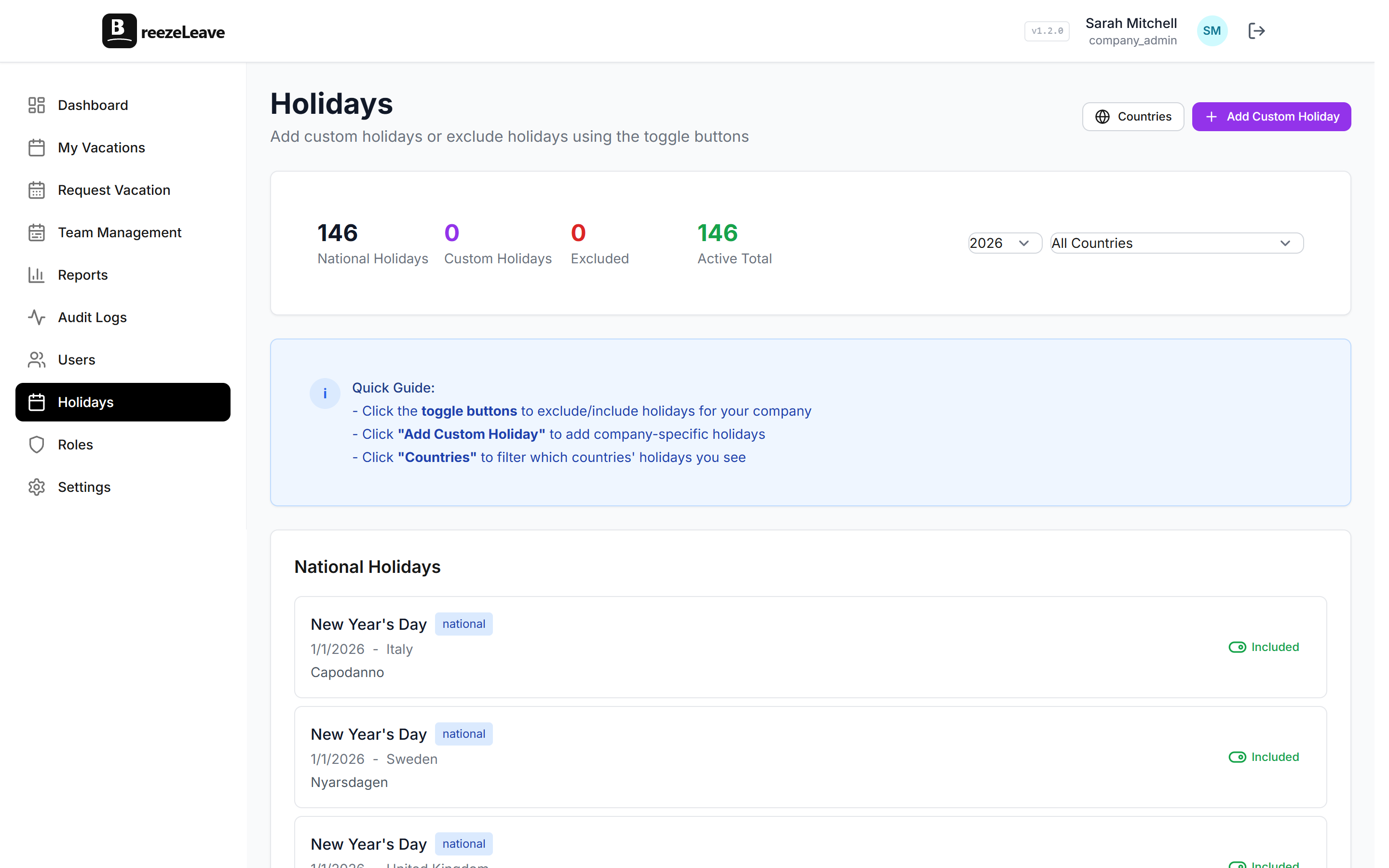
Multi-country holiday calendars
A developer in Stockholm and a designer in Zagreb have different public holidays. BreezeLeave handles this per employee across 240+ countries, so 'working days' actually means working days.
- Public holiday calendars for 240+ countries, pre-loaded and ready to use
- Each employee assigned to one or more countries
- Per-country default vacation days: set different base allocations per country (e.g. 25 for Sweden, 20 for Croatia)
- Working day calculation automatically excludes weekends and public holidays
- Custom holidays for company-specific days off
- Holiday management UI for HR and admins to maintain calendars
Team conflict prevention
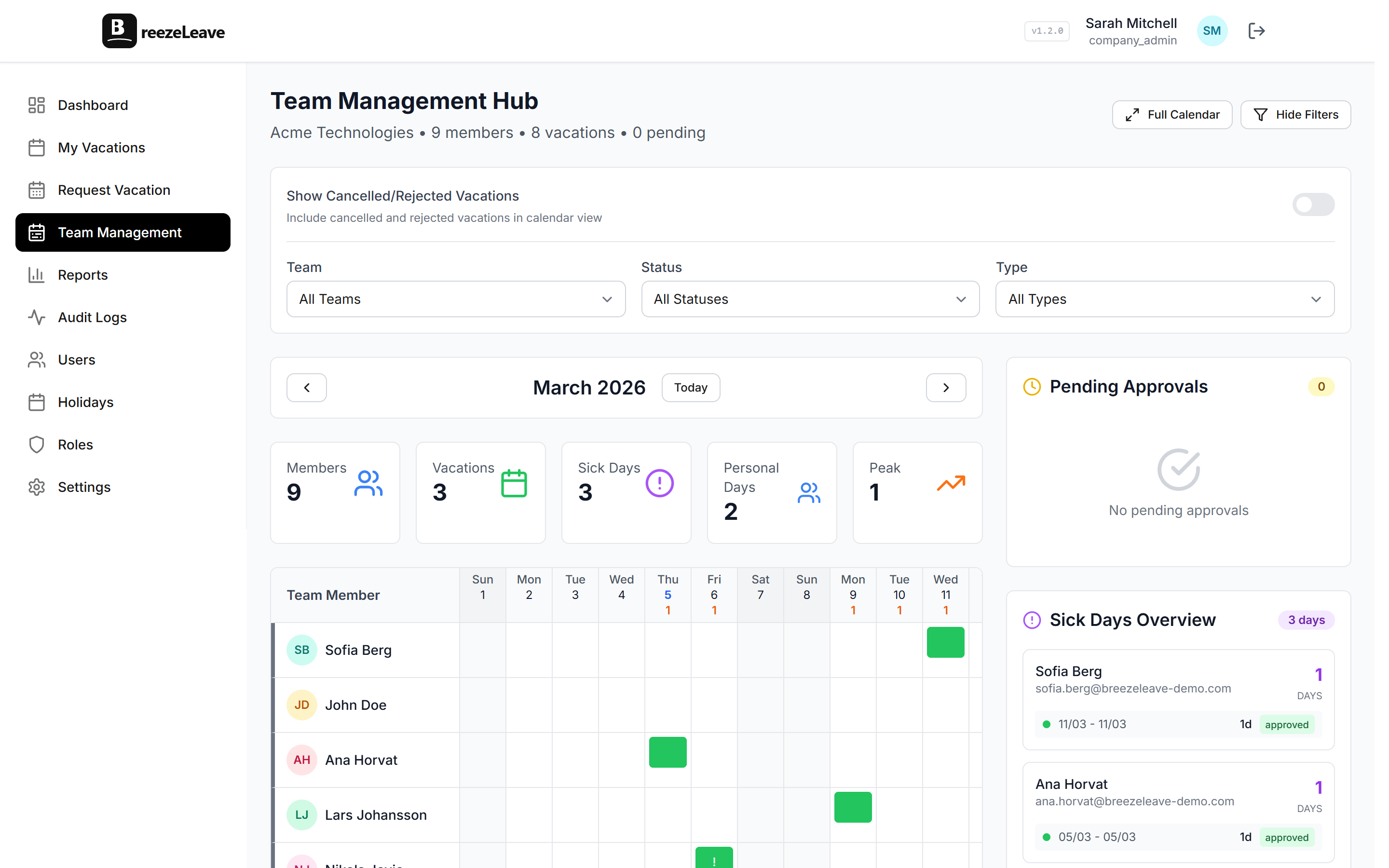
The worst outcome is approving a vacation and then realizing half the team is out the same week. BreezeLeave prevents that before it happens.
- Set maximum concurrent absences per team (e.g., max 2 out of 6 at once)
- System blocks or flags requests that would violate team limits
- Team calendar view shows who's off and when at a glance
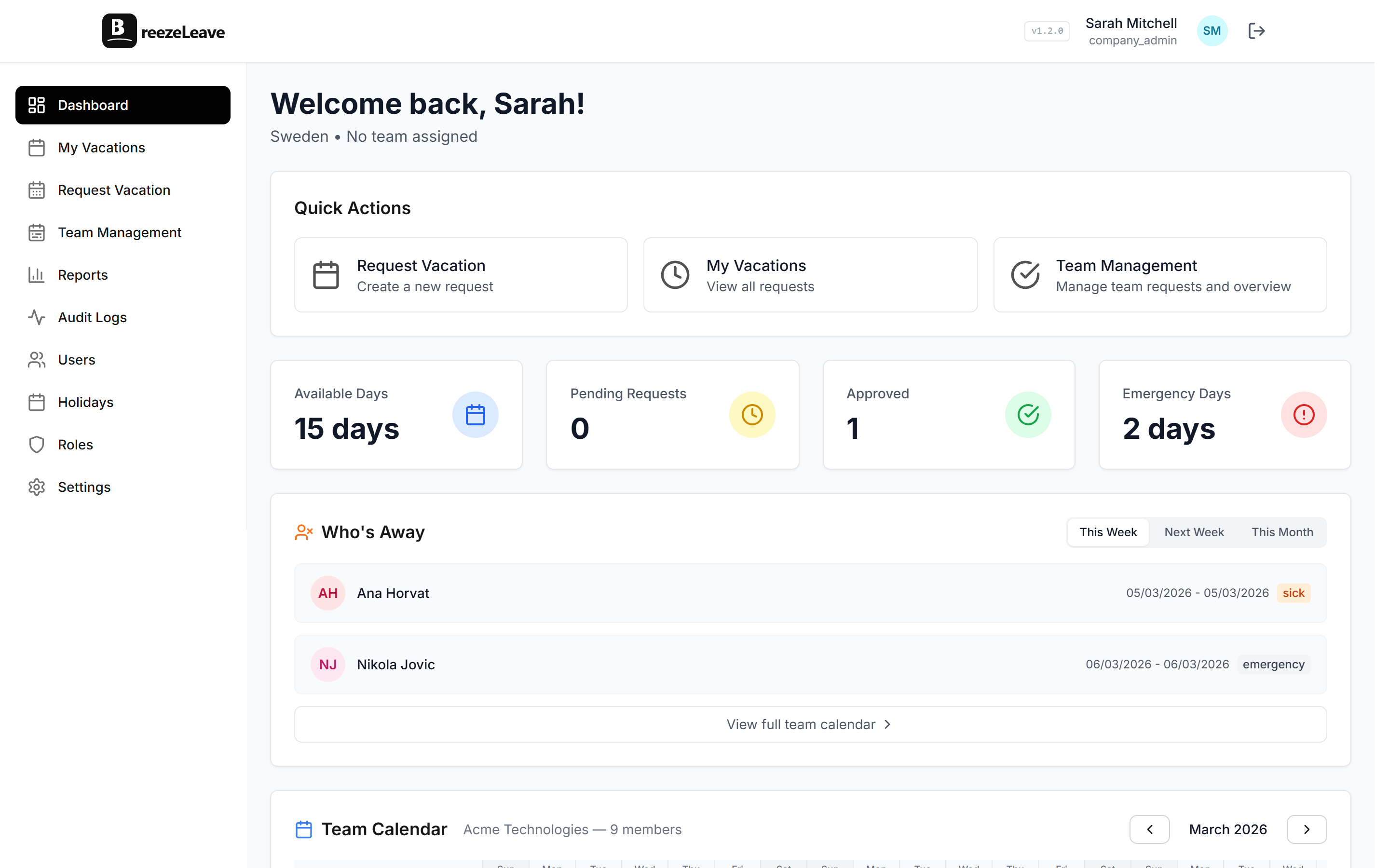
- 'Who's Away' widget on the dashboard for quick daily checks
- Managers see team coverage before approving any request
Multi-company architecture
If you run an agency, a holding company, or have multiple legal entities, you don't want vacation data mixing between them. Each company in BreezeLeave is fully isolated.
- Each company has its own teams, users, holiday calendars, and vacation rules
- Separate Slack workspace and Teams bot per company
- Independent SMTP/email configuration per company
- Company Admin manages their entity with full statistics, sick day tracking, and team overview
- Complete data isolation between companies, with no cross-access possible
Custom roles & granular permissions
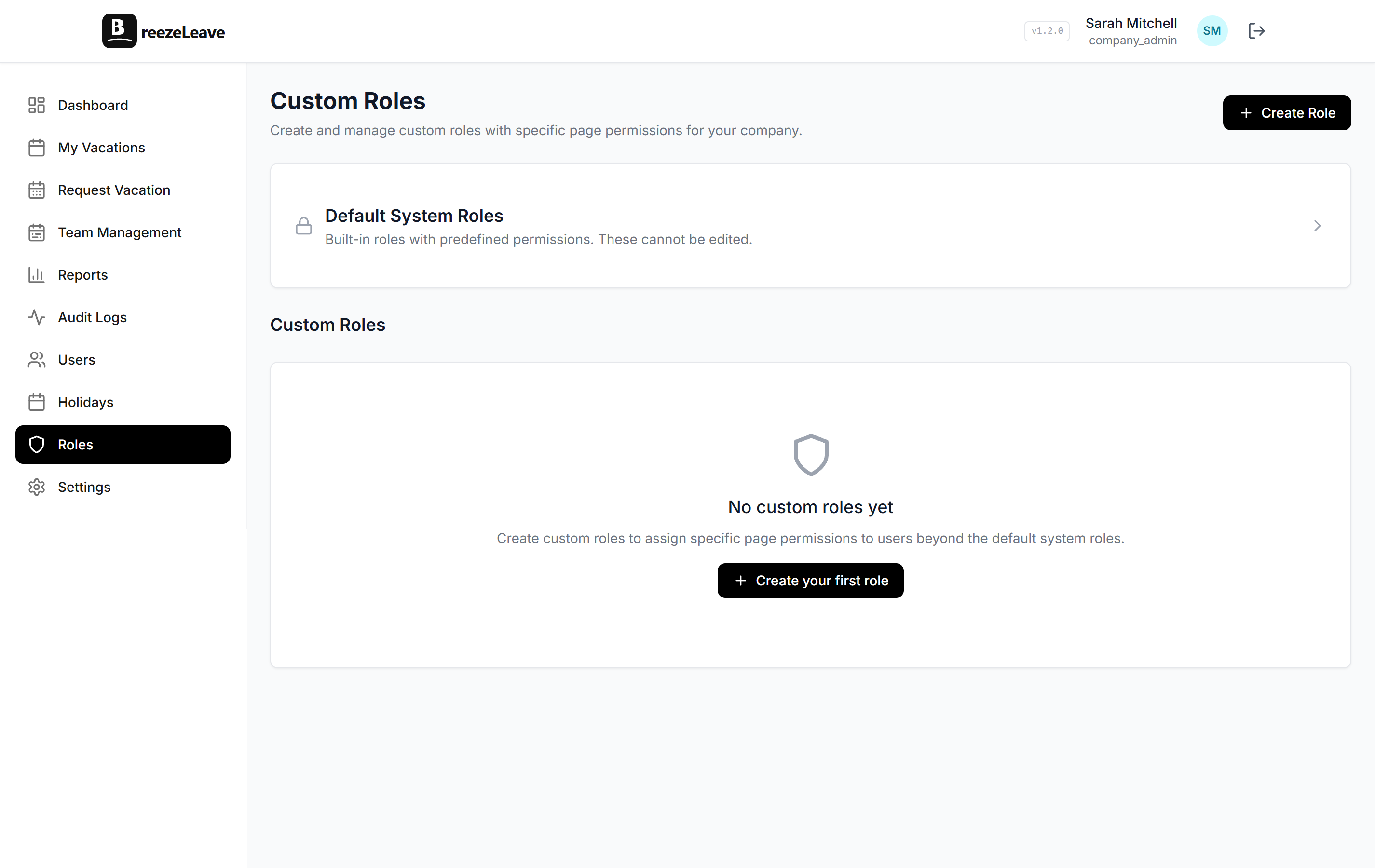
Beyond the built-in roles, create custom roles with read/write permission granularity for every page and feature. Fine-tune access so everyone sees exactly what they need.
- Built-in roles: Employee, Manager, HR, Company Admin
- Create unlimited custom roles with specific page permissions
- Granular read vs. write access per feature (e.g., view bookkeeping but not edit)
- HR and Admin can create vacations on behalf of employees, bypassing advance notice and past-date restrictions
Balance tracking and reporting
No more manual balance spreadsheets. BreezeLeave calculates everything based on employment start date, company rules, and approved requests.
- Automatic accrual based on start date and company configuration
- Real-time view of total, used, pending, and remaining days
- Separate tracking for vacation, sick days, emergency days, and personal days
- Vacation carryover: unused days automatically roll over with configurable limits
- Bookkeeping export for HR and finance teams
- Historical balance view with full audit trail
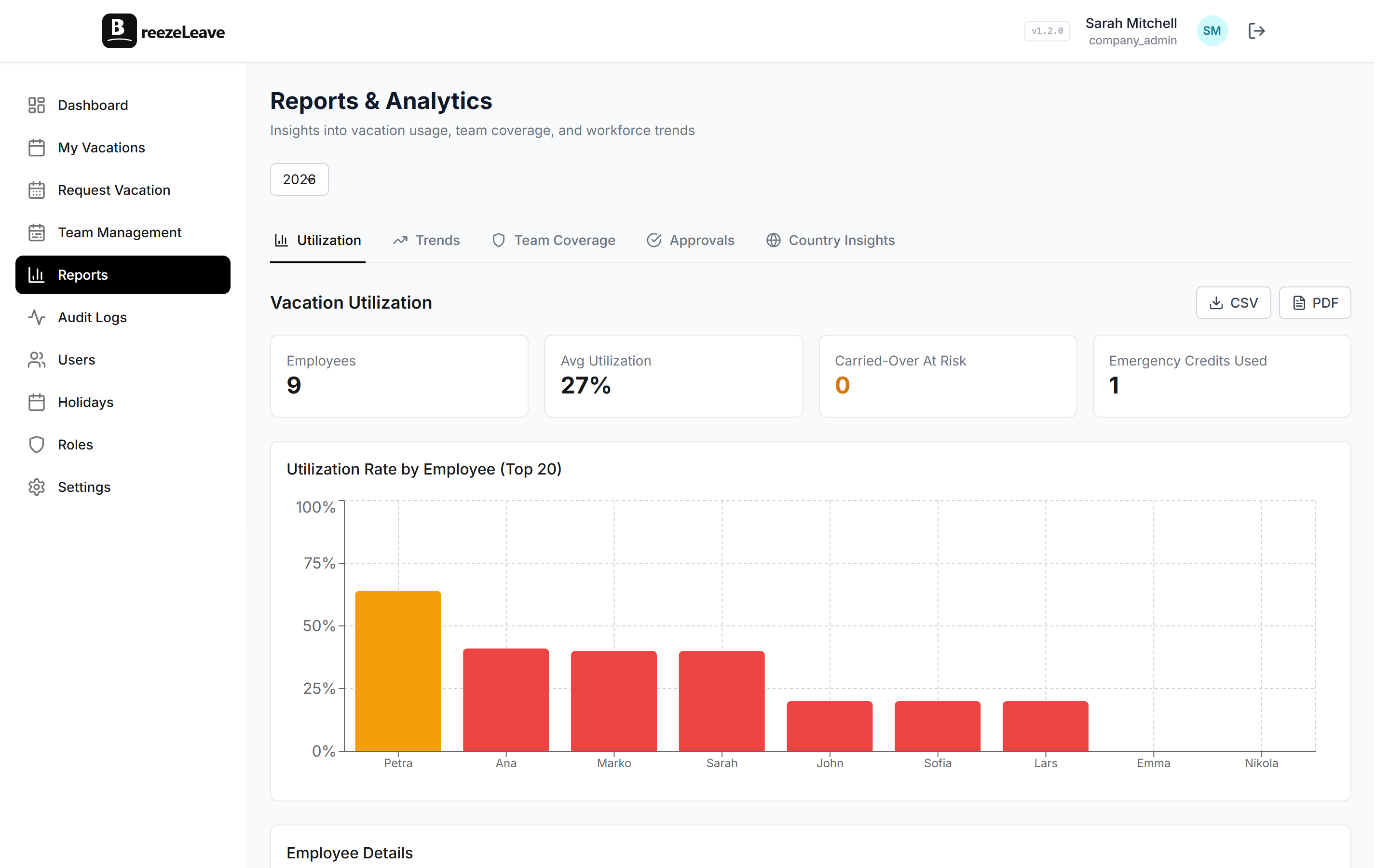
Reports & analytics
Get insights into how your team uses vacation time. Identify trends, monitor team coverage gaps, and make data-driven decisions about leave policies.
- Utilization dashboard: see how much of their allowance each employee has used
- Trends: monthly and yearly vacation usage patterns with charts
- Team coverage: identify periods when teams are understaffed
- Approval analytics: track auto-approval rates and manual review patterns
- Country insights: compare leave usage across offices and regions
- Export reports to CSV or PDF
Bookkeeping & payroll export
HR and finance teams need clean data. BreezeLeave gives them a dedicated bookkeeping view with all approved leave, sick days, and balances ready for export.
- Monthly and yearly overview of all approved absences per employee
- Filter by team, leave type, or date range
- Export to CSV for payroll integration
- Separate tracking for vacation, sick, personal, and emergency days
- Shows total, used, pending, and remaining balances at a glance
Email notifications
Not everyone lives in Slack or Teams. Email notifications keep everyone informed regardless of their communication preferences.
- Branded email templates with your company identity
- Gmail, SendGrid, or custom SMTP (your choice per company)
- Notifications for new requests, approvals, rejections, and cancellations
- Vacation reminder emails 2 working days before start date
- Invitation emails for new employee onboarding
- Configurable at the company level: each entity can use different settings
Google Calendar sync
Approved leave automatically appears in the employee's Google Calendar. No manual entry, no forgotten events. Each user connects their own Google account and their vacations sync as all-day events.
- Per-user OAuth2 connection. Each employee connects their own Google Calendar
- Approved vacations appear as all-day events automatically
- Cancelled vacations are removed from Google Calendar instantly
- One-click 'Sync All' to backfill existing approved vacations on first connect
- Token auto-revocation on disconnect for clean security hygiene
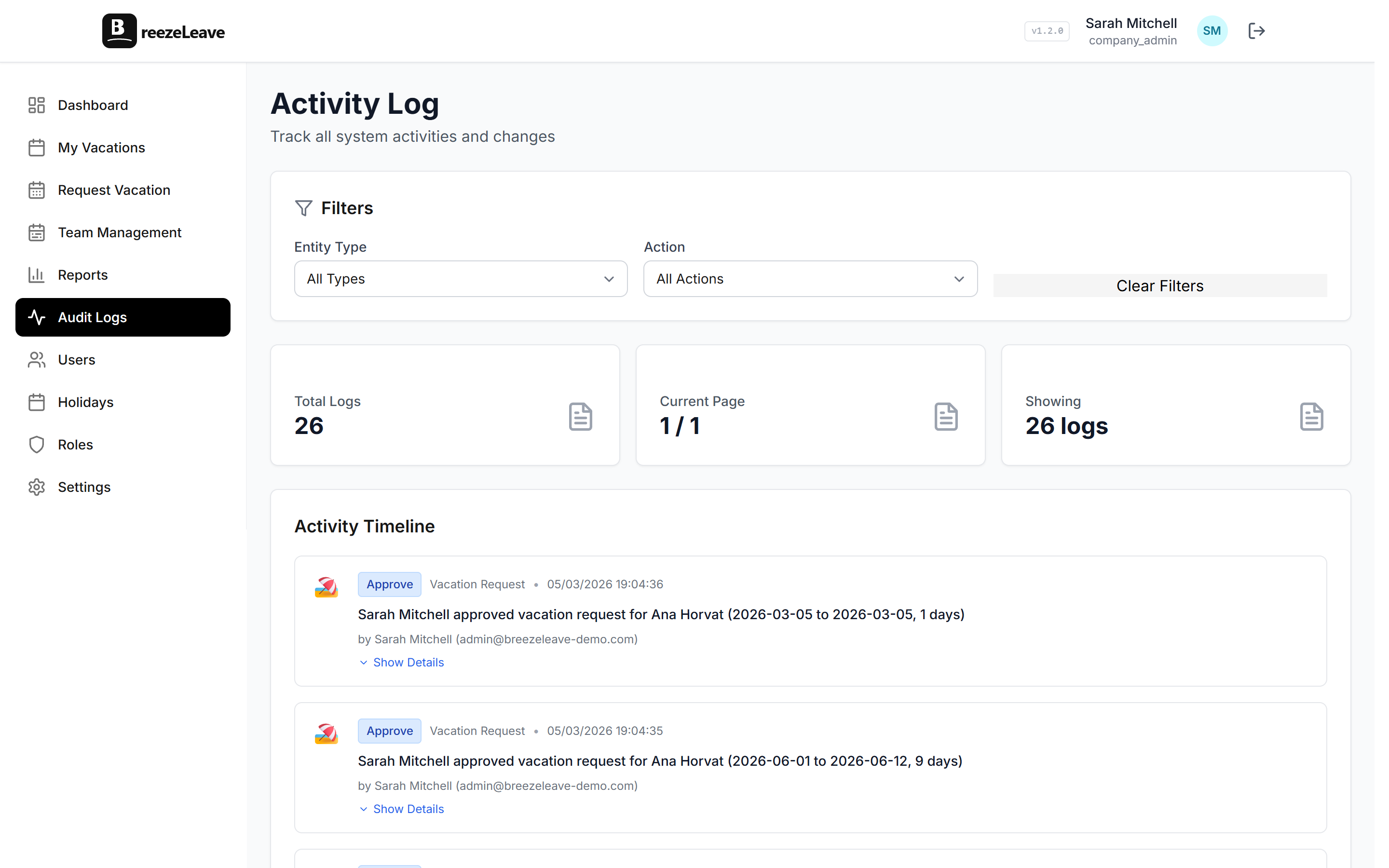
Audit logging
For compliance and accountability. Every action is recorded with who did it, what they did, and when.
- Full trail of vacation requests, approvals, rejections, and cancellations
- User management actions logged (role changes, team assignments)
- Filterable by user, action type, and date range
- Available to HR and Company Admins
- Useful for annual reviews, disputes, or compliance audits
Product line 2 of 2
Project Operations features
Capacity planning, project budgets, retainers, profitability tracking, cash runway, and ClickUp time integration for agencies and delivery teams. Available standalone, or paired with leave management.
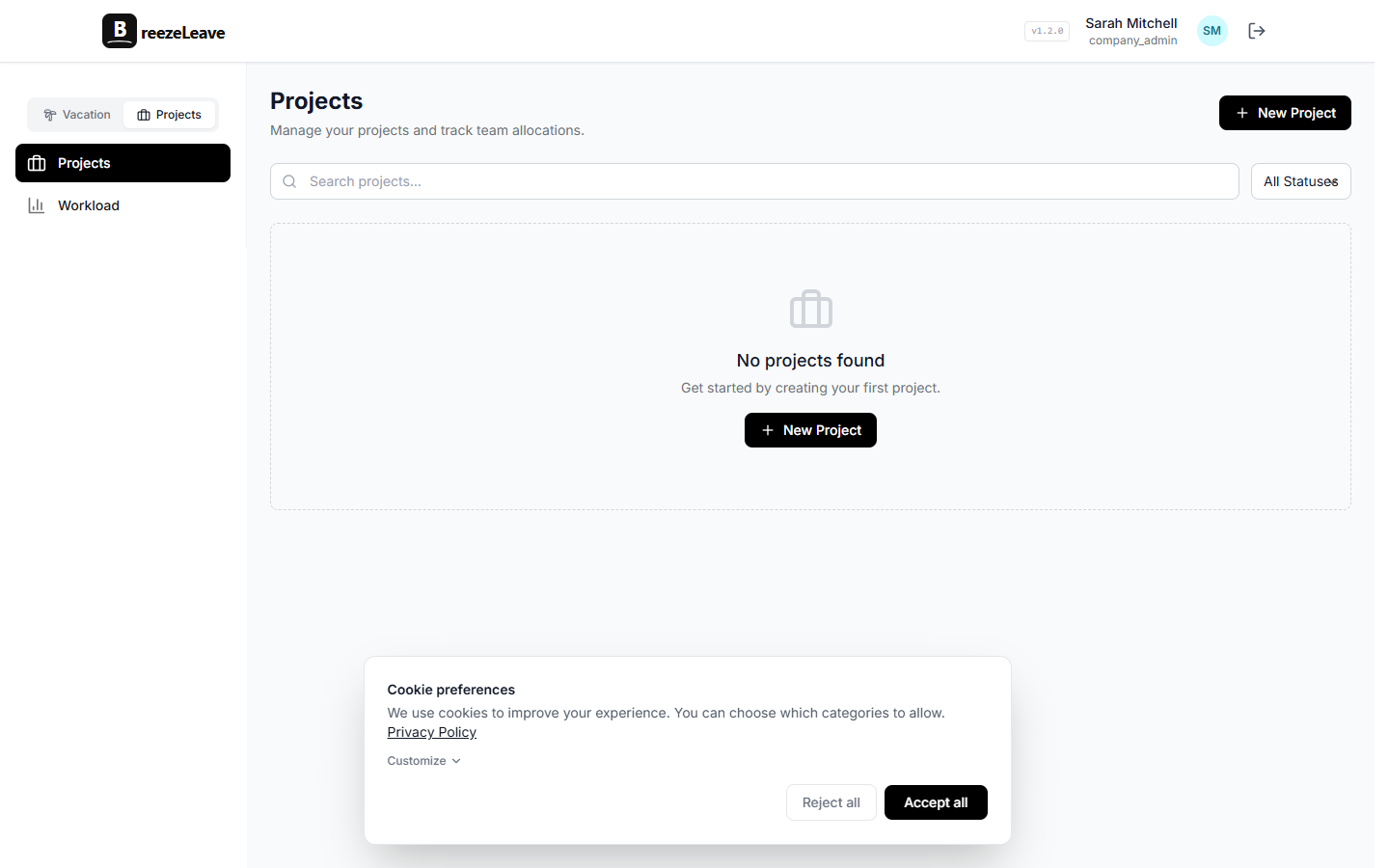
Project tracker for delivery teams
For agencies and client-service teams, PTO only tells half the story. BreezeLeave tracks the projects, retainers, phases, milestones, resources, and client work affected by availability.
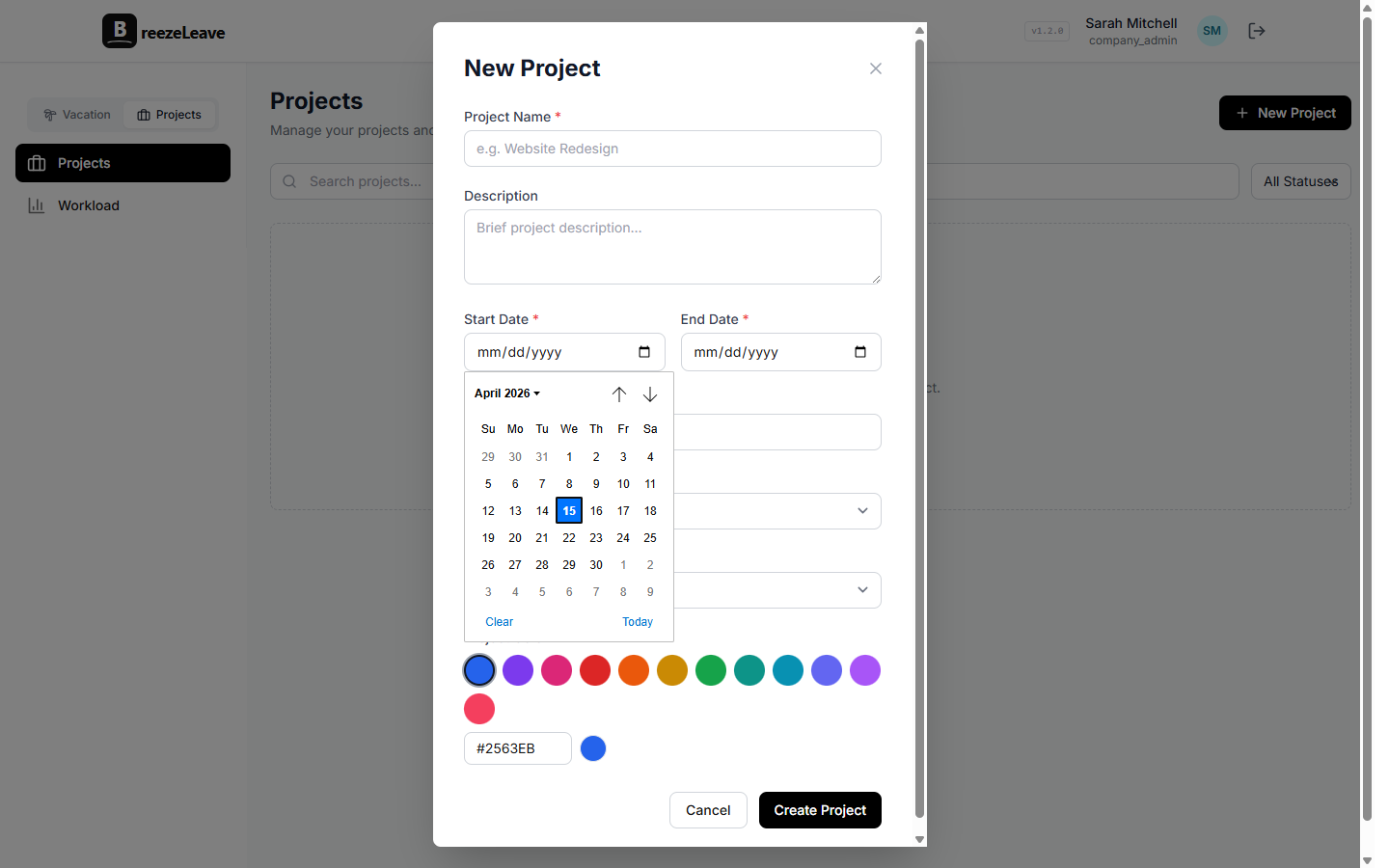
- Project and client workspaces with statuses, owners, colors, descriptions, and client links
- Phase timelines for design, preparation, development, QA, deployment, maintenance, hypercare, or custom delivery stages
- Milestones with completion tracking and document attachments
- Retainer contracts, monthly allocations, payment schedules, locked months, and accounting panels
- Project history so delivery changes are traceable instead of buried in chat
Workload, logged hours, and capacity forecasting
See planned work, actual ClickUp time, PTO, and capacity in the same operational view. Managers can spot over-allocation, missing time logs, and bottleneck weeks before delivery slips.
- Workload overview with logged hours, planned billable hours, utilization, active assignments, and project mix
- Capacity forecast across weekly or monthly horizons with planned work, PTO impact, bottlenecks, and free capacity
- Logged-hours hygiene dashboard for expected vs. logged time, no-log days, unmapped ClickUp users, and CSV export
- Card efficiency analytics to surface QA-over-dev, design-over-dev, and large-card/no-QA patterns
- Per-person drilldowns with project mix and permission-aware cost visibility
Budget, revenue, and project profitability
Finance views are connected to real project data instead of detached spreadsheets. Track revenue, costs, margin, forecasts, scenarios, cash runway, and headcount planning with role-based access.
- Company and owner P&L grid with actuals, targets, forecasts, comparison periods, and monthly or cumulative views
- Scenario planning for what-if budgets, forecast methods, and saved report views
- Cash runway, budget alerts, run-rate tiles, and planned headcount panels
- Project and client financial panels for revenue, cost, profit, margin, and retainer performance
- K-anonymity and permission gates for sensitive cost, salary, person-cost, and margin views
Client and project document hub
Keep delivery paperwork next to the work it belongs to. Store, share, preview, and track project/client documents without scattering files across folders and chat threads.
- Company library plus client, project, and milestone-scoped documents
- Document uploads with thumbnails, download links, soft delete, and attachment metadata
- Public share links with expiry and view/download tracking
- Project document panels and client detail document views
- GetAccept signed documents can feed client/project creation and unplanned project intake