
An operations lead at an 80 person company opens her email at 9am to a request from her engineering manager who is sitting in a different timezone, a reminder about a pending approval that has been sitting for two days, and a weekly digest showing six absences in the upcoming month. None of this would land if the notification system was missing or misconfigured. The team would either swamp Slack with status messages or quietly stop telling each other anything.
Email is still the right channel for the structured record. Slack and Teams handle the in-the-moment decision; email holds the receipt, the digest, and the message that survives a cleared notification tray. BreezeLeave sends email through SendGrid by default and can route through a custom SMTP server when your company wants its own infrastructure on the path. The templates are configurable, the recipients are scoped to the request, and the per-user opt-out respects employee preferences.
The five notification types
BreezeLeave sends five distinct notifications across the leave lifecycle. Each one has a specific recipient list and a specific job to do.
Request submitted
Goes to the approver (or each approver in a multi-approver policy) the moment an employee submits a request. Contains the requested dates, the leave type, the balance after approval, and a one-click action to open the request in the app. The subject line carries the employee's name and dates so the email can be triaged in the inbox.
Request approved
Goes to the requester immediately on approval. Confirms the dates, the approver, and the new balance. Includes a link to the request page for the audit trail and the calendar entry. If Google Calendar sync is connected, the calendar event has already landed by the time the email arrives.
Request rejected
Goes to the requester with the optional rejection note from the approver. The note is the whole point: a flat "rejected" without context creates a follow-up conversation, while a clear "shifted to the following week because of the launch" closes the loop.
Pending-approval reminder
Goes to the approver after a configurable delay (default 48 hours) if the request is still pending. The reminder lists the request, the requester, and how long it has been waiting. HR admins can adjust the delay per company; some teams prefer 24 hours, some prefer one week.
Weekly digest
Goes to managers and HR on a configurable schedule (default Monday morning). Lists pending requests, upcoming absences, and team-level coverage notes. Acts as the at-a-glance summary that prevents an absence in two weeks from being a surprise.
SendGrid by default, custom SMTP when you want it
BreezeLeave defaults to sending through SendGrid. You do not need a SendGrid account; the delivery is part of the BreezeLeave service. For most teams this is the right choice: it works on day one, the deliverability is solid, and you do not have to operate the email stack.
Custom SMTP is available for companies that want their own infrastructure on the path. Two common reasons:
- Sender authority over your own domain. Email from leave@your-company.com instead of notifications@breezeleave.com. The SPF and DKIM setup stays with your IT team, and recipients see your domain in the from-address.
- Compliance routing. A regulated organization may need all outbound email to leave through a corporate gateway for archiving or compliance scanning. Custom SMTP points BreezeLeave at that gateway.
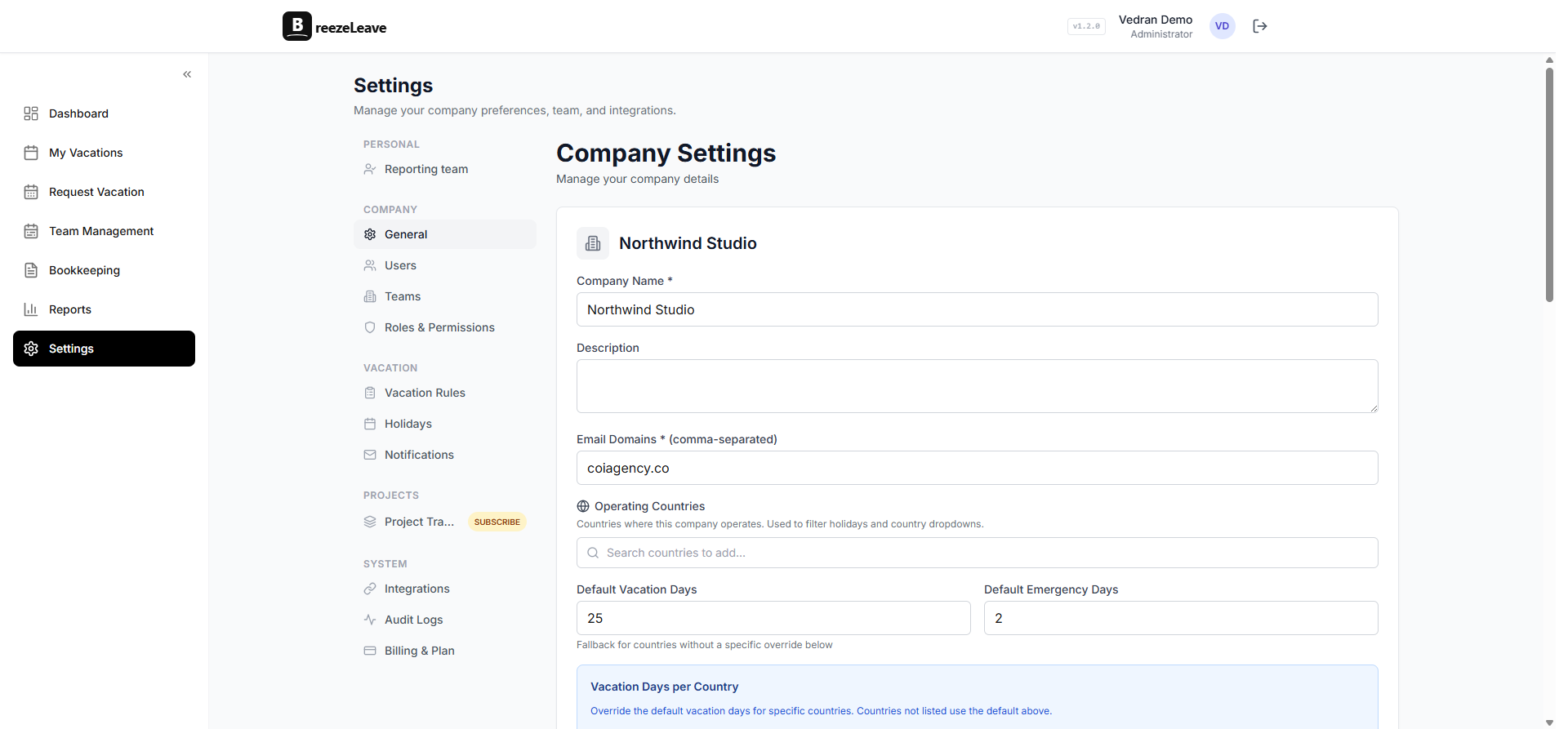
Configuration sits in the company settings. Provide the SMTP host, port, credentials, and the from-address. BreezeLeave validates the connection before saving so a typo does not silently break notifications.

Editable templates per company
Each of the five notification types is a template with a subject line, a body, and a set of placeholders for dynamic fields. The defaults are reasonable; many companies override at least one or two to match their internal voice.
Placeholders available in every template:
{{employee_name}}: full name of the requester.{{leave_type}}: the type of leave (vacation, sick, personal, etc.).{{start_date}}and{{end_date}}: the requested dates.{{working_days}}: the deducted working-day count after holiday and weekend logic.{{balance_after}}: the remaining balance if the request is approved.{{approver_name}}: the approver (on the approve/reject notifications).{{rejection_note}}: the optional rejection reason text.{{request_url}}: the link to the request page.{{company_name}}: your company name as configured in BreezeLeave.
Companies typically customize three things: the subject line (to fit an internal inbox-rule convention), the body opening (to add a personal note from HR), and the footer (to include a link to the internal HR portal or a signature). The blog covers the customization patterns in more detail in the email notification templates article with example wording you can copy into your own settings.
Template tip
Keep the subject line short and scannable. "Vacation request from Maria Schmidt: May 12 to May 19" reads cleanly in the inbox list and lets the approver triage without opening the email. Long subjects with company branding land worse and get ignored.
Per-user opt-out and preferences
Email is useful when it is wanted. The notification preferences page on each user's profile lists the four notification categories they receive (transactional, reminder, digest, and operational) and lets them opt out of the ones they do not want.
Two preferences stay enforced even when a user tries to opt out:
- Decision on your own request. Approval and rejection emails for the user's own requests are mandatory. The request status would be ambiguous otherwise.
- Security events. Password resets, two-factor changes, and similar account security emails are non-optional. These are about access integrity, not leave management.
Reminders and digests are opt-out by default; transactional approve/reject emails are opt-out for non-personal cases (a manager receiving copies of approved requests in their team, for example). The unsubscribe footer in every digest links to the preferences page so the opt-out is one click.
Email plus Slack and Teams: the right division of labor
Email is not a replacement for the interactive flow in a messaging tool. The two channels cover different jobs:
- Slack and Teams. Real-time approve and reject. A manager taps the approve button on a Slack card and the request status updates immediately. The Slack vacation bot page covers the interactive surface; the Teams leave management page covers the same for Microsoft Teams.
- Email. The durable record. The audit-trail-ready receipt. The digest that survives a closed notification tray. The fallback for users who do not live in Slack or Teams.
Most teams keep both on. Some teams running entirely inside Slack disable email digests and keep only the transactional approve/reject emails for the audit trail. The split is yours to configure per company.
Deliverability, bounce handling, and the audit trail
Email is useful only if it lands. Three operational features cover deliverability and the audit side:
- SPF, DKIM, and DMARC. The SendGrid default ships fully authenticated. The custom SMTP path requires you to configure SPF and DKIM on your domain; BreezeLeave provides the records during setup.
- Bounce handling. Hard bounces mark the recipient address as undeliverable; subsequent notifications skip that address and the issue surfaces in the admin notifications panel. Soft bounces retry on a backoff schedule.
- Audit linkage. Every outbound notification is recorded against the request or balance event it relates to. When an employee asks "did you actually send the rejection email?" the answer is one filter away in the audit log. The vacation request notifications article covers the broader notification picture, including the messaging-tool side.
Notification behavior on cancellation and edits
Approved requests are not always permanent. Three lifecycle events trigger their own notifications:
- Request edit. An employee changes the dates on an approved request. The approver receives an edit-notification email so they can review the new dates and confirm or reject the change.
- Request cancellation. An employee cancels an approved request. The approver receives the cancellation email; the balance is restored on the same event.
- Balance adjustment. HR posts a manual balance adjustment with a reason note. The employee receives a notification with the adjustment, the new balance, and the reason. This one is critical for trust; an unexplained balance change creates more inbound questions than it saves.
Each of these notifications has its own template, follows the same placeholder system, and respects the per-user opt-out preferences. The audit log records the underlying event regardless of whether the email was sent or skipped.
Where BreezeLeave fits for email-first HR setups
Email notifications matter most for teams that have a real inbox-driven HR process. Typical fits:
- HR teams between 20 and 500 people where managers triage approvals in their inbox before opening any app.
- Companies running custom SMTP for compliance or branding reasons.
- Multi-company setups where each company wants its own from-address and template wording.
- Teams using messaging tools for in-the-moment approvals but needing email for the audit-friendly record.
For the broader integration picture, the Slack vacation bot and Teams leave management pages cover the messaging side. The pricing page lists which plans include custom SMTP and unlimited template editing.
Frequently asked questions
Everything you might want to know before getting started. Still have questions? Reach out anytime.
BreezeLeave ships with SendGrid as the default transactional sender. Your account does not need a SendGrid contract; the delivery happens through BreezeLeave. If your company prefers to use your own provider, point BreezeLeave at a custom SMTP server in the company settings and outbound mail routes through your infrastructure instead.
Five core notification types cover the leave lifecycle: request submitted (to the approver and any CC list), request approved (to the requester), request rejected (to the requester with the optional rejection note), pending-approval reminder (to the approver after a configurable delay), and weekly digest (to managers and HR with the current request queue and upcoming absences). Each one ships as a configurable template.
Yes. Each user has a notification preferences page where they can opt out of digest emails and reminder emails for their own requests. Transactional emails about decisions on their requests (approved or rejected) stay on by default because the request status would be unclear otherwise. The unsubscribe link in every digest also lands on the preferences page.
Yes. Each notification type has an editable subject line and body, configurable per company. You can change the wording, add a custom signature, include a link to your internal HR portal, or drop in your company logo. The placeholders for dynamic fields (employee name, request dates, approver name, balance after approval) stay available; everything around them is yours to edit.
When an approval policy requires multiple approvers, each approver receives a separate request-submitted email so the request lands in their queue. The first decision (in single-approver-required policies) or every individual decision (in multi-approver-required policies) drives the request status. If a request is rejected, the requester sees the rejection note from the approver who rejected it.
Yes. Slack and Microsoft Teams handle the interactive approval flow; email delivers the structured record of the event. Most teams keep both on so the approver can act quickly in their messaging tool while the audit trail and the searchable record stay in email. You can also disable email entirely if the messaging integration is sufficient.
Yes. Configure the from-address in the company settings, add the DNS records the email infrastructure requires for deliverability (SPF, DKIM), and BreezeLeave sends from your domain. Replies route to the configured reply-to address. Custom SMTP is required for full sender authority; the default SendGrid sender keeps the BreezeLeave domain for outbound.