
At a small nonprofit, leave tracking sits with whoever has the most patience for spreadsheets. That is usually the operations manager who is already running grant reporting, board prep, and program oversight. Hand-computing leave balances at the end of the quarter is the kind of task that gets pushed three Fridays in a row until somebody finds a mistake.
BreezeLeave is built for that shape of organization. The Starter plan is free for organizations up to 10 people with the full leave-management feature set. Setup is a single afternoon, the audit log handles grant compliance, and the staff-vs-volunteer distinction is a first-class concept. Nonprofits rarely need the Project Operations module; this page focuses on the leave side, which is what the program director actually has to run.
The nonprofit operating pattern
Limited admin overhead
At 12 or 15 staff there is no dedicated HR person. There is usually one operations manager wearing four hats. Leave tracking that requires hand-computed balances or a separate portal is the first thing to fall off the desk. BreezeLeave automates the part that takes the admin time: balance computation, accrual schedules, holiday calendar maintenance, payroll-period exports. The operations manager spends a few minutes per week, not a few hours.
Program staff vs administrative staff
Program staff working on grant-funded posts often have different rules than headquarters admin. A field coordinator on a 12-month grant cycle might have leave restrictions around the program window. The development team might have different rules around the fundraising peak. BreezeLeave lets each role have its own policy with its own entitlement, accrual schedule, and approval chain.
Grant cycles and fundraising deadlines
The grant reporting week and the annual fundraiser are not great weeks for the whole development team to be out. Set those windows as blackouts on the BreezeLeave calendar and requests inside them get held for manual review with the deadline reason shown to the requester. The program director sees the conflict at the moment of decision, not at the deadline meeting.
Audit trail for the grantmaker and the board
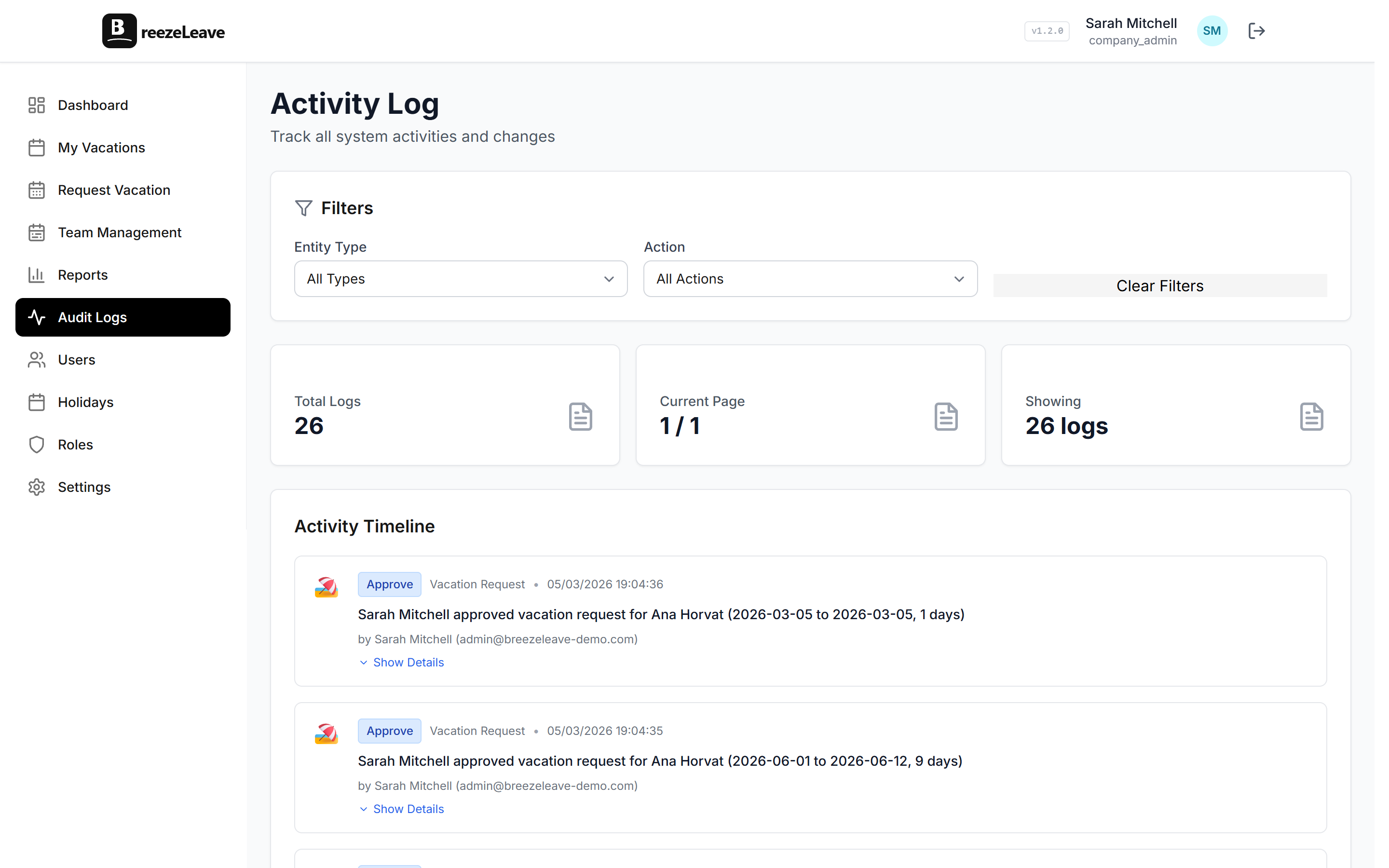
Funders want documentation. Every leave-related change in BreezeLeave is logged with the user, the timestamp, and the change made. When the board asks for last year's leave usage by program, or the grant audit wants to see staff time off during the reporting period, the export takes a few seconds. The audit log is the same data the platform uses to compute balances, so the numbers reconcile.
Custom leave types for the nonprofit context
Nonprofits run more leave categories than a typical office. Beyond PTO and sick time, the common additions:
- Volunteer service days, used when staff take time to volunteer for partner organizations.
- Professional development leave for training or conference attendance.
- Sabbatical leave for staff who have hit a tenure milestone.
- Bereavement and compassionate leave with their own approval rules.
- Civic obligations: jury duty, voting time, public health emergency leave.
Each type has its own policy: balance or unlimited, accrual schedule, who approves, whether it appears on the public team calendar. The reports module can roll up usage per type per period for the board pack.
The daily flow for a 15-person nonprofit
Most small nonprofits do not need anything fancy. The daily flow:
- A program assistant requests three days off via the web app or Slack.
- Their manager gets the request as an email and a Slack message with one-click approve.
- The approval posts to the team channel as a daily digest the next morning.
- The team calendar updates so the rest of the program team sees the absence.
- The balance updates automatically. Nobody opens a spreadsheet.

The operations manager opens the dashboard once a week, checks the pending requests, runs the payroll export at month end. The rest of the time the system runs on its own.
Volunteer hours and the staff distinction
Some nonprofits run a hybrid of paid staff and regular volunteers who contribute fixed hours each week. The two groups need different rules and different visibility. Paid staff need balance tracking, accruals, and a PTO ledger that rolls into payroll. Volunteers need a way to mark availability, signal sick days, and block dates around their own work or school calendar. Treating both with one policy creates either bloated PTO balances for volunteers or invisible coverage gaps when a volunteer goes on holiday.
In BreezeLeave, volunteers sit on a zero-accrual unavailability policy. They appear on the team calendar so the program lead can see their availability for the week. Their absences do not feed into payroll exports or balance reports. Paid staff stay on the standard PTO policies with full balance tracking. Both share the same team calendar so the program director sees the full coverage picture in one view.
Why the free plan really is free for small nonprofits
Many nonprofits run on the Starter plan year after year because the team stays under 10 people. There is no trial timer, no required credit card, no feature gating that pushes a paid plan. The Starter plan includes:
- The full balance and accrual engine, including pro-rata for mid-year hires.
- Approval flows with conflict warnings and cover person assignments.
- Multiple custom leave types with separate rules per type.
- The audit log and per-period exports for grant compliance.
- Slack and Microsoft Teams integration for the request flow.
- Country-specific holiday calendars for international nonprofits.
When the team passes 10 people, the account moves to Pro at $2 per person per month. The full plan comparison is on the pricing page.
Nonprofit work pattern matched to product
No dedicated HR person, limited admin time
Automated balance, automated accrual, audit log
Program staff vs admin staff with different rules
Per-role leave policy, applied automatically
Grant reporting week, fundraiser week
Blackout windows per program, manual review on conflicts
Volunteer days, sabbatical, professional development
Custom leave types with separate balances and rules
Grant audit, board report
Audit log, per-period exports, role-based exports
Limited software budget
Free for the first 10 staff, $2 per person per month above
International program offices
Per-country public holiday calendars
Frequently asked questions
Everything you might want to know before getting started. Still have questions? Reach out anytime.
Yes. Starter is free for organizations up to 10 people with the full leave-management feature set. No credit card, no trial expiry. Most small nonprofits run on the free plan year after year. When the team grows past 10, Pro is $2 per person per month.
Setup takes about 10 to 15 minutes. There is no server install, no integration script, no IT step. If the executive director can send email and manage a Notion page, they can run BreezeLeave.
Yes. BreezeLeave supports multiple leave types. Create a Volunteer category that runs alongside the standard PTO and sick types, with its own rules, its own balance, and its own approval chain. The reports module can pull each type separately.
Every request, approval, denial, balance change, and policy edit is logged with the user, the timestamp, and the change. The log is exportable per period or per program for a grant audit. It is the same data the system uses to compute every balance, so it is auditable end to end.
Yes. Each role gets its own policy. Field program staff working grant-funded posts often need different rules from headquarters admin. Set the entitlement, the accrual schedule, and the approval chain per role.
Set blackout windows around the grant reporting weeks or the annual fundraiser. Leave requests in those windows go to manual review with the deadline noted on the request, so the program director sees the conflict before approving.
Setup for a nonprofit
- Create the account at breezeleave.com. No credit card on Starter.
- Define the leave policies per role: program staff, admin, leadership, fellows or interns.
- Pick the country and load the public-holiday calendar.
- Invite the team via email. They activate, set their availability, and start using the request flow.
- Set blackout windows for the next grant reporting week and the annual fundraiser.
- Optional: connect Slack or Microsoft Teams so the request flow runs inside the channel the team already uses.
- Optional: import past leave data so historical reporting stays continuous.
Where to read next
- Audit logs for leave management: how the audit log handles grant compliance and balance disputes.
- Nonprofit leave management on a budget: the operational pattern for a small organization with limited admin overhead.
- All industries: how BreezeLeave runs for agencies, consulting firms, tech companies, startups, and law firms.
- Pricing: free for teams up to 10, Pro at $2 per person per month above that.
Most nonprofits do the setup on a Friday afternoon and run the next month free of balance recalculation. The first grant audit after the switch tends to be the moment the operations manager stops worrying about the old tracking sheet.