
Most agencies do not need a full enterprise PSA. They need the operating layer that sits between ClickUp, the people, and the P&L. The part where you can answer: who is available next month, what is committed against that capacity, what got logged, and is the project still profitable.
That is the slice of professional services automation BreezeLeave covers. Leave management, project structure, capacity and workload planning, ClickUp logged-hour reporting, project budget with categorized cost lines, project margin, retainers, and a document hub by client and project. Invoicing stays in your finance system. Tasks and time stay in ClickUp. The PSA layer connecting them lives in BreezeLeave.
Where agencies usually feel the PSA gap
A 25 person agency rarely has a single PSA tool. The stack is usually a task tool (ClickUp), a billing system, a leave tracker that nobody trusts, a workload spreadsheet, and a budget Google Sheet. When the founder asks how Q3 is shaping up, four different tabs need to be open.
Common failure points:
- Capacity is calculated from headcount. Nobody subtracts PTO, public holidays, or planned absence before promising a delivery date.
- Logged hours sit in ClickUp and never reach the budget. The hours are there; margin reports never get built because exporting and pivoting takes too long.
- Retainers and one-off projects are tracked the same way. Owners cannot tell which retainers are healthy and which are running over their monthly allocation.
- Documents live in Google Drive folders nobody can find. The signed contract, the brief, and the final deliverable are in three different places.
- Finance sees the year-end picture six weeks late. Project margin only shows up after the bookkeeper closes the month.
A full PSA fixes some of this. It also brings invoicing, expense capture, CRM, native time tracking, and resource marketplaces. For agencies that already have ClickUp and a billing tool they like, most of that is duplicate plumbing.
What BreezeLeave covers as PSA building blocks
Treat this as the PSA layer for an agency that does not want to rebuild its stack. Not a replacement for Kantata, Mavenlink, Certinia, or Productive. A pragmatic operating layer designed for 10 to 200 person services firms.
Leave management with country rules
Vacation, sick leave, personal leave, and statutory holidays per country. Auto-approval rules, Slack and Teams approval flows, balance carryover, and a shared calendar that managers can trust before they commit to a deadline. See the PTO tracker page for the leave side.
Project structure for services work
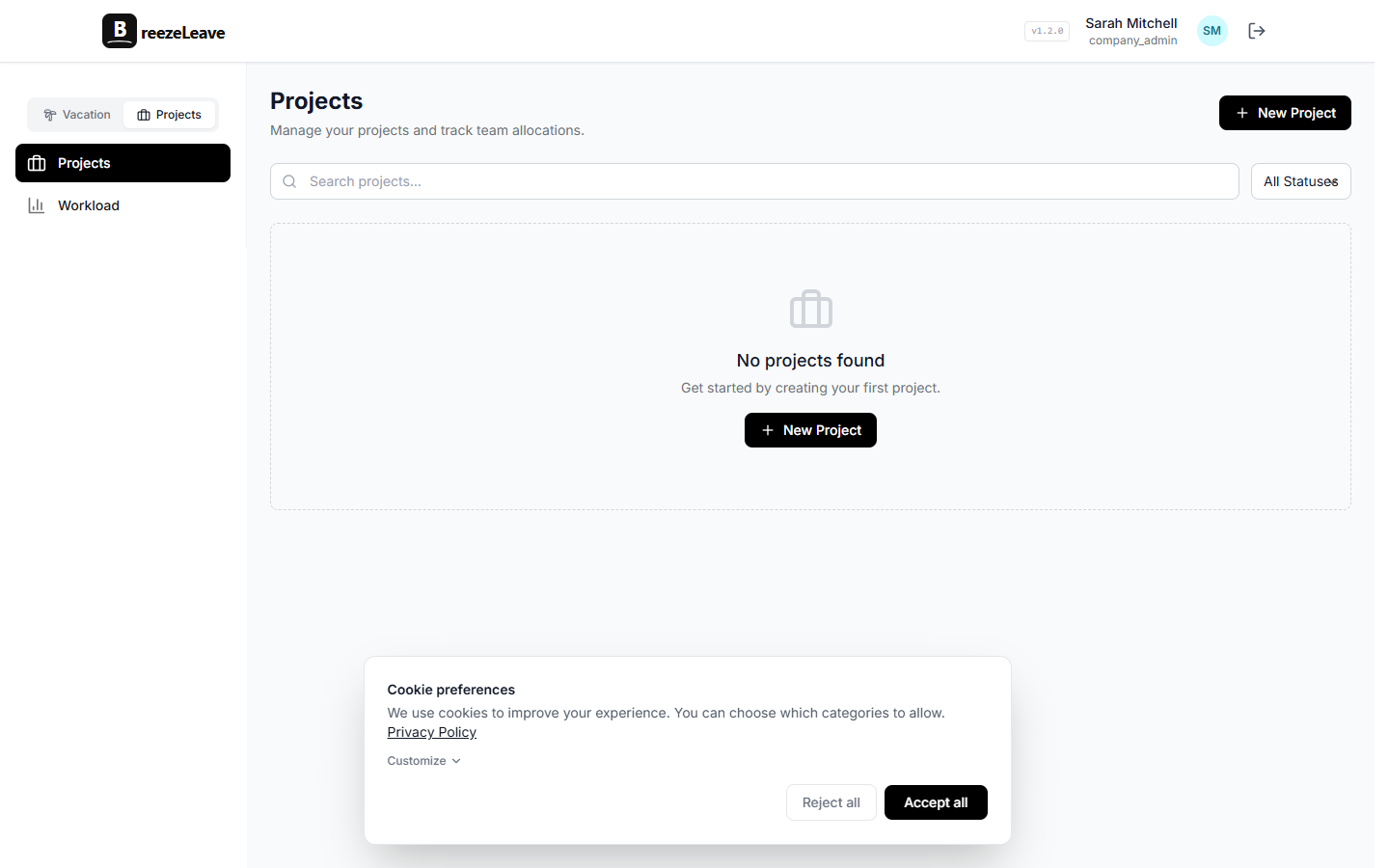
Clients, projects, retainers, churned accounts, signed contracts, phases, milestones, owner, salesperson, and delivery type. The shape an agency uses, not a generic Kanban. Read more on the project management software for agencies page.
Capacity planning that respects PTO
Capacity is headcount minus PTO, holidays, and existing project allocations. BreezeLeave runs that math automatically so signed work does not land on a team that is half on vacation in August. The agency resource planning page covers this side in detail.
Workload and utilization
Planned hours vs logged hours, over-plan flags, project mix, active card count, and person-level drilldowns. Delivery leads can see who is overbooked before the next sprint starts. More on the workload and capacity planning page.
ClickUp logged-hour reporting
ClickUp stays as the time-tracking system. BreezeLeave syncs the workspace, maps users to employees, pulls time entries, and turns them into expected vs logged dashboards, no-log period reminders, and card efficiency reports. Time data feeds budget and margin instead of sitting in CSV exports.
Project budget and margin
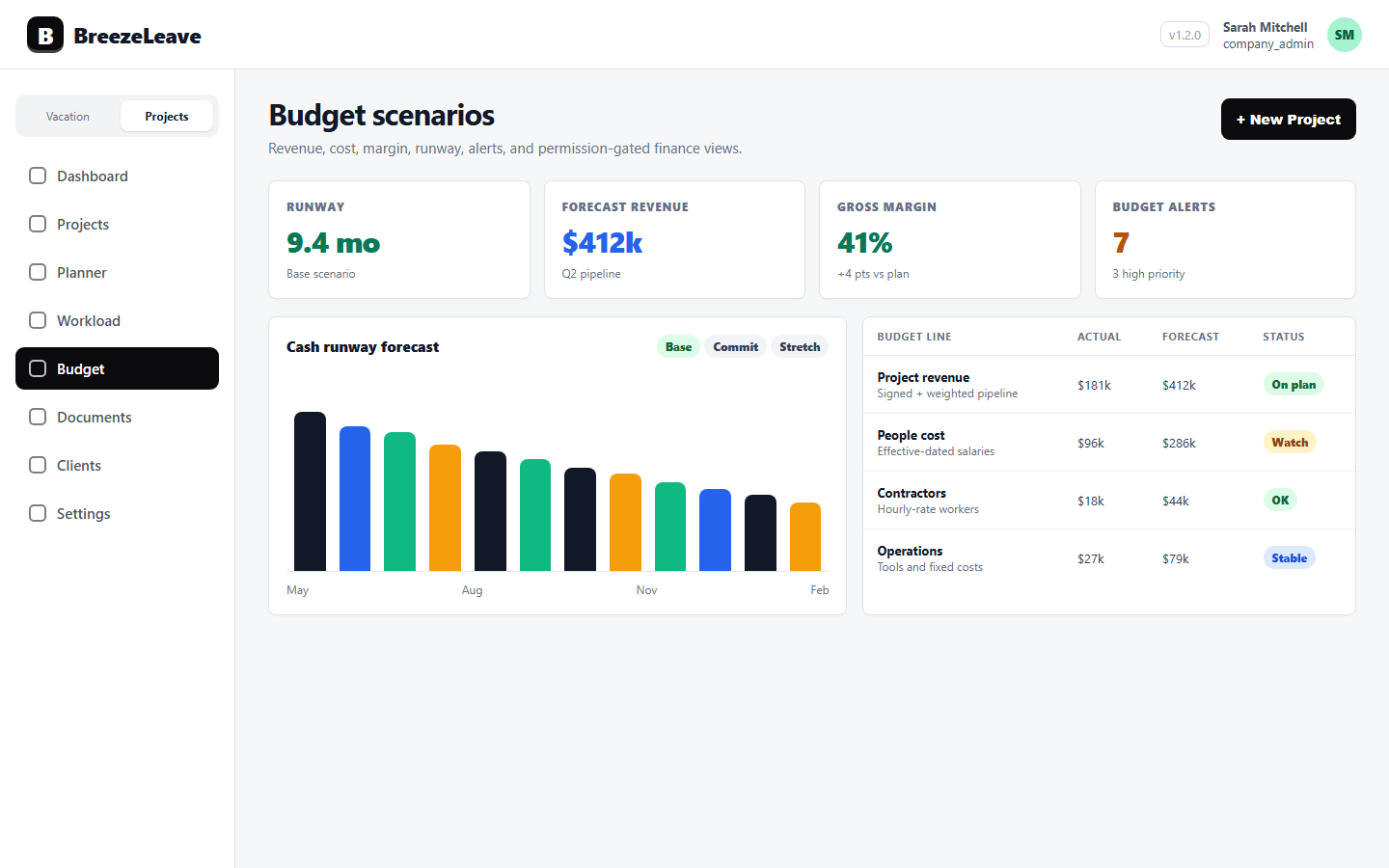
Categorized cost lines, planned vs actual cost, retainer drift, run-rate tracking, scenarios, and per-project margin. The project budget tracking page covers the finance side. Margin = (revenue minus cost) / revenue per project, with logged hours and configured hourly rates feeding the cost side.
Documents tied to clients and projects
Company, client, project, and milestone documents with thumbnails, share links, expiry, and download tracking. The signed contract, the brief, and the final deliverable stay attached to the work they belong to.
Role-based access to finance data
Salaries, person costs, project revenue, and aggregated budget data are gated by four separate permission keys. A delivery lead plans capacity while compensation stays hidden. A finance lead reviews margin while salary numbers stay out of every account manager's view.
What BreezeLeave does not cover
Being honest about scope matters when an agency is comparing tools. The pieces a full enterprise PSA bundles in that BreezeLeave does not:
- Invoicing. BreezeLeave does not generate or send invoices. Connect your billing tool (Xero, QuickBooks, FreshBooks, Stripe Billing) for that.
- Full CRM. Pipeline, lead scoring, and deal management belong in a real CRM. BreezeLeave starts at signed work, not at lead capture.
- Native time tracking. Time is captured in ClickUp. BreezeLeave reads it, reports on it, and connects it to budget and margin. It does not run a stopwatch.
- Employee expense management. Mileage, receipts, and reimbursement flows stay in your finance tool.
- Staffing marketplace. No bench-sharing or freelancer pool. Resource planning works against the people you already employ.
If you need all of the above in one place, look at full PSAs (Kantata, Mavenlink, Certinia, Productive, Forecast). If you already have ClickUp and a billing system you like, BreezeLeave fills the gap between them.
When BreezeLeave is a good fit
Some signals from agencies that get the most value out of the building-block PSA approach:
- Team size between 10 and 200 people.
- ClickUp is already the task and time-tracking system, or the agency is willing to standardize on it.
- The agency runs a mix of retainers and one-off projects with different owners.
- Capacity, leave, and budget conversations currently happen in separate Google Sheets.
- The founder or finance lead wants project margin during the month, not six weeks after it closes.
If a team is under 10 people on a single retainer, BreezeLeave is still useful but a Google Sheet probably still works. If a team is over 500 people with global payroll, a full enterprise PSA is the better answer.
How BreezeLeave sits next to a full PSA
A quick orientation for buyers who have already evaluated Productive, Kantata, or Mavenlink.
| Capability | Full PSA | BreezeLeave |
|---|---|---|
| Leave management | Usually basic add-on | First-class with country rules, Slack/Teams |
| Time tracking | Native stopwatch | ClickUp time entries via sync |
| Invoicing | Built-in | Use Xero, QuickBooks, Stripe Billing |
| CRM | Pipeline included | Use HubSpot, Pipedrive, Salesforce |
| Capacity planning with PTO | Yes | Yes |
| Project budget and margin | Yes | Yes, with permission-gated finance fields |
| Document hub by project | Mixed | Yes |
| Setup effort | Weeks, often with onboarding fees | Days to a few weeks |
| Best fit | 200+ person agencies, one-tool buyers | 10 to 200 person agencies on ClickUp |
A typical month using BreezeLeave as the PSA layer
How an agency owner and a finance lead actually use the product across a month:
- Start of month. Review the workload page. Check who is over capacity in the next 6 weeks given PTO and existing project allocations.
- Mid-month. Open the logged hours page. Identify no-log periods and unmapped ClickUp users. Send time-logging reminders. Check card efficiency.
- End of month. Open the budget page. Review categorized cost lines, retainer drift, and project margin. Spot the projects running at a low or negative margin.
- Quarterly. Review owner analytics. See which delivery leads run projects closest to budget and which ones consistently over-spend.
For deeper reading on the budget side, see the agency operations software overview.
Project Operations add-on
Project Operations is an add-on to BreezeLeave. $8/user/month, or $6/user/month with annual billing (save 25%). 14-day free trial. Add at signup or anytime from billing.
Frequently asked questions
Everything you might want to know before getting started. Still have questions? Reach out anytime.
No. Enterprise PSAs like Kantata, Mavenlink, or Certinia bundle invoicing, full CRM, expense management, and native time tracking. BreezeLeave covers the operating layer: leave, capacity, workload, project budget and margin, retainers, documents, and ClickUp time data. If you already run your billing in a tool like Xero or QuickBooks and your team logs time in ClickUp, BreezeLeave plugs into that stack instead of replacing it.
Leave management with country rules and Slack/Teams approval, project structure with clients, phases and milestones, retainers and one-off project accounting, workload and capacity planning that includes PTO, ClickUp logged-hour reporting, project budget with categorized cost lines, margin reporting, document hub by client and project, and role-based permissions for finance fields.
BreezeLeave does not generate invoices, run a full CRM pipeline, capture time entries natively, manage employee expense claims, or operate as a staffing marketplace. Invoicing and expenses stay in your finance system. Time stays in ClickUp. CRM stays in your sales tool. BreezeLeave reads from those and adds the delivery and finance views.
A task tool tracks tasks. A PSA tracks the business of delivering services: who is available, what is committed, what was logged, what was billed, and whether the work is profitable. BreezeLeave focuses on those PSA questions instead of competing with ClickUp on task workflow.
Yes. ClickUp stays as the task and time-entry system. BreezeLeave syncs the workspace, maps users, and pulls time entries into logged-hour reports, workload, capacity, budget cost, and margin views. The agency keeps one task system and gets the PSA layer on top.
Yes. Project revenue, cost, person cost, and budget aggregates are gated by four separate permission keys. A delivery lead can plan workload while salaries stay hidden. A finance lead can see margin while compensation data is restricted to a small group.
For a 20 to 60 person agency, the leave side is configured in under an hour. Connecting ClickUp, mapping users, importing projects, and setting category cost rates usually takes a few sessions across a week, depending on how clean the existing ClickUp data is.
How to evaluate this without rebuilding your stack
A practical evaluation path for an agency owner who already has ClickUp and a finance system:
- Connect a single ClickUp workspace and map 3 to 5 users.
- Import one active retainer and one one-off project with their categorized cost lines.
- Run the workload and capacity view for the next 6 weeks against current PTO.
- Open the budget view and check the margin number against your existing finance sheet.
- Decide whether the operating layer is worth keeping in BreezeLeave or rolling into a full PSA.
BreezeLeave is free for the leave side up to 10 employees. The project management add-on is priced per user. Pricing details live on the pricing page.