
Picture an HR admin on December 15. The annual leave year ends in two weeks. The spreadsheet says nine employees have unused balances over the company cap. The admin sends a Slack message to each one. Three of them book last-minute trips to burn the days. Two say "I am fine to lose the days, sort it out at year-end." Four reply with questions about how the carryover is calculated. On December 30, the admin opens the spreadsheet, manually adjusts every balance, double-checks the math, and exports the result for payroll. The whole thing takes most of two days and leaves nobody confident the numbers are right.
This is the part of the leave year that hurts. Not the daily approvals. Not the balance updates. The annual rollover, with its cap, its expiry, its reminders, and its payroll handoff. Manual processes break here because the calculation has to be exact and the volume is high all at once.
A rules-based rollover fixes the volume problem. Configure the cap and the expiry once. The system applies them automatically on rollover day, writes the audit trail, and exports the result for payroll. The admin moves from doing the calculation to verifying it.
The single global cap
The carryover setting in BreezeLeave is one number: the maximum days each employee can carry into the next leave year. The cap applies company-wide. Three common configurations:
- Cap of zero. Use it or lose it. The balance resets to the new-year allowance on rollover day. Any unused days are forfeited.
- Cap of five. The most common starting point. Employees can carry up to five unused days into the next year. Anything beyond five is forfeited.
- High cap (twenty or more). Effectively uncapped rollover. Employees can accumulate large balances; the policy trades off financial liability against employee flexibility.
The cap is a single value, not a per-team or per-country setting. If your organisation needs different rollover behaviour for different entities (legal requirements in different jurisdictions, for example), the standard workaround is multi-company support: each entity runs as its own company in BreezeLeave with its own cap. The multi-company leave management guide covers when entity separation is the right path.

Expiry on carried-over days
Carried-over days can have an expiry date. The most common pattern: five-day cap with a March 31 expiry. Employees see those five days on their balance from January 1, and anything still unused after March 31 expires. The carryover bucket is tracked separately from the current-year allowance, so both the employee and HR can see which days are at risk of expiring versus which days come from the normal annual entitlement.
The expiry is optional. If you skip it, carried-over days behave like the rest of the balance and persist until used or until the next year-end. Adding an expiry creates a clear deadline that prevents balances from accumulating across years.
Reminders before days are lost
Two reminder points by default:
- November balance reminder. Posted six to eight weeks before rollover day. Each employee receives their current balance, the configured cap, and the days at risk of forfeiture if they do not book leave before year-end. The reminder goes through the configured email channel and the Slack or Teams away channel.
- Pre-expiry reminder for carried-over days. If you set an expiry date on carried-over days, a reminder goes out roughly 30 days before expiry to anyone with a balance in the carryover bucket. The intent is to surface the deadline early enough that the employee can act on it ahead of the December rush.
The reminders are visible on the dashboard at all times. The two scheduled notifications are the active push; the dashboard is the passive reference. For more on how the notifications integrate with chat tools, the vacation request notifications post walks through the configuration.
What happens on rollover day
On the configured rollover date (January 1 for most teams, the start of the fiscal year for some), the system runs three steps per employee:
- Calculate the carry amount. Take the unused balance at the end of the previous year. Apply the cap: anything inside the cap rolls over, anything beyond is forfeited.
- Apply the new-year allowance. The annual allowance for the new year is added to the balance. Country defaults and tier-based ladders fire here, so a tier bump that lands on January 1 is captured at the same time.
- Write the audit log. An entry per employee records the starting balance, carried amount, forfeited amount, new-year allowance, and timestamp. Every adjustment is reversible if an admin spots an error.
Employees see both buckets on their dashboard from January 1: the carried-over balance with its expiry date (if any), and the new-year allowance with no expiry. The breakdown is clear without HR having to send a follow-up explanation.
Audit trail and balance disputes
Every rollover writes an entry per employee to the audit log. The entry captures the values used in the calculation. If an employee asks why their balance changed on January 1, the answer is in the log: starting balance X, cap Y, days carried Z, new-year allowance W. The same applies to any subsequent adjustment an admin makes manually.
The audit log also covers the rollover for prior years, so a balance dispute that comes up in March can be traced back to the January rollover, the November balance state, and the requests approved during the year. The audit logs and balance disputes post covers the operational patterns for resolving balance questions.
Payroll export and handoff
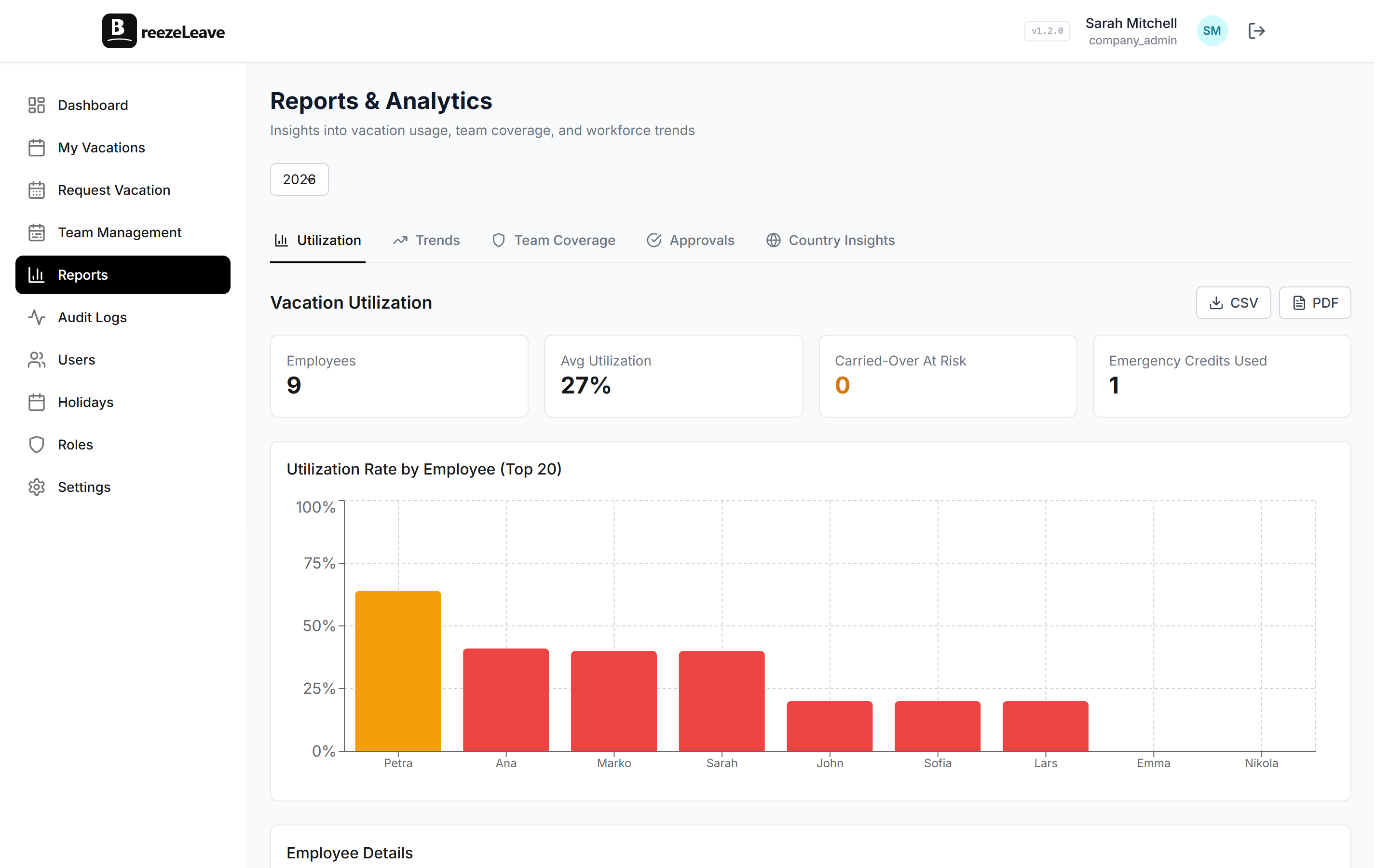
The reports section includes a year-end report that summarises rollover for every employee. Columns:
- Starting balance at year-end (before rollover).
- Days used during the previous leave year.
- Days unused at year-end.
- Carried-over amount (inside the cap).
- Forfeited amount (beyond the cap).
- New-year allowance applied.
- Final balance on day one of the new year.
The report exports to CSV. If your payroll process pays out forfeited days, the forfeited column gives the amount per employee that needs to be processed. If your process is "use it or lose it" with no payout, the report is the audit artefact that confirms what each employee lost. The payroll export guide covers the broader month-end and year-end handoff to bookkeeping.
Common policy patterns
Three configurations that come up most often:
- Strict (cap 0, no rollover). Balance resets every year. Highest incentive for employees to use their days. Lowest financial liability for the company. Most common in US-based teams with combined PTO buckets.
- Moderate (cap 5, expiry March 31). The most common pattern in European teams. Lets employees protect a few days for early-year vacation planning while keeping balances from accumulating. Pairs well with a clear November balance reminder.
- Generous (cap 10, no expiry). Common in teams that view unused leave as banked time. Higher financial liability if employees leave with large balances. Pairs with explicit policy on payout at exit.
The PTO carryover and expiry checklist covers the policy questions that come up before configuration, including how to handle the legal requirements in jurisdictions that mandate certain minimum carryover behaviour.
Getting set up
- Decide your cap. Zero for full reset, five for moderate, larger for generous. The cap should match your written policy.
- Pick an expiry (or skip it). March 31 is the most common expiry date when carried-over days are time-limited.
- Save the setting. The rollover runs automatically on the configured rollover date.
- Schedule the year-end report. The first time the rollover runs, export the year-end report and confirm the numbers match what you would expect. Forward to payroll if your process needs the handoff.
Related reading
- How vacation carryover works in BreezeLeave covers the policy questions before the setup screen.
- PTO carryover and expiry checklist for the operational questions that come up at year-end.
- Seniority-based accruals use case for how the new-year allowance interacts with tier bumps that fire at the rollover.
- See pricing for plan limits (free for teams up to 10).
Frequently asked questions
Everything you might want to know before getting started. Still have questions? Reach out anytime.
You configure one cap value: the maximum number of unused days each employee can carry into the next leave year. The cap applies company-wide; there is no per-country override. If the cap is five days and an employee has eight days unused on rollover day, three days are forfeited and five are carried. Setting the cap to zero means full reset (use it or lose it). Setting it to a large number behaves like uncapped rollover.
Yes. The expiry date is configured alongside the cap. If you set the cap to five days with an expiry of March 31, employees see those days on their balance from January 1 and lose anything still unused after March 31. Carried-over days are tracked separately from the current-year allowance so both employee and HR can see which days are at risk of expiring.
The rollover runs on the configured rollover date (most teams use January 1, some run on a fiscal-year start). On that day, the system applies the cap to each employee's remaining balance: anything inside the cap rolls over, anything beyond it is forfeited and logged. The new-year allowance lands on the same day. Employees see both the carried-over balance and the new-year allowance separately on their dashboard.
Two notification points by default. A reminder in November flagging current balance and the cap, which gives time to book December dates before the year ends. A second reminder around 30 days before the expiry of any carried-over days (if you set an expiry). Both reminders go through the configured email and chat channels. The dashboard always shows the breakdown without needing a reminder.
Yes. Every rollover writes a log entry per employee: the balance before rollover, the carried-over amount, the forfeited amount (if any), the new-year allowance, and the timestamp. If an employee disputes a balance later, the trail is there. The audit log is also useful for payroll handoff and external HR reviews.
The reports section includes a year-end report that summarises rollover by employee: starting balance, days used, days unused, carried-over amount, forfeited amount, and new-year allowance. The report exports to CSV for payroll handoff. If you run an explicit payout for forfeited days, the report shows the amount per employee so payroll knows what to process.
The carryover cap is a single global value. There is no per-team or per-country override on the cap itself. If your organisation needs strictly different rollover behaviour by country (for legal reasons, for example), the typical workaround is multi-company support: each entity runs as its own company with its own carryover setting. The Multi-company leave management guide covers when entity separation is the right path.