
Project budget tracking is hard when finance reviews numbers after delivery has already happened. By then the time logs are stale, the project manager has moved on, and nobody remembers why a card took twice as long as planned.
BreezeLeave brings project accounting, logged hours, workload, owner analytics, and budget planning into the same operating system. Numbers stay close to the work they describe.
A note on assumptions: every margin, runway, and forecast number on this page depends on the inputs you load. The product computes scenarios; it does not promise outcomes. Treat margin and runway figures as scenarios with stated assumptions rather than ROI numbers.
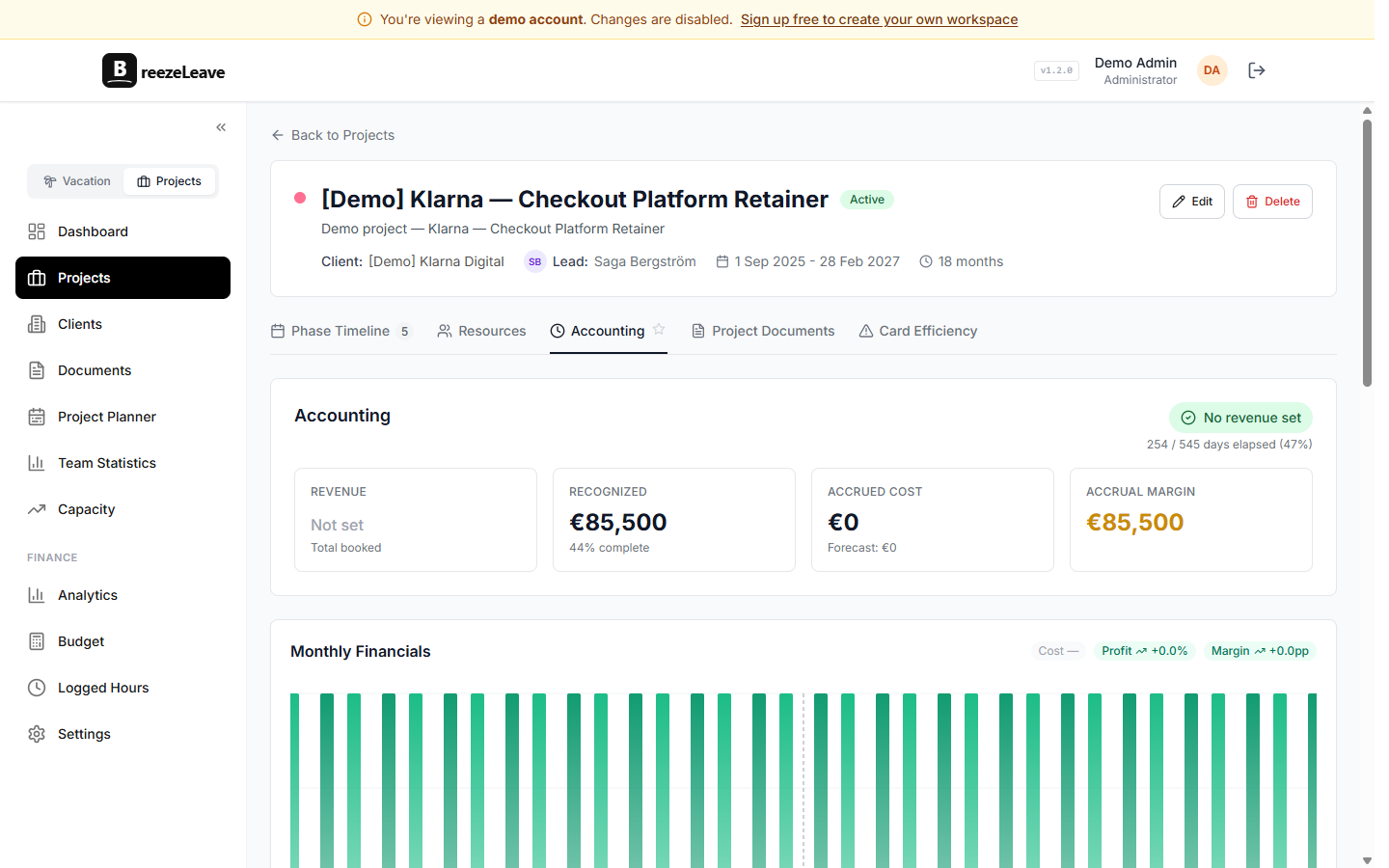
Where budget accuracy gets lost
- Logged hours are incomplete or unmapped to the right person or project.
- Retainer allocations are tracked separately from actual delivery work.
- Revenue, cost, margin, cash runway, and project health are reviewed too late to act.
- PMs cannot see enough budget context, or finance sees numbers without delivery context.
- Salaries and person-level costs leak into views that should not show them.
Budget and finance coverage
Project accounting
Track revenue, retainers, payment schedules, owner, salesperson, actual time, and monthly project financial snapshots in one place.
Budget grid
Use company and owner P&L views, categories, report views, alerts, forecast methods, and period comparisons.
Scenario planning
Model forecast scenarios, cash runway, planned headcount, and run-rate targets with stated assumptions instead of single-number ROI claims.
Time-entry drilldowns
Use logged-hour data to explain budget movement while the work is still fresh, not after the quarter closes.
Permission gating
Four permission keys control financial visibility: project costs, person-level project costs, project revenue, and aggregate budget costs.
Alerts
Get notified when a project trends over budget, when a retainer is under-delivered, or when a forecast moves outside an expected range.
A better finance workflow
- Use ClickUp-powered logged hours to keep project time accurate during the month, not at the end of it.
- Review project revenue, cost, margin, retainers, and owner analytics weekly so problems get caught early.
- Use budget views to compare actuals, scenarios, forecast ranges, and cash runway side by side.
- Keep sensitive salary and person-cost data behind permission controls so operational users only see what they should.
- Pair budget reviews with workload reviews so financial signals are explained by delivery signals.
How permissions protect sensitive cost data
Four permission keys gate financial visibility: projects_costs_read, projects_person_costs_read, projects_revenue_read, and budget_aggregate_costs_read. They map cleanly to roles that already exist in agencies: project manager, finance lead, owner, account lead, and operational user.
A PM can review project margin context while individual salaries stay hidden. A finance lead can review budget aggregates and keep those numbers out of every team member view. The product enforces those splits at the data layer, not just in the UI.
Scenarios, not promises
Cash runway, forecast scenarios, planned headcount, and margin projections all depend on assumptions you choose: cost inputs, billing rates, retainer assumptions, planned hires, scope changes. BreezeLeave lets you set those inputs and compare scenarios next to actuals.
The pattern works because the assumptions are visible. A founder reviewing a runway scenario can see what is driving it, change one input, and watch the picture move. That is more useful than a single optimistic ROI number on a slide.
Financial claims on this page describe what the product can compute given inputs you provide. They are not customer outcomes or guaranteed results.
Frequently asked questions
Everything you might want to know before getting started. Still have questions? Reach out anytime.
Yes. BreezeLeave tracks project revenue, costs, margin signals, logged time, retainers, owner analytics, and budget data with permission controls. Margin figures depend on the cost and rate assumptions you load.
Yes. ClickUp time entries power logged-hour reporting, time hygiene, project analytics, and budget accuracy. Better logs equal more accurate cost and margin numbers.
Yes. Budget views include forecast methods, scenarios, cash runway, planned headcount, report views, alerts, and run-rate tracking. Forecasts are scenarios, not guarantees.
Person-level cost data is gated behind a separate permission (projects_person_costs_read). Operational users who lack that permission can plan workload and review aggregate budget context while private compensation stays hidden.
Yes. Alerts can fire when a project trends over its planned budget, when a retainer is under-delivered, or when a forecast moves outside an expected range. The alert points to the project and owner so the right person sees it.
No. The product computes scenarios based on the inputs you provide. There are no ROI guarantees; figures should be read as scenarios with stated assumptions.