
An agency owner opens her laptop on a Monday morning with three entities to think about: the German GmbH that handles EU clients, the New York LLC that handles US contracts, and a small Dublin Ltd. that books the regional retainers. Three tax setups, three holiday calendars, three sets of Slack channels, three payroll processes. The HR lead in Berlin should not see employee balances in New York; the New York office manager should not approve requests in Dublin. One spreadsheet trying to track all of this is the start of a long Friday afternoon.
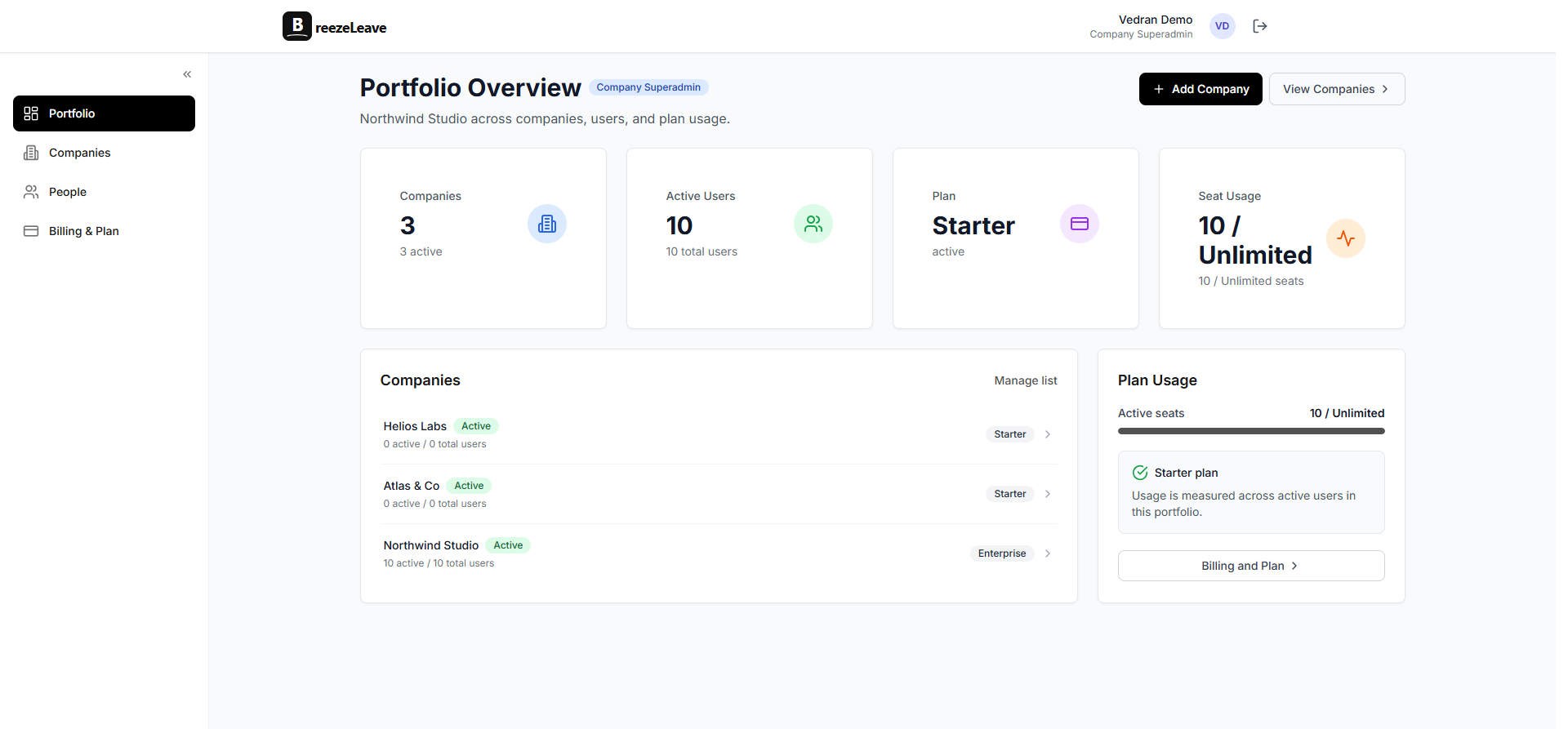
Multi-company leave management is the model BreezeLeave uses for this kind of portfolio. A parent group owns several child companies. Each company keeps its own holidays, leave rules, integrations, audit log, and roster. The central admin at the parent can view across the whole group; scoped HR admins stay inside the entities they are responsible for. Billing happens once at the group level. The configuration cost happens once per company, then the system runs.
Why single-tenant leave tools break at multi-entity scale
Most leave management tools were built for one company. That assumption holds until the second entity arrives. The seams start to show in four places:
- Mixed holidays in one calendar. A US employee and a German employee both show "approved leave" on the same calendar, but the public holiday set has to match the employee's country. A tool that bolts on "country" as a tag rather than an entity boundary ends up showing the wrong holidays for half the team.
- One SMTP for every notification. Invoices and approval emails go out from the same domain across legal entities. A request approved at the New York LLC arrives from the German company's email address. The branding looks wrong, and the audit trail loses the entity context.
- One Slack workspace for the whole group. Some agencies run separate Slack workspaces per entity for legal, language, or client-confidentiality reasons. A single-tenant tool can only post to one Slack workspace, so the away notifications stop matching the team that actually shares the channel.
- Flat HR access. An HR admin in Berlin sees the New York roster because the tool only has "admin" or "not admin". Sharing the platform with an external HR consultant for one country becomes impossible without exposing the rest.
The fix is treating each legal entity as its own company in the data model and layering a parent group on top. The boundary keeps holidays, rules, integrations, and access lists clean per entity, and the parent gives the owner one place to read across the portfolio.
How company groups work in BreezeLeave
A company group is a parent entity that owns one or more child companies. The owner role at the group level can switch between companies from the top bar and can pull cross-company reports. Each child company has its own settings page with the full set of configuration options:
- Country list and the holiday calendars that follow.
- Vacation rules: accrual cadence, carryover policy, advance notice, blackout dates, probation lockout.
- Leave types: vacation, sick, parental, emergency, personal, custom types.
- Slack channels for action and away notifications, and a separate Microsoft Teams tenant if the team uses both.
- SMTP or SendGrid configuration for transactional email per company.
- User roster, manager assignments, and approval chains.
- The audit log scope.
Two companies in the same group can sit on completely different rule sets. The Berlin GmbH can enforce a 14 day advance notice for vacations over five days; the New York LLC can leave advance notice off and rely on manager review. The Dublin Ltd. can keep sick leave on a separate balance with its own carryover policy. Each company is a complete configuration; the parent simply owns them.
Scoped HR access across the group
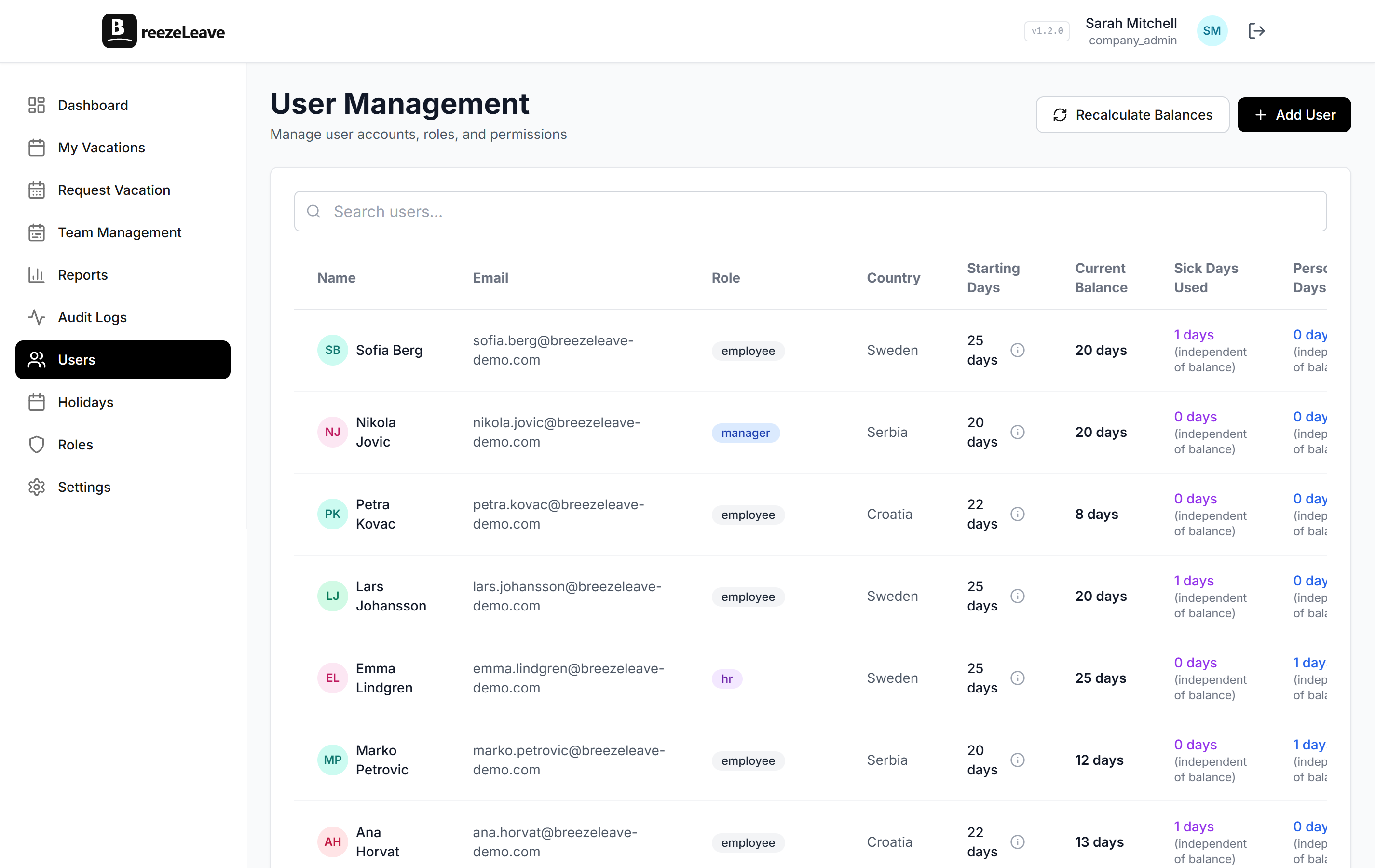
Roles are assigned per company. An HR specialist invited to the Berlin entity does not see the New York entity until somebody adds them to it. Three patterns cover most of the access decisions:
- Central HR lead. The HR director at the parent organization gets the Admin role on each child company. She can pull cross-company reports and step into any entity to review a request.
- Regional HR specialist inside one company. A regional HR lead is invited only to the Berlin GmbH with the HR role. Inside that company, the External HR flag with assigned countries narrows access further to German employees only. She approves Berlin requests, adjusts Berlin balances, and never sees the New York roster.
- External HR consultant. A consultant covering a specific country (or set of countries) is invited to the relevant company with the HR role and the External HR flag set. The assigned-countries list is the day-to-day filter. When the engagement ends, removing the user from the company revokes access in a single step.
Two separate boundaries are at play. The company boundary controls which entities the user is even invited to. The External HR country filter controls which employees inside an invited company the user can see. Use both together when the role split needs to be both per-entity and per-country. The role-based permissions page covers the permission keys; the external HR scoped access guide walks through the consultant case end to end. Permission settings reduce what a role can see in the product. Database-level isolation, encrypted exports, and group-wide backup policy sit with your platform and infrastructure team.
Reporting across the group and inside each company
The owner and group-level admins get two reading modes. The aggregate mode rolls up data across every company in the group. The drilldown mode focuses on a single child company with its full detail. The filters that matter most:
- By company. Headcount, approved leave days, average balance, and pending requests for one entity. The same view a single-company BreezeLeave admin sees.
- By country. Useful when one entity operates in several countries. A German company with a Croatian branch can split its reports by country without creating a second legal entity.
- By leave type. Sick leave usage across the group, parental leave plans for the next quarter, emergency leave concentrated in one team.
- By month or quarter. Aggregate leave days by period, comparable across companies, useful for budgeting and capacity planning at the parent level.
The leave reports and analytics page covers the report types in more depth. The audit logs page covers the per-company audit log, which stays scoped to the company a change was made in. Cross-company changes (a user invited to two companies, for example) appear in both audit logs with the correct actor and timestamp.
Setting up your first multi-company structure
The setup goes faster if you decide on a few things before the first company is added. Five decisions cover the configuration work:
- Which entities map to which companies. One legal entity per company is the common pattern. If a single legal entity operates in several countries, you can keep it as one company and use the country field on each employee.
- Which user is the group owner. The owner holds billing access and can delete companies. Most groups put the founder or the CFO in that role.
- How scoped HR access maps to your team. Decide who is central, who is regional, and who is external. Build the matching roles before you invite people, so the first invite is already in the right scope.
- Integration topology. One Slack workspace shared across entities or separate workspaces per entity. One SMTP for the group or per-company sender domains. These choices affect how the notifications look to employees, so it pays to decide once and apply across the group.
- The audit log review cadence. Quarterly review per company is a good starting cadence. The owner reviews the cross-company changes; the regional HR lead reviews their own company.
Once those five decisions are made, adding a new company takes about 30 minutes per entity: country setup, vacation rules, integrations, leave types, and the first roster of users. The rest is invitation flow. Read the multi-company HR admin guide for a longer walkthrough, and the multi-company leave management article for the operational view.
Setup tip
Before adding the second company, run one full leave cycle in the first. Approving a few real requests surfaces rule edge cases (probation lockouts, advance notice, accrual edge dates) you would rather catch on one entity than three.
Where BreezeLeave fits for multi-entity operators
Multi-company leave management is the right pattern when the same operator runs more than one legal entity and the entities need to stay independent on rules, integrations, and access. Typical fits:
- Agencies with several country offices under one holding structure. The agency industry page covers the wider operational picture.
- Holding companies with portfolio investments that share back-office HR.
- Consultancies running separate legal entities for tax or compliance reasons.
- Founder-led groups where a single owner has multiple businesses and wants one HR login.
- External HR consultants who serve several clients and need scoped access into each.
The external HR users article covers the consultant-led pattern. The pricing page shows how plans apply across the group and which plan includes multi-company support.
Manage multiple companies in one BreezeLeave admin
Add your first company, invite the scoped HR users, and let the parent group hold the billing relationship.
Frequently asked questions
Everything you might want to know before getting started. Still have questions? Reach out anytime.
A company is one legal entity with its own settings: country, currency, holiday calendar, vacation rules, Slack workspace, Teams tenant, SMTP, leave types, and balance ledger. A parent group holds the billing relationship and the central admin can view across all child companies. Each company is configured independently so the Berlin GmbH can run different rules from the New York LLC under the same login.
Yes. Slack channels, Teams channels, and SMTP credentials are stored on the company settings object and stay scoped to that company. The Berlin entity can post away notifications to a German-speaking workspace while the New York entity posts to a different workspace, and the two never cross. SendGrid keys or custom SMTP can be set per company so transactional email comes from the right sender domain.
Each company picks the countries it operates in, then BreezeLeave applies the public holiday set for those countries automatically. The catalog covers more than 240 country profiles. An employee marked as Germany-based sees German public holidays in their working-day calculation; an employee in the New York entity sees US federal and state holidays. Country-specific rules on sick leave, bank holidays, and weekly rest days flow from the country setting on each employee.
Multi-company access is controlled by which companies a user is invited to. A user invited only to the Berlin GmbH does not see the New York LLC unless someone explicitly adds them. Inside a company, the External HR flag with an assigned-countries list narrows access further to employees in those countries only. A regional HR lead in Berlin assigned only to Germany runs payroll exports for the German employees and never sees the rest. Read the role-based permissions page for the details of how scoping is enforced.
Yes. The owner role and admin roles assigned at the group level can pull aggregate views: total headcount across companies, total approved leave days for the current quarter, average balance by country, leave-type usage broken down by entity. The same report can drill into one company for the entity-level numbers. Country and company filters are first-class.
One billing relationship rolls up across the group. The owner sees the seat count and the invoice for the whole portfolio in a single place. Plan limits apply across the group total rather than per company, so a group on the Team plan can spread its seats across the entities however it wants. Pricing is on the pricing page; talk to support if the structure of your group needs a different arrangement.
Audit logs are written per company. A change inside the Berlin entity sits in the Berlin audit log; the New York entity has its own log. Request flows, approval chains, and rule engines also stay inside one company. This keeps the audit trail readable for a regional compliance review and stops cross-entity actions from getting tangled in one log. The audit logs page covers how the log is structured.