How Audit Logs Resolve Vacation Balance Disputes
The audit-log trail HR follows when an employee disputes their vacation balance: starting balance, accruals, deductions, adjustments, and the timestamped events behind each one.
An employee opens a ticket with HR: "My balance was 14 days last month and now it shows 11. Nobody told me anything changed." HR has three options. Reconstruct the timeline from memory, give the employee the benefit of the doubt and credit the missing days, or open the audit log and walk through what actually happened. The third option takes about two minutes. The other two take an afternoon and leave at least one person unhappy.
This article is for the HR admin or compliance lead who handles balance disputes when they show up. Below is the audit-log trail BreezeLeave records for every balance change, the order to read it in, and the three or four event types that explain almost every dispute.
What the audit log records, per balance event
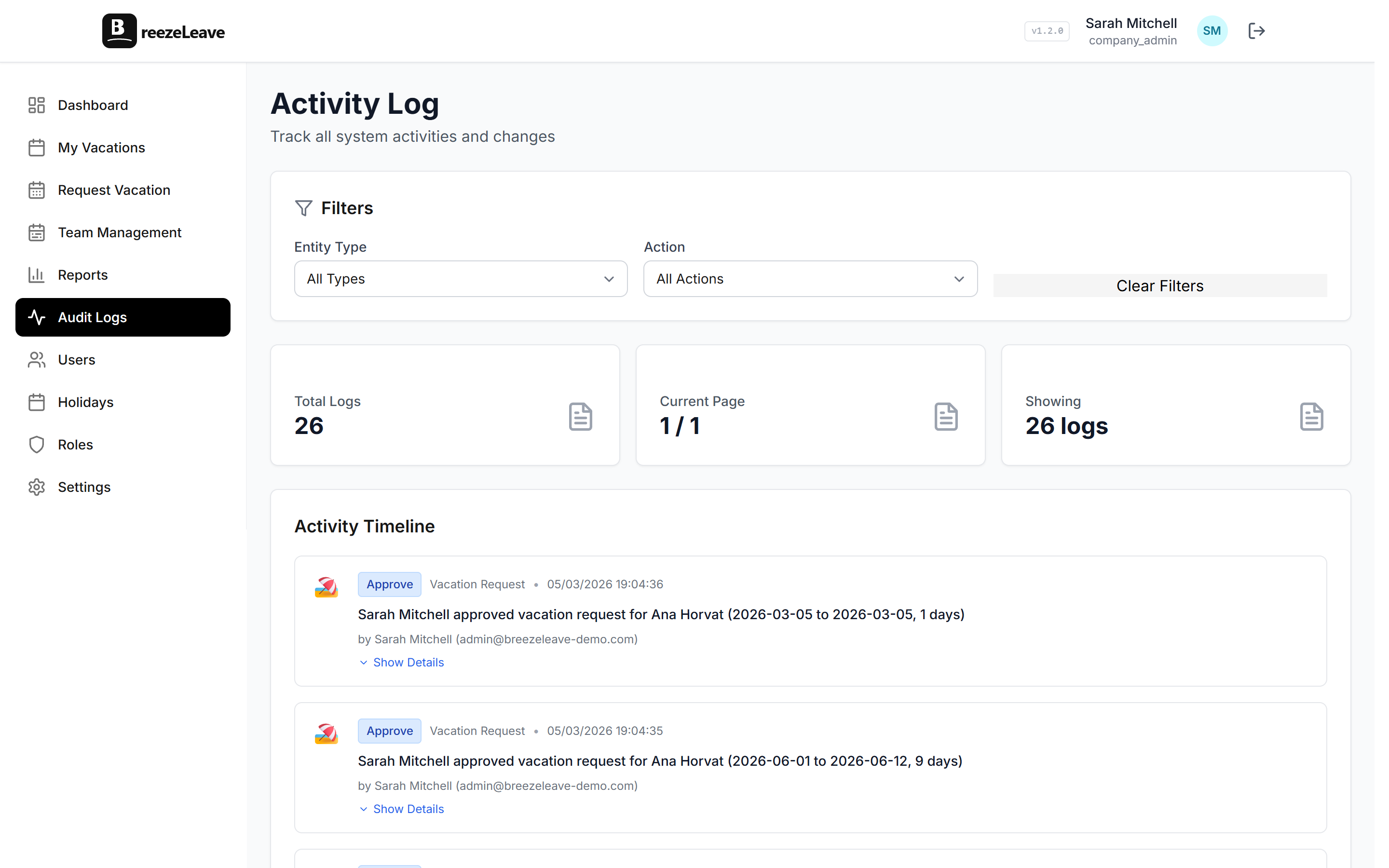
Every change to an employee's balance creates an audit entry. Each entry captures the same five fields, regardless of the action type.
- Actor. The named user who triggered the event. For automated events (accrual run, carryover), the actor is the system, named explicitly.
- Action. The event type: request approved, request cancelled, manual adjustment, accrual added, carryover applied, rule changed.
- Timestamp. The exact UTC time of the event.
- Object. The employee and leave type affected.
- Before and after. The balance value before the event and after.
These five fields are what makes the log usable in a dispute. A dispute usually reads as "the balance now is wrong compared to what I expected." The log shows every event between the expected value and the current value, with a timestamp and an actor on each one.
The balance trail, read in order
A vacation balance is the sum of a few flows. To resolve a dispute, read the trail from the starting balance forward, in chronological order. The trail shape for almost every employee:
- Starting balance. Either the year-opening balance or the hire-date balance, recorded as an event.
- Accrual events. One per accrual period (monthly, quarterly, or yearly depending on policy). Each adds days to the balance.
- Approved request deductions. One per approved request, subtracting the working-day count.
- Adjustment events. Manual changes by HR, with a reason field.
- Carryover or expiry events. At year-end, the carryover cap applies. Excess days expire or pay out. Each is its own event.
- Current balance. The sum of every event above. Read as the closing line of the trail.
Filtering the audit log to one employee and one leave type produces exactly this trail, in order. The dispute resolves when the employee sees the same trail you do.
Three common disputes, walked through the log
Most balance disputes fall into one of three patterns. Each is solvable in under five minutes once the audit log is open.
Pattern 1: "Days are missing from my balance"
Employee expected 14 days; balance shows 11. Open the audit log filtered to the employee and walk forward from the last event the employee remembers.
Worked example
Starting balance, Jan 1: 20.0 days.
Jan 31 accrual: +0.0 days (annual model, no monthly accrual).
Mar 14 approved request, 5 working days: −5.0 days. Balance: 15.0.
Apr 22 manual adjustment by HR (Maria K., reason: "Unrecorded absence Feb 3"): −1.0 day. Balance: 14.0.
May 9 approved request, 3 working days: −3.0 days. Balance: 11.0.
The May 9 request is the one the employee did not remember. They submitted it the day before a long weekend and forgot about the three-day deduction. Resolution: confirm the request, close the ticket.
The Apr 22 adjustment is the entry HR was expected to flag. The reason field makes it defensible. For more on why the reason field is non-negotiable, our piece on audit logging for leave management covers the regulatory side.
Pattern 2: "My carryover is lower than promised"
Employee expected 5 days to carry into the new year; balance shows 3. This is almost always a policy rule the employee was not aware had changed.
Worked example
Dec 31 balance: 6.5 days.
Dec 31 carryover rule applied (cap: 3 days, max change Oct 18 by Admin Lukas S.): −3.5 days expired. Balance: 3.0.
Jan 1 starting balance: 3.0 days carried + 25.0 days annual entitlement = 28.0.
The Oct 18 rule change is the missing context. The previous carryover cap was 5 days; an admin changed it to 3 in October. The employee was not on the recipients list for the change announcement. Resolution: confirm the rule change, surface it to HR for an announcement, decide whether to grandfather the affected employees.
Rule changes are audited at the company level, not at the employee level. Cross-referencing the employee balance audit with the company rules audit is how this pattern resolves.
Pattern 3: "I never got credit for the holiday"
Employee took 5 days off; only 4 should have been deducted because one was a national holiday. Balance shows 5 days deducted.
Worked example
May 2 approved request, dates May 1 to May 5: 5 working days deducted.
Holiday calendar check: May 1 was added as a national holiday on Apr 28 by Admin Lukas S., after the request was approved on Apr 22.
The request was approved before the holiday was added to the calendar. The working-day count at approval time was 5; if approved today it would be 4. Resolution: HR applies a +1 day adjustment with reason "Holiday added post-approval (May 1)." The audit log records the correction.
This pattern is the reason holiday calendar changes are themselves audit events: they affect the working-day calculation for any future request and explain mismatches for past ones.
Who can read which audit events
Audit log access is gated by the same role system that covers the rest of BreezeLeave. The shape of access:
| Role | Audit log scope | Typical use |
|---|---|---|
| Owner / Admin | Full company, all employees | Rule changes, integration changes, role assignments |
| HR | All employees in scope | Balance disputes, year-end reconciliation |
| External HR (scoped) | Employees in assigned scope only | Regional dispute resolution |
| Manager | Own approval and rejection actions | Defending a manager's own decision |
| Employee | Own balance events only | Self-service review of own balance |
The role-by-role view is in the broader role-based permissions matrix. The audit log permission is its own row in that matrix. The product-side breakdown of audit and compliance features lives on the features page.
What an audit-log entry looks like in practice
The shape of a single audit entry, written out:
2026-04-22 14:08 UTC | Actor: Maria K. (HR, Croatia scope) | Action: Balance adjustment | Employee: Jan P. | Leave type: Vacation | Before: 15.0 days | After: 14.0 days | Reason: "Unrecorded absence Feb 3" | Audit ID: a3f1-9c2d
Each field tells the dispute-resolution story. The actor is named. The role at the time of action is recorded ("HR, Croatia scope"), so a later role change does not rewrite the entry. The before-and-after values are the math. The reason explains the why. The audit ID lets HR cite the entry in a follow-up or in an export to legal.
Audit entries are append-only. They cannot be edited or deleted by any role, including Owner. Corrections happen as new entries that reverse or supersede the original. That property is what makes the audit log defensible in front of a labor inspector or a data subject access request.
The five-minute dispute runbook
Treat the dispute resolution as a routine, not a one-off. The same sequence works for every variation.
- Filter the audit log to the employee, the leave type, and the date range from "last balance the employee remembers" to "today."
- Read the entries in chronological order. Each entry has an actor and a before/after. Note any entry the employee was not aware of.
- For unrecognized adjustments, check the reason field. If the reason is missing, treat that as a separate HR process issue.
- For rule-change effects, cross-reference the company-level audit for the same time window. Holiday and carryover changes show up there.
- Share the relevant audit entries with the employee. If a correction is warranted, apply it as a new adjustment with a reason. Do not edit historical entries; the audit log is append-only.
This routine is the difference between "we will look into it" and "here is exactly what happened." It also produces the document trail finance and legal need when a dispute escalates outside HR.
Open the audit log before the dispute
The teams that handle balance disputes well are the ones that read the audit log before the employee complains. A weekly glance at recent adjustments and rule changes catches most of the issues that would otherwise become tickets. The audit log is most useful as a habit, not an emergency tool.
BreezeLeave records every balance event (accruals, deductions, adjustments, rule changes, carryover) with an actor, timestamp, and before-and-after values. See the BreezeLeave audit trail from the audit page in your settings, or use this runbook the next time a balance ticket lands in HR.