ClickUp Time Tracking for Agency Projects: From Logged Hours to Cleaner Delivery
How agencies can use ClickUp logged hours in BreezeLeave to improve time hygiene, spot card-level delivery drift, and connect actual effort to project capacity.
ClickUp time tracking is useful only when the hours become operational enough to act on. For agencies, the real value is not another place to store time entries. It is seeing which projects, people, cards, and weeks need attention before the month closes.
BreezeLeave uses ClickUp logged hours as part of the project operating picture. That means managers can review actual time next to planned work, PTO impact, utilization, project mix, and budget context instead of waiting for a spreadsheet cleanup cycle.
1. Treat time hygiene as weekly delivery work
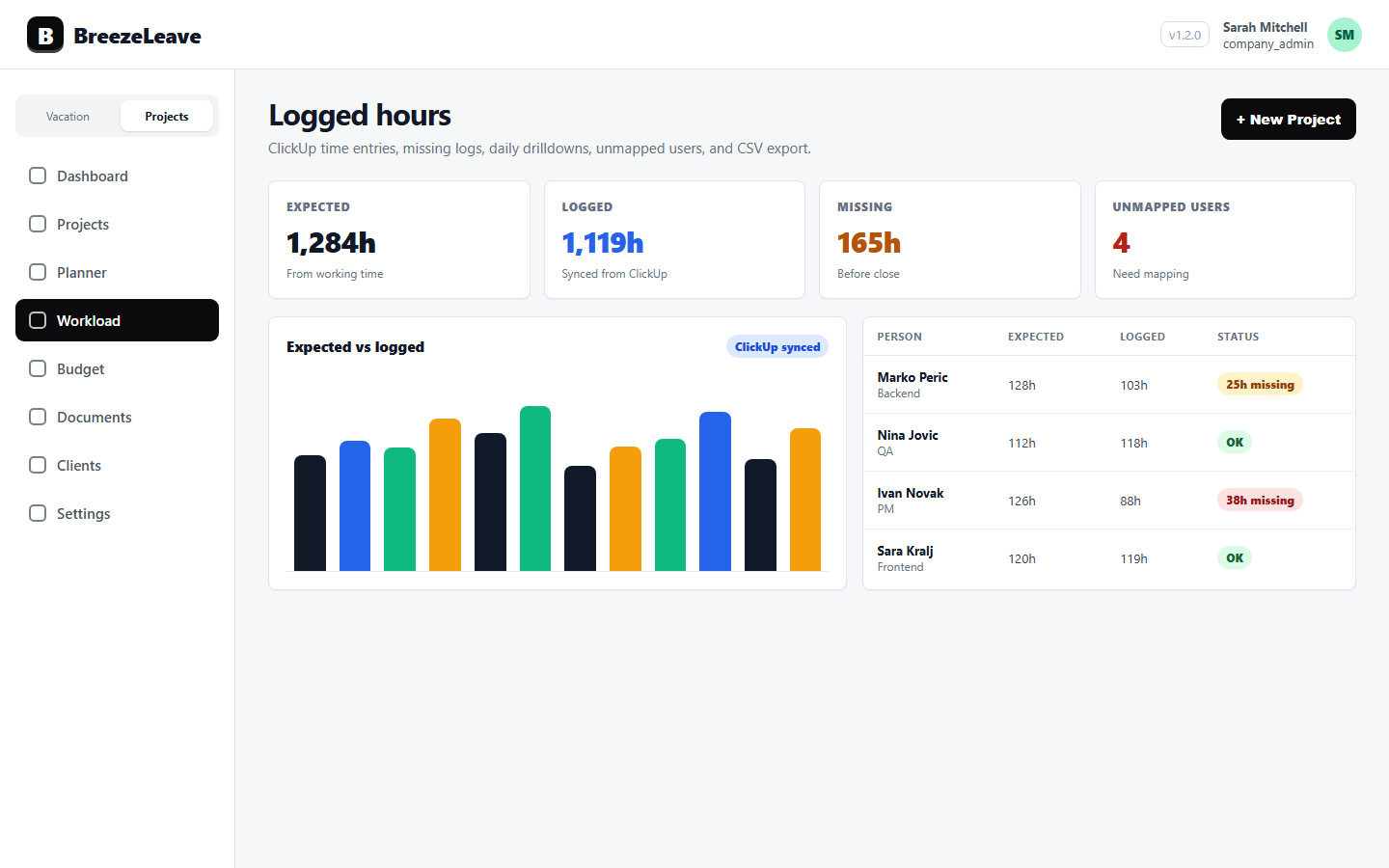
Missing time is not just an admin problem. It weakens project forecasts, hides overloaded people, and makes budget reviews less reliable. The logged-hours dashboard gives agencies a practical place to review expected vs. logged hours, no-log periods, unmapped ClickUp users, daily drilldowns, and CSV exports.
The goal is simple: catch data quality issues while the work is still fresh. If someone has not logged time for several working days, or a ClickUp user is not mapped to a BreezeLeave person, the team can fix the source data before it affects project reporting.
Start with the core workflow on the ClickUp time tracking page, then connect it to active project reviews.
2. Compare logged hours with planned capacity
Logged hours become more useful when they sit next to planned capacity. A person can be under-logged because they forgot to track time, because they were on leave, or because the project plan no longer matches reality. Those are different management problems.
BreezeLeave keeps this comparison grounded in the data the product already tracks: planned work, actual ClickUp time, PTO, utilization, active assignments, project mix, and capacity forecasts. For agencies, that creates a cleaner weekly rhythm:
- Review people with missing or low logged hours.
- Check whether PTO or public holidays explain the gap.
- Compare actual effort with planned project allocations.
- Move capacity discussions into the same review as delivery risk.
For forward planning, connect logged-hours review with project capacity planning so upcoming work is not planned from stale assumptions.
3. Use card efficiency to find delivery drift
Project totals can look fine while individual cards are drifting. Card-efficiency analytics help managers investigate patterns such as heavier QA than expected, large cards with no QA, design work taking more effort than planned, or a high share of unclassified time.
These signals should be treated as prompts for review, not automatic judgments. A card may be unusual for a valid reason. The advantage is that project managers can see the pattern early enough to ask better questions and adjust planning, documentation, or staffing.
4. Keep ClickUp time connected to budget health
Time tracking affects project budget accuracy. If actual effort rises but the budget view does not see it, margin discussions happen too late. BreezeLeave connects logged hours to project and client operating views so teams can review revenue, cost, margin, retainers, and delivery health with better context.
The finance conversation can then stay practical: which projects are consuming more effort, which retainers need attention, and which staffing assumptions should be updated before the next scenario review. The related budget workflow lives on the project budget tracking page.
5. Build a simple review cadence
A stable agency process does not need to be dramatic. Review time hygiene weekly, inspect card-level outliers for active projects, compare logged time with planned capacity, and bring budget risk into the same conversation.
For a broader operating model, pair this workflow with project capacity planning for agencies and client project management.