Vacation Tracker vs Spreadsheet Template: When to Switch
A founder and HR admin comparison between a vacation tracker and a shared leave sheet: where each one breaks, what the switch costs, and what changes after.

Every fast-growing company has the same artifact tucked away in a shared drive: "Vacation Tracker 2024 v3 - FINAL.xlsx". It started as one tab with names and dates. Now it has three tabs, conditional formatting that nobody trusts, and a formula in cell N42 that breaks every time someone adds a row. The founder built it. The office manager maintains it. Nobody is sure if the balances are right.
This article is for the person staring at that file and wondering whether it is time to switch to a dedicated vacation tracker. The honest answer depends on team size, countries, and how many people now need to read the data. Below is a side-by-side view of where shared sheets still work, where they break, and what a dedicated tool adds that a template cannot.
When a shared sheet still works
A leave file is fine in three situations. First, fewer than 10 people in one country, all with the same entitlement. Second, no carryover, no seniority tiers, and no probation lockouts. Third, one person owns the file and updates it weekly. Under those conditions, a template is faster to set up than any tool and the formulas are short enough to verify by eye.
Most companies leave that zone faster than they expect. A hire from another country adds different public holidays. A two-year employee asks why they get the same days as someone who started last month. Someone forgets to record a sick day, and now the year-end balance is wrong by three days.
Where the file starts breaking
The signs are predictable. They usually appear between 15 and 30 employees, or when a second country enters the picture.
- Balance disputes. Two people read the file, get different numbers, and HR has to recompute by hand.
- Conflict blindness. The team only realises three people are off the same week when the project lead notices nobody answered the standup.
- Mid-year hires. Pro-rated entitlement formulas get copied wrong and one new joiner gets 5 extra days nobody can explain.
- Country differences. A second country needs different holidays; the file now has two tabs that drift out of sync.
- Approval trail. Someone disputes whether their request was actually approved. The only record is in a Slack thread three months old.
Each of these is a one-time fix in a shared file. Together, they turn vacation tracking into a part-time job for whoever inherits it.
Side-by-side: shared sheet vs dedicated tracker
The comparison below assumes a typical 25 to 50 person company with at least one approver layer and at least one carryover rule. Single-country, no-policy setups look different.
| Capability | Shared sheet | Vacation tracker |
|---|---|---|
| Setup time | 30 minutes | 2 to 4 hours |
| Balance accuracy | Depends on whoever updates it | Calculated from approvals automatically |
| Approval trail | Email or chat history | Audit log with timestamps |
| Shared calendar | Hand-updated or separate Google Calendar | Updates on approval |
| Carryover, expiry, caps | Hand-coded formulas | Configured once, applied yearly |
| Seniority tiers | Lookup tables that nobody touches | Tiered accrual rules by years of service |
| Multi-country holidays | Hand-imported per country | Built in per operating country |
| Payroll export | Copy-paste each month | CSV export with absences and balances |
| Slack or Teams approval | Not available | Slash command or adaptive card |
| Per-employee cost | Zero in tooling, hours in maintenance | A few dollars per user per month |
The unit cost comparison is misleading. The real cost of a shared file is the time someone spends each month reconciling balances, answering balance questions, and rebuilding it when the formulas finally collapse. For a small company that time is the founder's time, which is usually the most expensive hour in the building.
What the switch actually costs
Switching is not free. The cost shows up in three places.
- Migration time. A few hours to export the file, reconcile balances with payroll, confirm with employees, and import into the new tool.
- Policy decisions. Carryover cap, probation lockout, accrual frequency, approver chain. Most companies have these rules informally; the new tool forces them to be written down.
- Employee onboarding. A 10-minute team meeting and a one-page how-to. Most leave tools let employees self-serve after the first request.
A more thorough breakdown of the cutover steps lives in the implementation checklist. It walks through the five phases of go-live and which items block launch versus which can wait.
Scenario
For a 25-person company with two countries, the typical switch takes one to two weeks of part-time work for the HR admin: a few hours of policy decisions, half a day of data prep, an hour of configuration, and a week of pilot with one team before company launch.
What changes after the switch
Two things change immediately. First, employees stop emailing HR to ask their balance. They open the app and see it themselves. Second, approvers stop missing requests, because the notification arrives in Slack or Teams instead of being buried in a chat thread.
Two things change over the next quarter. The shared calendar becomes the source of truth for who is off, and project leads start checking it before committing to delivery dates. Year-end carryover stops being a HR project, because the cap and expiry are configured once and apply every year.
Two things take longer to settle. The audit trail builds up over months of approvals, which only matters when a dispute happens; at that point, the logged history of who approved what and when settles the question in minutes. And payroll export becomes a habit, not a monthly puzzle, once the format is set up.
Hybrid approaches: when they help and when they hurt
A common middle path is to keep the old file for finance reporting and use a tracker for daily requests. This works for one month and then breaks. The two sources drift apart, finance trusts the file, HR trusts the tracker, and balance disputes go unresolved because nobody agrees which one is right.
If you need a quarterly board view, treat it as a report generated from the tracker, not an editable record. Export, snapshot, file. The moment someone edits a balance directly in the export, the source of truth splits again.
Decision: stay on the file, or switch
Three honest questions help decide.
- How many balance questions does HR field per week? Under two, the shared file is still working. Over five, the tool is overdue.
- Has anyone disputed a balance in the last six months? If yes, and the resolution required scrolling chat history, you need an audit trail.
- Are you adding a second country, or a senior hire with different rules?Both of those break the current setup within three months.
A tracker pays back its setup cost in the first quarter for most companies above 20 employees. Below that, the shared file is often fine if one person genuinely owns it.
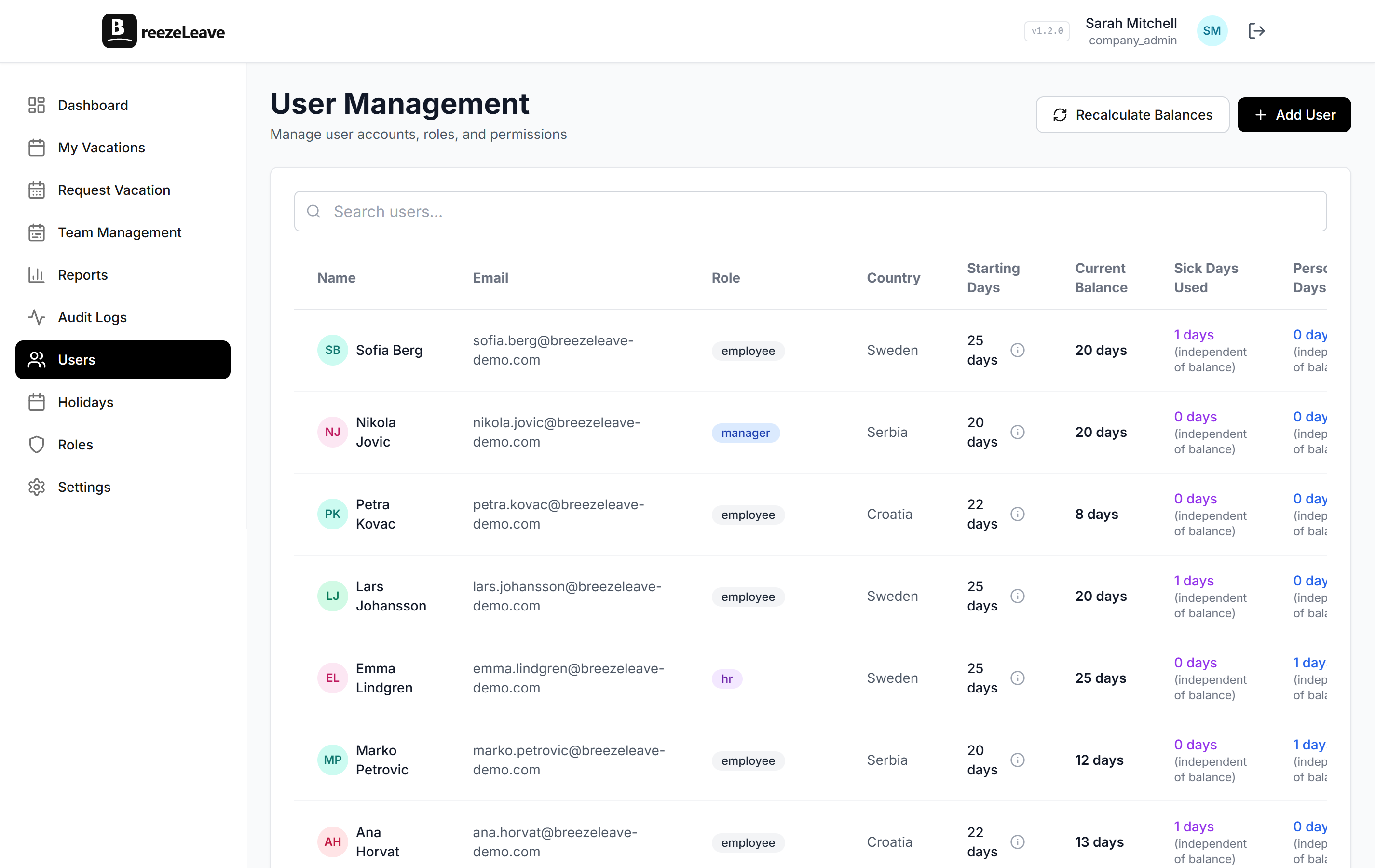
For the broader category view, the vacation tracker page lists the feature set with screenshots, the rules engine page covers the policy side a shared file cannot enforce, and the growing-team tracking article explains the specific points where companies hit the wall on a shared file.
If you decide to switch
Start with the data prep step from the implementation checklist: export the current file, reconcile against payroll, and confirm balances with each employee before importing. That single step removes the most common source of complaints in the first month after launch.
The shortest path is: pick the cutover date, configure the basics in an afternoon, pilot with one team for a week, then turn it on for everyone with a 10-minute kickoff. The old file becomes read-only on launch day. Three months later, nobody asks about it.
To see how a dedicated tracker handles balances, requests, calendars, and country holidays in one place, the vacation tracker product page walks through the live screens.