Leave Management Software Implementation Checklist
A step-by-step implementation checklist for HR admins rolling out new leave management software: balances, approvers, holidays, integrations, and the first month.

The first week of a leave tool rollout is rarely about features. It is about the ten missing pieces of information nobody has had to write down before: which manager approves whom, how many days each person actually has left from last year, which public holidays count as paid, and whether the engineering team uses a different cover person policy from sales. The software is ready. The company data is not.
This checklist exists for the HR admin or operations lead who has just bought a new leave management tool and now has to make it real. The goal is a clean go-live where balances match payroll, approvers know they own approvals, and employees can request time off on day one. The work breaks into five phases, and each phase has a clear owner.
Before you start: decide what go-live actually means
Implementation projects fail when "go-live" is fuzzy. A useful definition: every employee can log in, see a correct balance, submit a request, and the request reaches the right approver. If your team is in three countries, that means correct balances in each country. If half your team is on probation, it means probation lockouts are on. Decide which of these are blocking go-live before you touch settings.
A reasonable scope for a 20 to 150 person company is two to four weeks of preparation, one week of soft launch with a pilot team, and one cutover date for the rest of the company. Anything longer usually means a parallel process is dragging on, and parallel leave tracking is where balances quietly drift apart.
Owner check
Name one person responsible for go-live. HR director, head of operations, or office manager are typical. If responsibility is split between three people, decisions slow down and the cutover keeps slipping.
Phase 1: company structure and policy decisions
Before importing anyone, decide what the rules are. This phase is mostly meetings, not configuration. Skipping it means the rules change three weeks into rollout, and every employee notices.
| Decision | Owner | Why it matters |
|---|---|---|
| Annual entitlement per country and role | HR director | Statutory minimum varies; senior staff often get more |
| Accrual schedule (monthly or yearly) | HR director with finance | Affects exit payouts and mid-year hires |
| Carryover cap and expiry date | HR director | Determines January balance and Q1 cleanup |
| Probation lockout length | HR director | Common: 90 days, sometimes 180 |
| Blackout dates per team | Team leads | End of quarter, product launches, audit windows |
| Approval chain per team | Team leads with HR | Single manager, two-step, or scoped HR approval |
Most of these decisions exist informally already. Implementation is the moment to write them down. A short policy document, one page per topic, prevents the configuration screen from turning into a debate.
Phase 2: data preparation
The data side of leave tracking has three sources: your HR system or payroll list, your old tracker (often a shared sheet), and whatever messages live in inboxes about recent approvals. The point of this phase is to merge them into one trusted starting balance per employee.
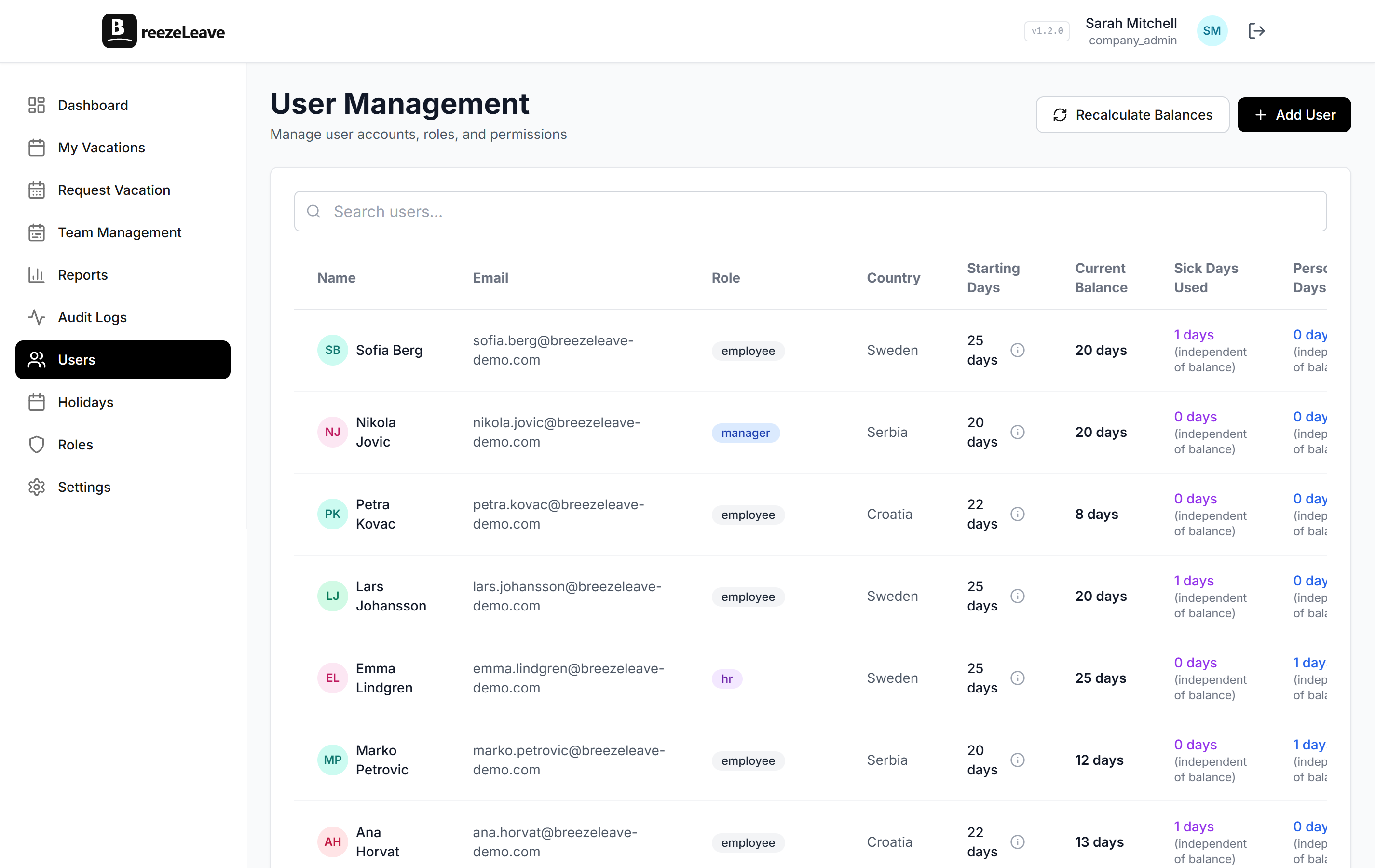
Before importing users, prepare a list with name, work email, country, start date, manager, and current balance. Start date matters because it drives accrual and seniority. Manager matters because it drives the approval chain. Current balance matters because employees will check it on day one and notice if it is wrong.
- Export your current tracker. Add a column for any recent requests that have not been deducted yet.
- Reconcile against payroll. Payroll usually has the cleanest record of paid absences. If your tracker disagrees, payroll wins.
- Confirm balances with each employee. A short email saying "your starting balance will be X days" surfaces disagreements before go-live, not after.
- Document the cutoff. Pick a date where the old tracker stops and the new tool starts. Mid-month cutoffs work better than month-end, because approvals are usually quieter.
For companies migrating from a shared sheet, see the sheet to tracker comparison for the migration steps that usually catch people out (mid-year hires, partial-day requests, and sick day overlap).
Phase 3: configure the system
With policy and data ready, configuration is mostly mechanical. The order below avoids redoing settings because a later step depends on an earlier one.
- Create the company and add operating countries. This drives which public holidays load by default.
- Review and adjust national holidays. Confirm or remove dates that your company does not observe as paid.
- Add custom company holidays. Year-end shutdowns, anniversaries, or country-specific religious days that are not in the default list.
- Set up leave types. Vacation, sick, personal, emergency, unpaid. Decide which ones deduct from the annual balance.
- Configure accrual rules. Annual entitlement, monthly or yearly accrual, and seniority tiers if you use them.
- Configure carryover. Cap, expiry date, and whether carryover applies to all leave types or only vacation.
- Set blackout dates and probation lockouts. Per team if needed.
- Build approval chains. Map manager assignments, then decide whether requests need one approver, two sequential approvers, or a voting group.
- Import users and adjust starting balances. Use the prepared list from Phase 2.
- Connect integrations. Slack, Microsoft Teams, Google Calendar, payroll export.
The product side of these steps is covered in detail on the leave management software page, including which fields are required and which can be added later.

Phase 4: pilot with one team before company-wide launch
A one-team pilot for a week or two catches the issues that policy meetings cannot predict. Pick a team that submits requests regularly and has a clear manager. Avoid teams in the middle of a launch or a hiring push, because nobody has time to file feedback when delivery is on fire.
During the pilot, ask the team to do four things: submit a normal request, submit a partial-day request, cancel an approved request, and check their balance on mobile. Each one tests a different path through the system. The cancellation step is the one most rollouts skip, and it is the one most likely to surface a notification or balance bug.
- Pilot duration: one to two weeks, ending with a 30-minute feedback session.
- What to watch: approver notifications arriving in the right channel, balances updating immediately after approval, and the shared calendar showing the right people.
- What to fix before company launch: any incorrect approver chain, any missing public holiday, and any country setting that makes the working-day calculation wrong.
Phase 5: company launch and the first month
Launch day is mostly communication. The system is already configured. What employees need is a short note that explains where to log in, how to submit a request, who approves their leave, and what happens to their old balance. A 10-minute team meeting works better than a 1,000-word email.
The first month is when small issues surface. A manager who was on leave during rollout returns and notices their team is misassigned. An employee tries to book a date that falls on a public holiday and is surprised it does not count. Someone wants to log a sick day for last week. These are normal. Track them in one list and adjust settings rather than handling them one by one in chat.
Month-one review
At day 30, review three things: total requests submitted versus what you expected, approval response time, and the number of balance adjustments made. If adjustments are above 5 percent of employees, your starting balances or accrual rules need another pass.
For the approval side of the rollout, the multi-step approval workflow guide covers when a second approver helps and when it slows everyone down. The multi-approval feature page shows the exact configuration options.
What to retire after go-live
Old trackers do not die on their own. Pick a date, usually 30 days after launch, when the old tracker becomes read-only and stops being the source of truth. If it stays editable, someone will keep updating it "just in case" and balances will drift within a quarter.
- Archive the previous tracker with a clear "do not edit" label and a date stamp.
- Remove the manager email approval pattern; if requests still arrive by email, route them back to the tool.
- Disable any calendar invites or notification rules that were created for the old process.
- Update the employee handbook to point to the new leave tool and the new policy document.
Common failure points and how to avoid them
Three patterns show up across most leave tool rollouts. They are predictable, and they are the easiest to fix during the first two phases rather than after launch.
- Approver chains built from an outdated org chart. Confirm manager-to-employee mapping with each team lead before importing, not after.
- Country settings copied from the parent company. A Swedish entity and a Croatian entity have different holidays. Set each operating country explicitly.
- Carryover rules left at default. The default is rarely right for your company. Decide the cap and expiry date in Phase 1, then configure it before January 1.
For the calendar side of rollout, the employee vacation calendar is what most teams open daily after go-live; getting it visible in the dashboard helps adoption.
The short list
Implementation is finished when these eight items are true:
- Every employee has a correct starting balance.
- Every employee has the right approver assigned.
- Country holidays and custom holidays match company policy.
- Accrual, carryover, blackout, and probation rules match the written policy.
- Requests can be submitted and approved end-to-end from Slack, Teams, or the web app.
- The shared calendar shows approved leave for the whole team.
- Payroll export produces the expected format for your finance team.
- The old tracker is read-only and the handbook points to the new tool.
Hit those eight, and the rollout is real, not just live. To see how BreezeLeave handles requests, balances, and calendars in one place, the leave management software page walks through the full feature set with screenshots.