
Concurrent Absence Limits by Team: A Practical Guide
A team lead's guide to setting concurrent absence limits in BreezeLeave: how many people from a team can be off at once, when to use a hard limit, and how the rule reads on the calendar.
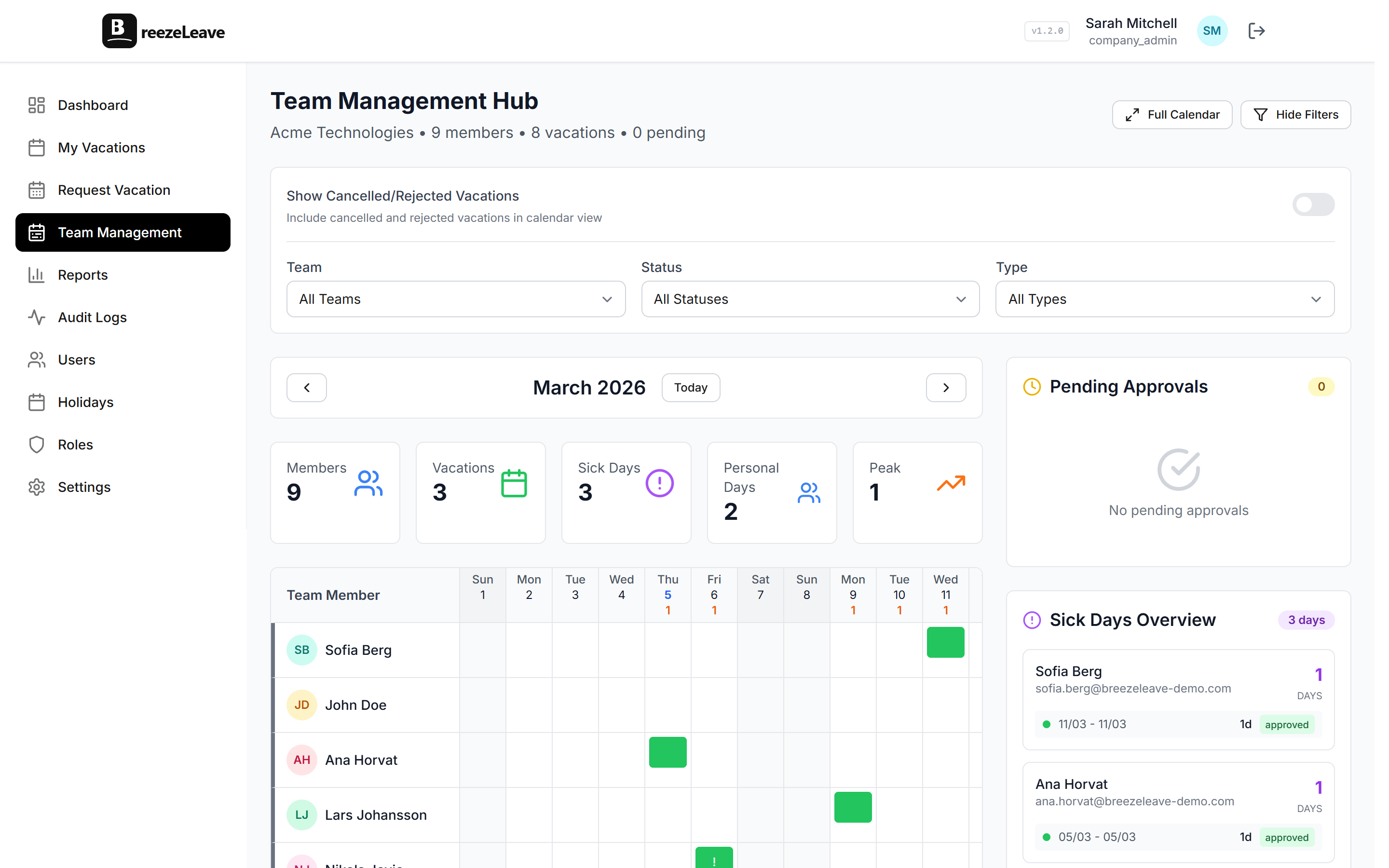
A support team lead opens the team calendar and sees three approved absences for the same week in June. Two are from agents who handle the European morning shift; the third is the only agent fluent in German. The lead approved each request individually without seeing the cumulative pattern. The week is now under-covered, and the obvious question lands on Monday morning: "why did we approve all three?"
This article is for the HR admin or team lead who wants concurrent absence rules to catch the third request before it lands. In BreezeLeave the rule is a defined limit per team and a behaviour the request form enforces. Setting the number is a policy conversation; configuring the rule is a five-minute job.
What a concurrent absence limit is
A concurrent absence limit caps how many people from a team or role can be on leave at the same time. The rule reads the team calendar before a request is approved and refuses or flags the request if approving it would push the team over the limit.
- Team-level limit. A maximum number of people from a named team. A ten-person engineering team might allow two concurrent absences.
- Role-level limit. A maximum across a role rather than a team. Only one CSM on leave at a time, even if they are on different teams.
- Date-window limit. A reduced cap during defined dates. Two concurrent absences in normal months; one during quarter-end.
BreezeLeave supports the rule per team. The role-level and date-window variants combine the concurrent absence rule with the blackout date rule. The blackout date policy article covers the date-window side.
How to size the limit
The right number is rarely a fixed fraction of the team. It depends on the work pattern. Four questions usually settle the number:
- How many people are needed for the team to function at minimum quality?
- How many of those people are interchangeable for the work the team does?
- What is the typical absence pattern. Short blocks or longer stretches?
- How much short-notice flex does the team have?
A workable starting heuristic for sizing the cap:
| Team size | Typical concurrent cap | When to tighten |
|---|---|---|
| 3 to 5 | 1 | Single specialist on the team |
| 6 to 10 | 2 | Sprint week or release window |
| 11 to 20 | 3 | Quarter-end or audit period |
| 21+ | 15 to 20 percent | When the team spans shifts or time zones |
The starting heuristic is a starting point only. A team that runs a 24-hour rota and carries deep specialisation should set a tighter cap than the table suggests; a team of twenty generalists with light interdependency can run looser. The right number is the one the team can defend on a Monday morning.
Hard limit or soft limit
BreezeLeave supports two enforcement modes. Pick one per team and document why:
- Hard limit. The request form refuses any submission that would push the team over the cap. The requester sees the limit and the dates that would clear it.
- Soft limit. The form accepts the request but flags it for the approver with a warning. The approver decides whether to override the cap.
The soft limit is the safer default for most teams. It catches the pattern without pre-empting the line manager's judgment about whether two people from the same role can actually be off the same week. The hard limit fits teams where the cap reflects a compliance or safety threshold rather than an operational preference.
What the request form shows
At submission time the rule reads the team calendar and the dates of the request. If approving the request would push the team over the cap, the form shows a clear message instead of accepting and rejecting later.
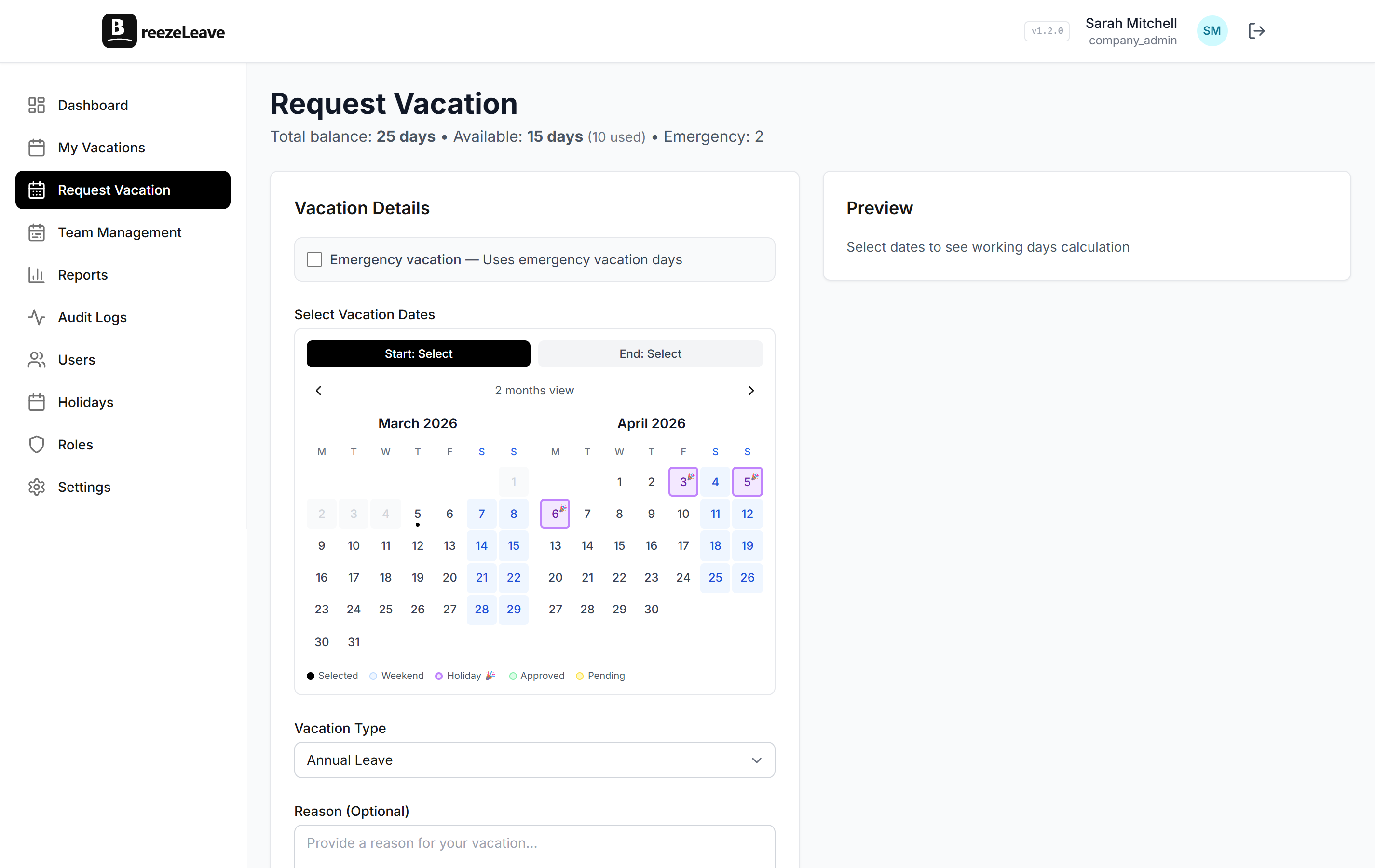
Two things to keep in the message: the names of the existing absences (if visibility rules allow) and the earliest date that would clear the cap. Both prevent the awkward guessing game where an employee submits and resubmits until a date sticks.
What the team calendar shows
The team vacation calendar makes the cap legible. A coverage badge on each day shows the current count against the cap, so the team lead can see at a glance which weeks are under-covered before they become a problem.
For deeper reading on team coverage patterns, the team vacation conflicts article covers the soft enforcement side, and the cover person assignment checklist covers the handoff side that pairs with the cap.
How the rule interacts with other rules
Concurrent absence limits share the rules engine with auto-approval, advance notice, blackout dates, and probation. Worth checking during setup:
- Auto-approval respects the cap. A short request that would normally auto-approve still flows to the chain if approving it would breach the cap.
- Blackout dates can tighten the cap. A separate rule reduces the cap during defined windows.
- Emergency and sick leave are exempt by default. Unplanned absences do not block planned requests, but they do count against the cap on the day for reporting purposes.
Edge cases worth a policy line
- Cross-team employees. If an employee belongs to two teams (matrix structure), the rule should be clear about which team's cap counts.
- Half-day absences. Two half-days from different employees in the same day usually count as two concurrent absences, not one.
- Public holidays. The cap should not count people who are off because the office is closed. BreezeLeave already excludes public holidays from the count.
- Cover person already absent. A request whose cover person is on leave for the same period is a different failure mode than the cap and is covered by the cover person assignment article.
Reviewing the rule each quarter
The cap that fits a team in January often does not fit the same team in October. People join, people leave, the work changes, the time zone coverage shifts. A short quarterly review keeps the cap honest:
- Count the days in the quarter when the rule actually fired. Zero firings usually means the cap is too loose to matter. Many firings can mean the cap is tight enough that legitimate requests are being declined.
- Read the comments on flagged requests. Repeated overrides for the same reason suggest the cap is set incorrectly or the rule should carve out a date window.
- Check whether the team grew or shrank during the quarter. A team that grew by 30 percent should usually have its cap revisited.
The quarterly review is a 10-minute exercise once the team gets used to it. The monthly leave reporting article covers the broader reporting cadence the cap review fits inside.
Configure concurrent absence limits in BreezeLeave
The rule lives under the rules engine. To enable it:
- Open Settings and find the Concurrent Absence section in the rules engine.
- Pick the team and set the maximum number of concurrent absences.
- Choose the enforcement mode (hard limit or soft limit).
- Confirm sick and emergency leave are exempt from the block.
- Save. The rule applies to every new request and shows on the team calendar.
Open the team vacation calendar to see who is off, the daily concurrent count, and the cap per team. The concurrent absence limits use case page shows side-by-side configurations for engineering, support, and finance teams.