Cover Person Assignment Checklist
A team lead's checklist for assigning cover persons before approving leave: scope of coverage, calendar visibility, handoff notes, and what to confirm before the requester goes offline.
Friday afternoon. The team lead is one click away from approving a request for two weeks of leave starting Monday. The cover person field on the request says "to be confirmed." The requester is already mentally on holiday. The lead approves the request anyway, sends a short message asking the team to figure it out, and discovers on Tuesday that nobody is sure who picks up the customer escalations. The week becomes a long string of ad-hoc handoffs.
This article is for the team lead or HR admin who wants the cover person assignment to be more than a dropdown field. The checklist below covers what to confirm before approving a request that takes someone offline for more than a couple of days. In BreezeLeave the cover person is captured on the request, visible on the team calendar, and included in the approval notification. So the data is already there. The checklist is about using it.
When the checklist applies
Not every absence needs a formal cover person. A one-day personal day rarely does. The checklist is meant for absences that cross a threshold the team agrees on, typically:
- Any absence of three or more consecutive working days.
- Any absence that overlaps a known deadline or client deliverable.
- Any absence where the requester is the single point of knowledge for a workstream.
For shorter absences, the cover person field is still useful. It tells the team who to ping. But the full checklist is more weight than the situation needs.
The eight-item checklist
Run through these in order. The first three belong to the requester. The next three belong to the cover person. The last two belong to the approving team lead.
| # | Item | Owner | Captured in BreezeLeave |
|---|---|---|---|
| 1 | Pick the cover person on the request form | Requester | Cover person dropdown |
| 2 | List the active workstreams that need cover | Requester | Request notes |
| 3 | Note any known deadlines during the absence | Requester | Request notes |
| 4 | Confirm the cover person is available those days | Cover person | Calendar check |
| 5 | Read the workstreams list and ask follow-ups | Cover person | Request comment thread |
| 6 | Flag anything the cover person cannot handle | Cover person | Comment to team lead |
| 7 | Check the cover person is not already covering someone else | Team lead | Team calendar view |
| 8 | Approve the request, announce the cover in the team channel | Team lead | Approval + chat notification |
Eight items sounds long. In practice the first six happen in the comment thread on the request, the seventh is a glance at the calendar, and the eighth is a single approval click that posts a notification automatically.
What "scope of cover" actually means
The single most common failure on this checklist is item 2. The requester names a cover person but never describes what the cover person is taking on. Without scope, the cover person ends up either doing everything (and burning out) or nothing (and the team struggles).
A workable scope description fits in three bullets:
- Active tickets or workstreams with the ticket numbers or project names.
- The standing meetings the cover person should join or skip on the requester's behalf.
- The escalation path if something larger lands during the absence. Who to call, who has authority, which Slack channel to post in.
The cover person assignment article covers the underlying feature; this checklist sits on top of it.
Spotting double-booked cover persons
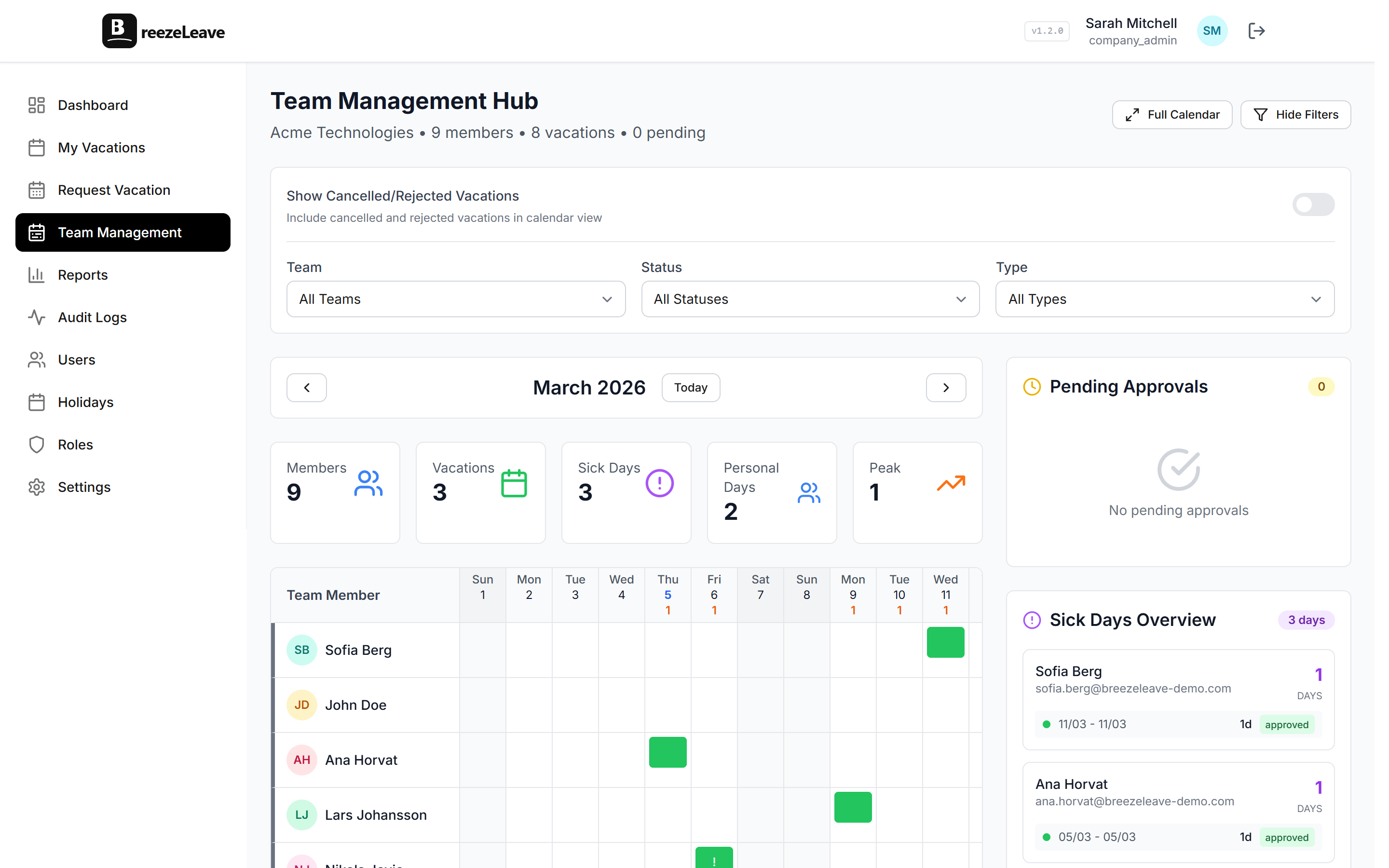
The fastest way to spot a double-booked cover is to open the team calendar with the cover person filter on. The view shows every approved absence with the cover person attached, so a name that appears twice across overlapping dates is visible immediately.
If the same person is covering two absences in the same week, either the role needs a second cover or the cover person should be redistributed. The approval chain is the moment to fix it, not the Tuesday morning the absent person reaches out from holiday.
Before automating cover person assignments
BreezeLeave does not auto-assign cover persons. The closest the system gets is suggesting team members from the requester's team in the dropdown. There is a reason for that: cover assignment is a relationship and skill-match decision, not a round-robin one. The patterns that often fail when auto-assigned:
- The role with one person who has the right tooling access and three who do not.
- The client-facing role where the cover person has to have spoken to the client at least once before.
- The technical role where the cover person needs working knowledge of a specific repo or system.
A short rotation rota with two or three named alternates handles most teams better than any auto-assignment rule. The checklist is the place to confirm the rota still works for this specific absence.
The announcement step
The final item (announcing the cover in the team channel) is the one most often skipped. The cover person and the requester both know. The rest of the team does not. A useful announcement says four things:
- Who is out, from when to when.
- Who is covering.
- Where the scope notes live (link to the request).
- Which escalation path to use if the cover person is unavailable.
BreezeLeave can post this automatically to a configured Slack or Teams channel when the approval lands. The Slack vacation bot article walks through the channel setup. The team only needs to read the message; the data is already on the calendar.
A meeting-ready version of the checklist
The list above is structured for asynchronous handover through BreezeLeave. The version below fits a five-minute team meeting at the start of the week, when several requests are sitting in the approval queue.
- Read the list of requests with start dates in the next two weeks.
- For each request longer than three days, confirm the cover person is named.
- Confirm none of the named cover persons are on leave during the same period.
- Confirm the scope notes describe workstreams and standing meetings.
- Approve the requests where the checklist is complete; flag the rest back to the requester.
Five minutes is realistic once the team is used to filling in scope notes at submission time. The first month or two takes longer because most requests come in incomplete and need a round trip. By month three the checklist becomes a quick scan.
Run the checklist from the team calendar
Open the team vacation calendar to see every active absence with its cover person, run the eight items above before approving the next request, and you will know on Monday morning exactly who is responsible for what.
Open the team vacation calendar to see who is off and who is covering. The team vacation conflicts article covers what to do when two absences in the same week share a cover person, and the concurrent absence limits use case page covers the hard-rule version of the same problem.