Blackout Date Policy Examples for Busy Teams
Real blackout date policy examples for support, retail, finance, and engineering teams, plus how to scope and communicate them in BreezeLeave.
A blackout date policy usually starts as a Slack message: "no vacation between December 15 and January 5, the books need to close clean." A few people read it. A few people miss it. Two months later, an HR admin is rejecting requests one by one and a team lead is asking why the leave system did not block them in the first place. The policy was real, but it lived in chat history instead of in the rules engine. This article shows what each policy looks like when it is written down, scoped to the right team, and enforced before requests are submitted.
Five example policies follow, each tied to a common business cycle. Pick the ones that match your operation and adapt the wording. The goal is fewer awkward rejections and less guessing about whether the policy applies.
When a blackout policy makes sense
Blackout dates are the right answer when three conditions hold:
- The crunch period is known in advance and recurs every year.
- Coverage during the crunch is non-negotiable.
- The team affected is identifiable. The whole company rarely needs blocking.
If only one of those is true, a softer rule is usually better. Concurrent absence limits, an extra approval step, or a coverage requirement may serve the team without freezing the calendar. The blog on how blackout dates work in BreezeLeave covers the underlying mechanics.
Example 1: end-of-quarter finance close
Who it covers: finance, controllers, accounts payable, accounts receivable.
Window: the last five working days of each quarter and the first three working days of the new quarter.
Reason for employees: "Quarterly close requires the full finance team. Requests outside this window are welcome."
Why this scope works: the finance team is the bottleneck. Engineering does not need to be locked out, and marketing rarely cares about the close cadence. Scoping to the affected team keeps the policy enforceable and avoids the resentment of a blanket rule.
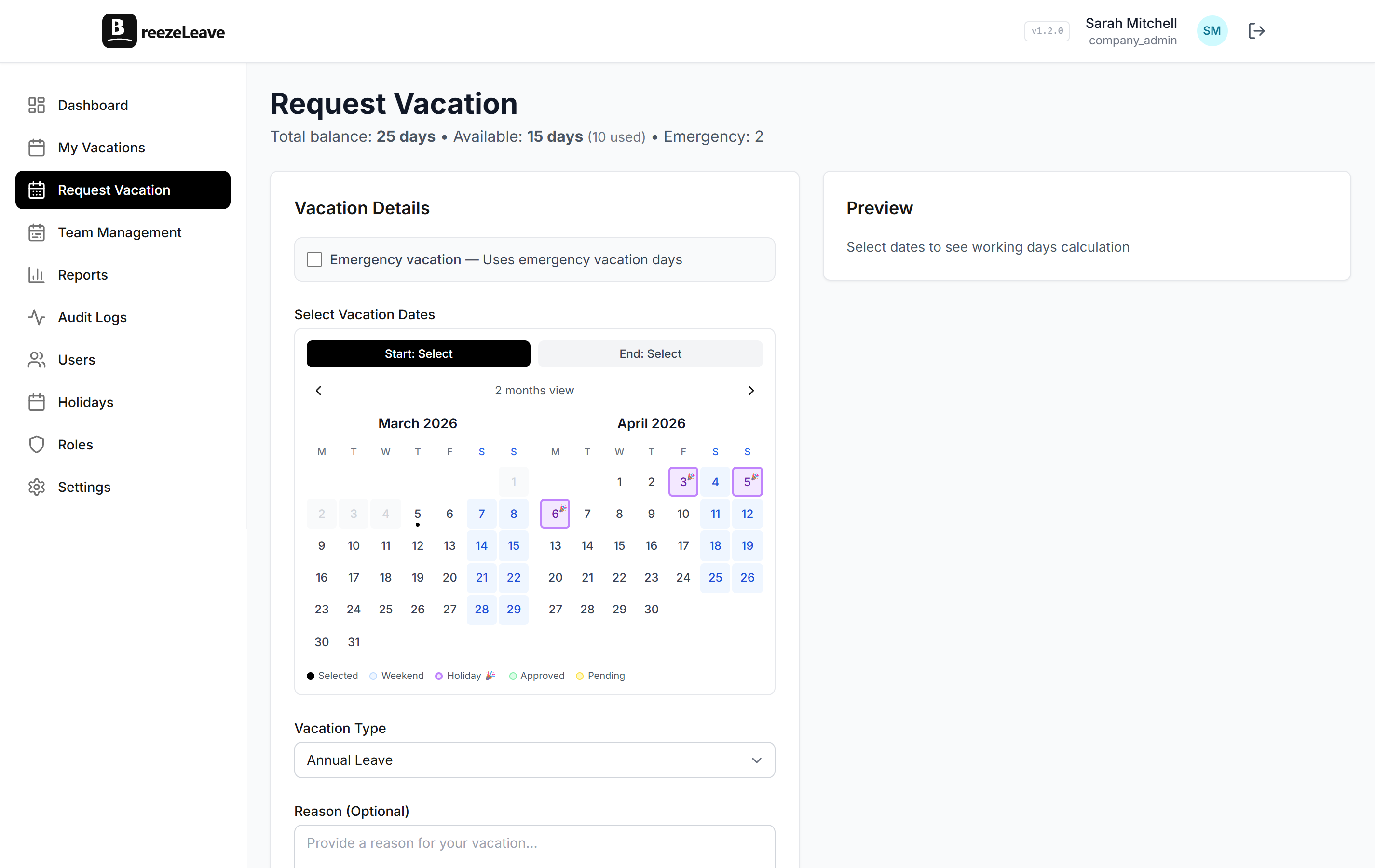
In BreezeLeave, set the date range, attach a description, and apply it to the finance team. Employees on that team see the block when they pick the dates in the request form. Everyone else proceeds as normal.
Example 2: holiday retail peak
Who it covers: retail operations, store leads, customer service.
Window: November 20 through January 2.
Reason for employees: "Black Friday through New Year is the busiest sales window of the year. Requests for January 3 onward are open as usual."
Retail blackouts tend to be the longest. The trade-off is that everyone on the affected team knows about it from the moment they sign their contract. Two practices keep the policy from feeling unfair:
- Publish the dates by September so people can plan winter trips around the window.
- Make Q1 leave easy. If a January 8 request gets rejected because of another rule, the blackout starts to feel like a permanent freeze.
Concurrent absence limits work alongside the blackout for the rest of the year. Together they smooth out the calendar without locking the whole year down. The post on preventing team vacation conflicts goes through that combination in more detail.
Example 3: product launch window
Who it covers: engineering, product marketing, design.
Window: two weeks before launch through one week after launch.
Reason for employees: "Launch readiness needs the full product team. The window is short and announced once the launch date is locked."
Product launches are the trickiest blackout. The date moves. The scope changes. The period is short but intense. Three rules help:
- Do not set the blackout until the launch date is committed. Setting it on a rumored date and removing it later teaches the team to ignore the system.
- Limit the scope. If only the launch product team is involved, do not apply it to the entire engineering department.
- Honor existing approvals. If someone already had time off approved for the launch window, that approval stands. The new policy applies to new requests only.
Example 4: annual audit
Who it covers: compliance, controllers, security engineering during a SOC 2 audit, legal during an external review.
Window: the audit fieldwork dates, typically two to three weeks.
Reason for employees: "External auditors need access to specific people during fieldwork. The window matches the auditor schedule."
Audit blackouts are short, scoped, and easy to justify. Two things go wrong if they are not put into the system:
- The team lead remembers to tell five people, forgets two, and one of those two books a trip three days before the auditors arrive.
- Replacement coverage is not arranged because nobody saw the dates centrally.
A scoped blackout closes both holes. When the auditor schedule moves, edit the date range. Employees see the change the next time they open the request form.
Example 5: conference or all-hands week
Who it covers: the whole company, or a specific function attending the event.
Window: the event week.
Reason for employees: "Company offsite. Attendance is expected."
Conference weeks are the only case where a company-wide blackout is normal. Even then, it is worth thinking about whether late-arrivers and early-departers count as taking leave or as travel time. Spell it out in the description so the policy and the expectation match.
How to write the policy down
Each blackout entry in BreezeLeave takes a start date, end date, description, and scope. The description is the part most teams skip and the part employees actually read.
| Field | What to put in it | Common mistake |
|---|---|---|
| Start date | Earliest day the team must be present | Adding a buffer day employees never knew about |
| End date | Last day blocked, inclusive | Ending the day after the crunch is technically over |
| Description | One sentence the employee reads when they hit the block | Leaving it empty so the message looks like a system error |
| Scope | Specific team where coverage is non-negotiable | Defaulting to company-wide because it is one click less |
| Leave types affected | Discretionary leave usually, sick leave never | Blocking sick leave by accident, which creates a real problem |
How to communicate it before it takes effect
A blackout that surprises people on the day they try to book is the worst version of the policy. Three habits keep that from happening.
- Set the year's blackouts in January. Recurring windows are knowable. Locking them early gives employees time to plan around them.
- Post the calendar. A shared internal page listing the blackouts by team is enough. Employees who do not log into the leave system every week still see the dates.
- Send a one-time announcement. Email or Slack. Once per blackout. Not a weekly reminder.
The system handles enforcement. Communication handles the relationship.
When to drop a blackout instead of keeping it
Some blackouts outlive the reason they were created. If you find yourself approving most requests inside the window anyway, the policy is doing nothing except creating extra steps. Three signs it is time to retire a blackout:
- The team has grown enough that two people off is no longer a crisis.
- The business cycle changed and the crunch moved.
- Manual exceptions outnumber the blocked requests.
Removing a blackout is cheap. Edit the entry, delete it, save. The next time someone opens the request form, the dates are open.
Putting it together
A working blackout setup usually has two or three entries, not ten. Quarterly close for finance. Holiday peak for retail. Audit fieldwork in the spring. Each one scoped, each one explained, each one removable when the reason disappears. The mistake most teams make is starting with too many windows and giving up when employees complain. Start small, make the descriptions readable, and let the rules engine carry the policy.
For the broader rules picture, including how blackout dates interact with accruals, carryover, and probation lockouts, see the consolidated view in the rules engine.