
Agency Resource Planning Template: Roles, FTE, PTO, and Planned Slots
A reusable resource planning template for agency delivery leads: role demand, named assignments, FTE for mixed teams, PTO-aware availability, and planned slots.
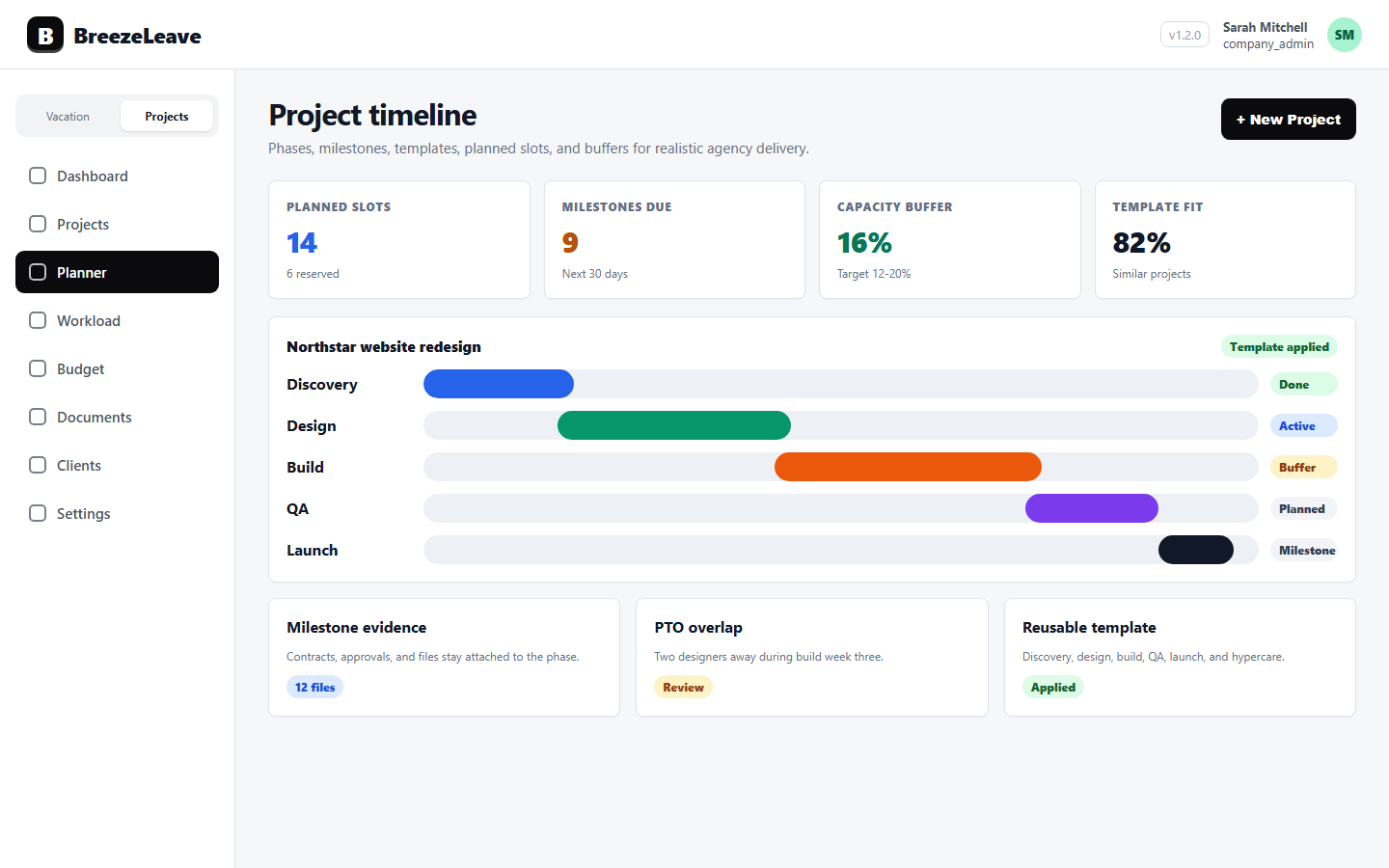
The resource manager at a 30-person agency opens her laptop on Thursday afternoon. A retainer just expanded by 20 hours per month. A new fixed-scope project starts in two weeks. The brand sprint kicks off Monday. Three named people are mentioned in two of the three engagements. The senior strategist is on PTO for the second half of the brand sprint. One of the developers is a freelancer with a 0.6 FTE arrangement. The previous resource plan was a Google Sheet that lost meaning two weeks after it was made. The resource manager needs a template she can update in 20 minutes every Thursday, not a new tool to learn. This article gives her one.
A resource plan is not the same as a capacity plan. Capacity counts hours. A resource plan names people, roles, FTE, and the work they are doing. The template below keeps role demand, named assignments, PTO, and planned slots in one shape that the same person can maintain.
What this template answers
A resource plan earns its keep when it can answer these questions on any given Thursday:
- Which roles does each active or upcoming engagement need, and for how many hours per week?
- Who is currently assigned, and at what percentage of their FTE?
- Where is role demand higher than the available skilled people?
- Which freelance or contractor slots are open and need filling?
- Which assignments are at risk because of approved PTO or public holidays?
- Which engagements still sit as "unplanned" because no slot was assigned?
Anything the template cannot answer, the resource manager is doing in her head. That is fine for one project. It is unsafe for a portfolio.
The two sheets that make up the template
A useful resource plan has two views, not one. The first is role demand by engagement. The second is per-person assignment. They share keys, but they answer different questions.
Sheet one: role demand by engagement
| Column | What it stores | Source |
|---|---|---|
| Engagement | Project, retainer, or planned phase | Project record |
| Client | Client account for the work | Client record |
| Type | Fixed project, retainer, hypercare, internal | Project type |
| Role | Strategist, designer, developer, QA, PM, copy | Role demand |
| Seniority | Junior, mid, senior, lead | Role demand |
| Hours per week | Demand for that role in that engagement | Planning estimate |
| Start and end | Engagement window or phase window | Planned slot |
| Status | Unstaffed, partially staffed, staffed, at risk | Calculated |
Sheet one shows demand. It does not yet say who. When the resource manager opens it on Thursday, the unstaffed and partially staffed rows are her to-do list.
Sheet two: per-person assignment
| Column | What it stores | Source |
|---|---|---|
| Person | Named team member or freelance slot | Team roster |
| Employment type | Full-time, part-time, freelance, contractor | HR record |
| FTE | 1.0, 0.8, 0.6, 0.5, project-only | Employment contract |
| Country | Drives the public holiday calendar | Employee record |
| Assignments | List of engagement and hours per week | Planned slots |
| Retainer hours | Recurring monthly retainer hours | Client allocations |
| Approved PTO | Vacation, sick leave, and parental absences | BreezeLeave PTO |
| Holiday days | Country-specific public holidays | Holiday calendar |
Sheet two shows supply. It is the answer to "who, at what FTE, on what." Together, the two sheets let the resource manager see the gap between role demand and named supply.
Why role demand needs its own row
Agencies that staff people first and roles later end up assigning whoever is free, not whoever the work needs. The retainer asks for "two developers" but really needs one senior backend developer and one mid front-end developer. The brand sprint asks for "a strategist" but really needs a strategist with retail experience and a copywriter who can handle headlines.
Listing role demand explicitly forces those distinctions into the plan. The "status" column on sheet one becomes meaningful: a row is staffed only when the assigned person matches the role, seniority, and weekly hours, not when any warm body is on the project.
FTE for mixed teams, in plain language
A resource plan that treats everyone as 1.0 FTE quietly overstates the bench. The fix is to give every person a real FTE and let the template do the multiplication. A 0.6 FTE designer with a 40-hour base week contributes 24 hours, not 40. A freelance developer with a "two days per week" agreement is a 0.4 FTE for the purpose of this plan, no matter how many hours she could theoretically take.
For agencies with a mix of full-time, part-time, and freelance people, this column is the most-read column in the whole template. It is also the column most often left blank in spreadsheets that were copied from someone else.
For the supporting product flow, see the agency resource planning page and the resource planning for agency projects article.
PTO is not a comment, it is a column
Resource plans break when PTO lives in a separate calendar. The senior strategist is staffed for the brand sprint, but his approved two-week vacation is invisible inside the assignment view. The Thursday review keeps saying "we are fine" until the Monday kickoff notices nobody is in the room.
The fix is to read approved PTO directly from the team calendar into the assignment sheet. In BreezeLeave, leave requests, sick days, and parental absences are already approved and dated. The template just needs to point at that data. The "approved PTO" column then shows the resource manager which assignments are at risk during which weeks.
Planned slots, not "general availability"
A planned slot is a commitment: this person, this engagement, this week range, these hours per week. The opposite is "she is generally available," which is the resource manager talking to herself.
The template enforces slots in two ways. First, every assignment row has start and end dates. Second, an engagement that has no slots attached is not a staffed engagement, no matter how many people have been mentioned in the pitch. The unplanned engagements stay visible in their own section, so the resource manager can see what the agency has sold but not yet committed to.
For a deeper view of slots and unplanned intake, see the planned slots workflow.
A worked example for a resource manager
The resource manager opens the template at 14:00 on Thursday. She sees that the new fixed-scope project (six weeks, two roles: senior designer at 20 hours per week, mid developer at 25 hours per week) is partially staffed. The senior designer slot is filled by a 1.0 FTE designer who already has 12 hours per week on a retainer and 8 hours per week on an active brand project. Her total assigned load is 40 hours per week. With approved PTO in week three, she drops to 16 productive hours that week. The status flips from "staffed" to "at risk."
The mid developer slot is unstaffed. The two internal mid developers are at 35 and 38 hours per week already, both with assignments that cannot move. The template suggests a freelance slot at 0.5 FTE. The resource manager turns to her freelance roster, finds a matching profile, and adds her as a planned freelance assignment for the six weeks. The status flips to "staffed (freelance)."
Two decisions in 20 minutes, both with a paper trail and both anchored in PTO, FTE, and existing assignments. That is what the template buys.
Failure modes to watch
- The template ages. A resource plan that is updated monthly is a fiction by week three. Refresh it weekly, on the same day, with the same person responsible.
- FTE drift. Freelancers change schedules; part-timers move to full time. If FTE is not reviewed quarterly, the plan slowly drifts.
- Skill tags hidden in names. "Senior strategist" is a role, not a skill. If retail or healthcare experience matters, capture it explicitly.
- Retainers as background noise. Recurring work consumes the same seniors every month. If retainer hours are not in the assignments column, the plan oversells the bench.
- Multi-country holidays missed. One pod with people in three countries needs three holiday calendars, not one.
None of these are catastrophic alone. Together they make the plan say yes when the answer should be "not without a freelancer."
How this template connects to capacity
The resource plan and the capacity view share inputs. PTO, public holidays, FTE, retainer hours, and planned slots feed both. Where they differ is the question. The resource plan asks who is on what. The capacity view asks how many hours are free for the next pitch. Running both, on the same data, is how an agency tells a client "yes" without surprising delivery the following Monday.
For the comparison, see capacity planning vs resource planning for agencies and the capacity planning template.
Assumptions to keep next to the template
Write these where the template lives, not in someone's head:
- Working week length per country.
- Definition of FTE for freelancers (hours per week, days per week, or hours per month).
- Whether sick leave is counted as fully unavailable.
- Buffer applied per role for client meetings, internal reviews, and learning time.
- How retainer hours are split (evenly across weeks, front-loaded, or as needed).
Without these notes, the same row can mean "she has 10 free hours" or "she has 10 hours after a 20 percent buffer." The resource manager needs to know which version her plan is telling her.
Move it from sheet to live system
A spreadsheet is a fine place to start. It is not a fine place to finish. The moment the agency has more than ten people or more than five concurrent engagements, the template needs to live next to the PTO data, the holiday calendars, the project planner, and the retainer allocations. Otherwise it becomes another snapshot that drifts.
Ready to put role demand, FTE, PTO, and planned slots into a resource plan that already knows the data? Plan capacity around PTO, holidays, and logged hours in BreezeLeave, or read the agency resource planning page for the underlying product flow.
Related articles
Resource Planning for Agency Projects: Roles, FTE, Assignments, and Capacity
Project Planner for Agencies: Planned Slots, Unplanned Work, and Capacity