
Advance Notice Leave Policy Template
An HR admin's template for an advance notice leave policy: how many days to require by leave length, the carve-outs for emergencies, and how to enforce it in the BreezeLeave rules engine.
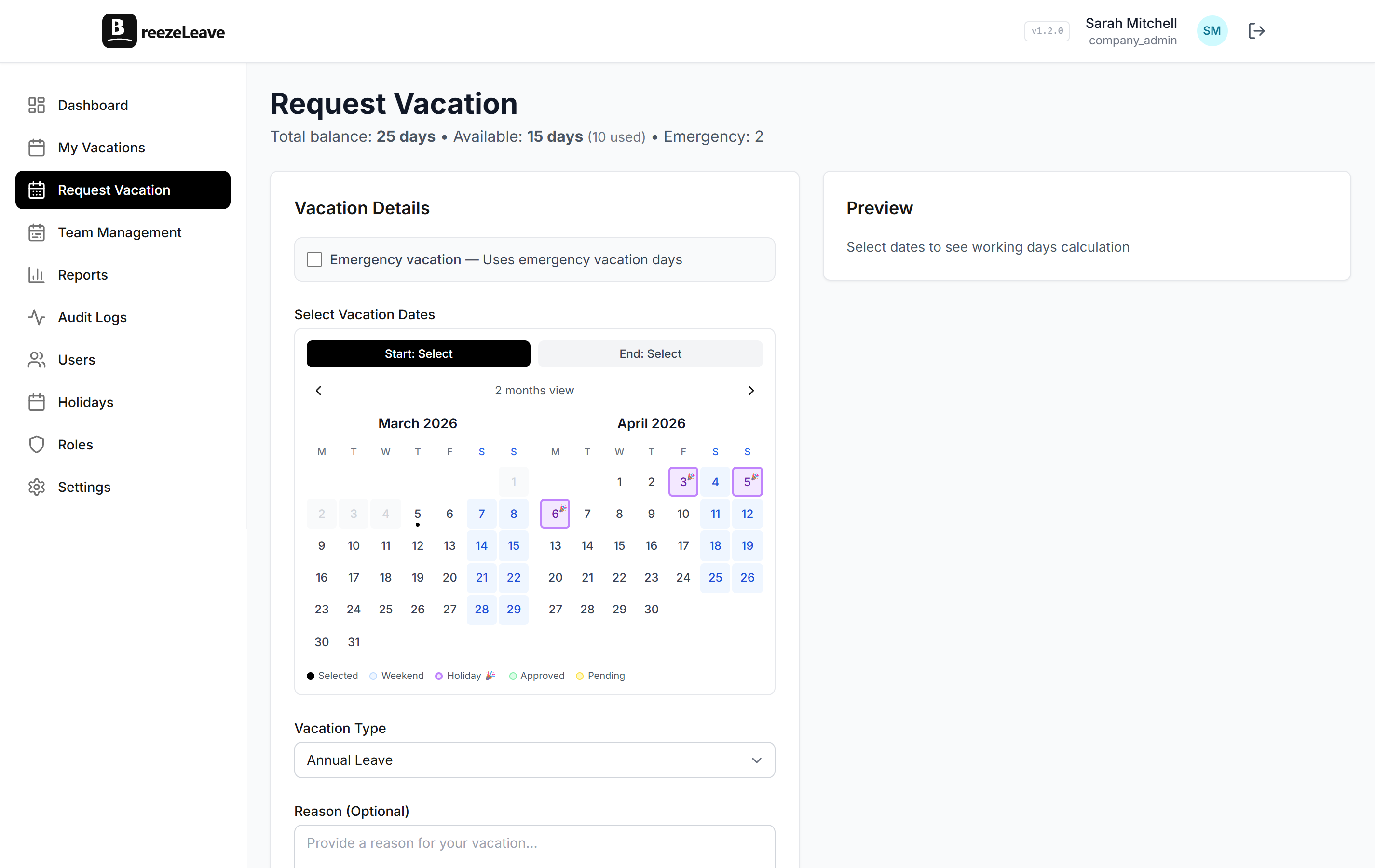
On Wednesday afternoon an employee submits a request for two weeks off starting next Monday. The request is reasonable; the timing is not. The team has a release on Friday, the cover person is already taking the same week as agreed three months ago, and the client kickoff lands the following Tuesday. The HR admin asks the line manager: "what does the handbook say about advance notice?" The handbook says nothing useful. The decision falls on the line manager who has to be both the bad cop and the company policy.
This article is for the HR admin who wants the advance notice rule to live in two places: a one-page policy people can read and a configured rule in the BreezeLeave rules engine. Both have to say the same thing for the rule to feel fair when it is enforced.
What advance notice rules are for
An advance notice rule asks employees to submit leave requests a defined number of working days before the requested start date. The point is not bureaucracy. It is to give the line manager and the team time to plan around an absence: confirm the cover person, move the meeting, finish the deliverable, write the handover note.
Without a rule, advance notice becomes a culture norm that varies by manager and by team. The strong-willed employees plan months ahead; the polite ones plan three days ahead and accept the rejection; nobody is treated consistently. A written rule with a configured trigger fixes the consistency problem.
The template
A workable policy fits on one page. The structure below has four blocks: the rule, the scaling by leave length, the carve-outs, and the appeal path. Adapt the numbers to the company; keep the structure.
Advance Notice Leave Policy
1. The rule. Leave requests must be submitted in advance. The required notice depends on the length of the absence (see section 2). Requests submitted with less notice may be declined, even if the dates are otherwise available.
2. Notice by leave length.Half-day absences: 2 working days. 1 to 2 day absences: 5 working days. 3 to 5 day absences: 10 working days. 6 to 10 day absences: 4 weeks. Longer absences: 8 weeks.
3. Carve-outs. Emergency leave, sick leave, and bereavement leave are exempt from the advance notice rule. They are governed by their own policies and notification expectations.
4. Appeal path. A short-notice request that does not fit the rule can be considered on a case-by-case basis. The employee submits the request with a written reason and the line manager forwards it to HR for review. The decision is recorded with the request.
Why notice should scale with length
A flat advance notice rule ("all leave requires 14 days of notice") is easy to write and easy to break. Two days off next month should not need the same lead time as a three-week trip. Scaling the notice with the length of the absence keeps the rule proportionate.
| Absence length | Minimum notice | Why this number |
|---|---|---|
| Half day | 2 working days | Time to move a meeting |
| 1 to 2 days | 5 working days | Time to assign light cover |
| 3 to 5 days | 10 working days | Time to plan a workstream handover |
| 6 to 10 days | 4 weeks | Avoid concurrent absences with other team members |
| 11+ days | 8 weeks | Time to arrange substantial cover or contractors |
The numbers above are a sensible starting point. A team that runs to short sprints can compress them; a team that runs to quarterly deliverables can stretch them. The important rule is that the table is consistent across the company and visible in the request form, not memorized by the line manager.
Carve-outs that must always exist
Three leave types should never be subject to an advance notice rule:
- Emergency leave. Same-day notification is the point of the leave type. The personal versus emergency leave article covers how to keep emergency leave on a separate rule track.
- Sick leave. An employee cannot give advance notice of an illness. The rule exempts sick leave by default, and the sick leave tracking article covers the certificate logic that does apply.
- Bereavement leave. By definition not planned. Most companies allow retroactive logging of bereavement days within a defined window after the event.
BreezeLeave applies advance notice rules per leave type, so emergency, sick, and bereavement leave can be configured with no minimum notice while annual leave carries the scaled rule from the table.
How the rule enforces in the request form
The advance notice rule fires at submission time. When an employee picks dates that do not meet the minimum notice for the chosen leave type, the request form shows a clear message instead of accepting the request and rejecting it later.
The form message includes the rule, the earliest date that would meet the rule, and a link to the appeal path. Three things people often miss when writing this message:
- Spell out the working-day count, not the calendar-day count. They differ by weekends.
- Show the earliest date the request would be accepted, calculated from today.
- Link to the appeal path so the employee does not feel cornered.
The appeal path is part of the rule
A rule without an appeal path becomes brittle. Family emergencies that are not technically emergency leave, last-minute travel for a sick parent, a partner's surgery scheduled at short notice. None of these fit the rule, all of them deserve consideration. The appeal path is:
- Employee submits the request with a short written reason in the notes field.
- Line manager forwards the request to HR with a recommendation.
- HR confirms or declines the override and records the reason in the audit trail.
Three to five short-notice appeals per quarter is normal in a mid-size company. The audit trail makes the pattern legible. If one team appeals every other week, the underlying rule may not match the team's reality.
Edge cases worth a sentence in the policy
- Probation employees. If a probation lockout applies, the advance notice rule is irrelevant during the lockout window. The probation leave policy guide covers the interaction.
- Public holidays adjacent to requested dates. If the requested period includes a public holiday that shifts the working-day count, the rule reads working days correctly because BreezeLeave already excludes public holidays. The holiday management article covers the working-day calculation.
- Bulk requests at year start. Some teams book the year's leave in January. The rule allows it. The advance notice on a January request for August obviously clears with months to spare.
Configure advance notice in BreezeLeave
The rule lives under the rules engine. To turn it on with the scaled values from the template:
- Open Settings and find the Advance Notice section in the rules engine.
- Add the scaled thresholds by leave length (half-day, 1-2 days, 3-5 days, and so on).
- Confirm sick, emergency, and bereavement leave are exempt (default behaviour).
- Set the request form message to mirror the policy language.
- Save. The rule applies to every new request submitted after the save.
Build approval and accrual rules in BreezeLeave by opening the rules engine settings and configuring the advance notice rule alongside probation, blackout, and concurrent absence rules. The advance notice use case page shows side-by-side configurations for common policy lengths.