Labor Cost Permissions Guide for Agency Operations
An HR lead's guide to setting up labor cost permissions in BreezeLeave. Which permissions gate aggregate cost, per-person cost, revenue, and budget views.
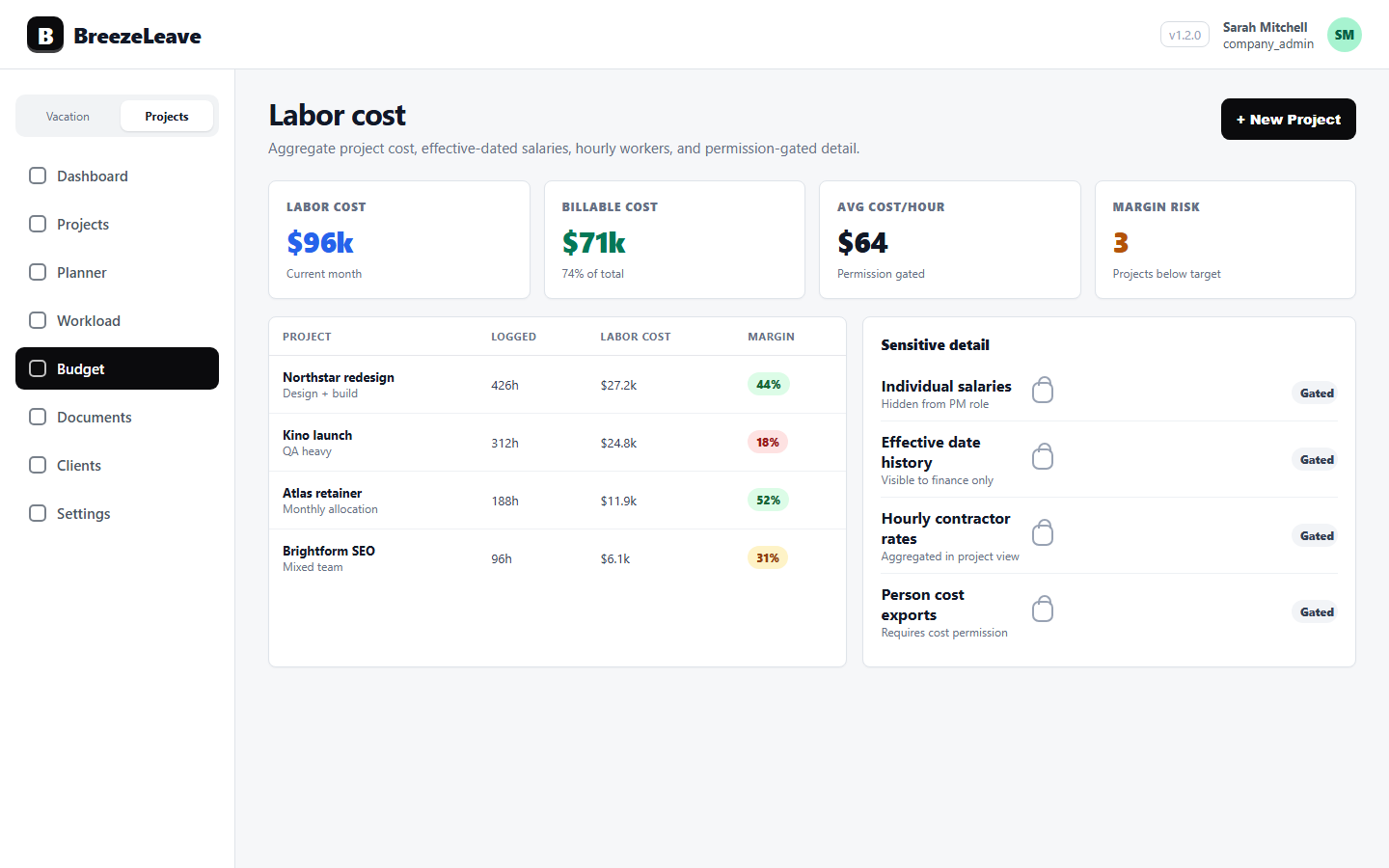
The HR lead at a 35-person agency is preparing for a quarterly review and notices something the operations dashboard has been showing for weeks. A delivery lead can open the budget view and see cost rows next to each project. Each row reads as an aggregate number, but the same delivery lead also has access to a 100 percent allocation row for one part-time designer. A few clicks later, the loaded cost on that row is divided by the designer's monthly hours, and the designer's hourly rate is on the screen. Nobody intended that. The role was granted in a hurry six months ago when the agency was 22 people. Now it is 35 people and the same role composition needs to survive a quarterly audit. This article is for the agency owner and HR lead who want labor cost permissions set up cleanly before they have to be cleaned up.
Labor cost permissions sound like an admin topic. They are a decision topic. The roles that see cost shape who can run a profitability review, who can plan retainer staffing, and who is legally appropriate to expose to salary-derived data. This guide describes which BreezeLeave permissions gate which views, where the limits sit, and the checks the HR lead should run before granting anyone a custom role that touches cost.
The four permissions that touch labor cost
BreezeLeave separates cost-related views into four permissions. Naming them clearly makes the rest of the setup easier.
- projects_costs_read. Grants access to aggregate cost columns on the projects view. A user with this permission can see a project's total cost. They cannot expand the rollup to per-person rows.
- projects_person_costs_read. Grants access to per-person cost breakdowns. A user with this permission can see individual totalCost and monthlyCost rows attached to a project. This is the permission that most directly maps to salary visibility, because a 100 percent allocation row can be reverse-engineered into a monthly salary.
- projects_revenue_read. Grants access to project revenue columns. With this permission off, a user can manage projects and see hours but the commercial value stays hidden.
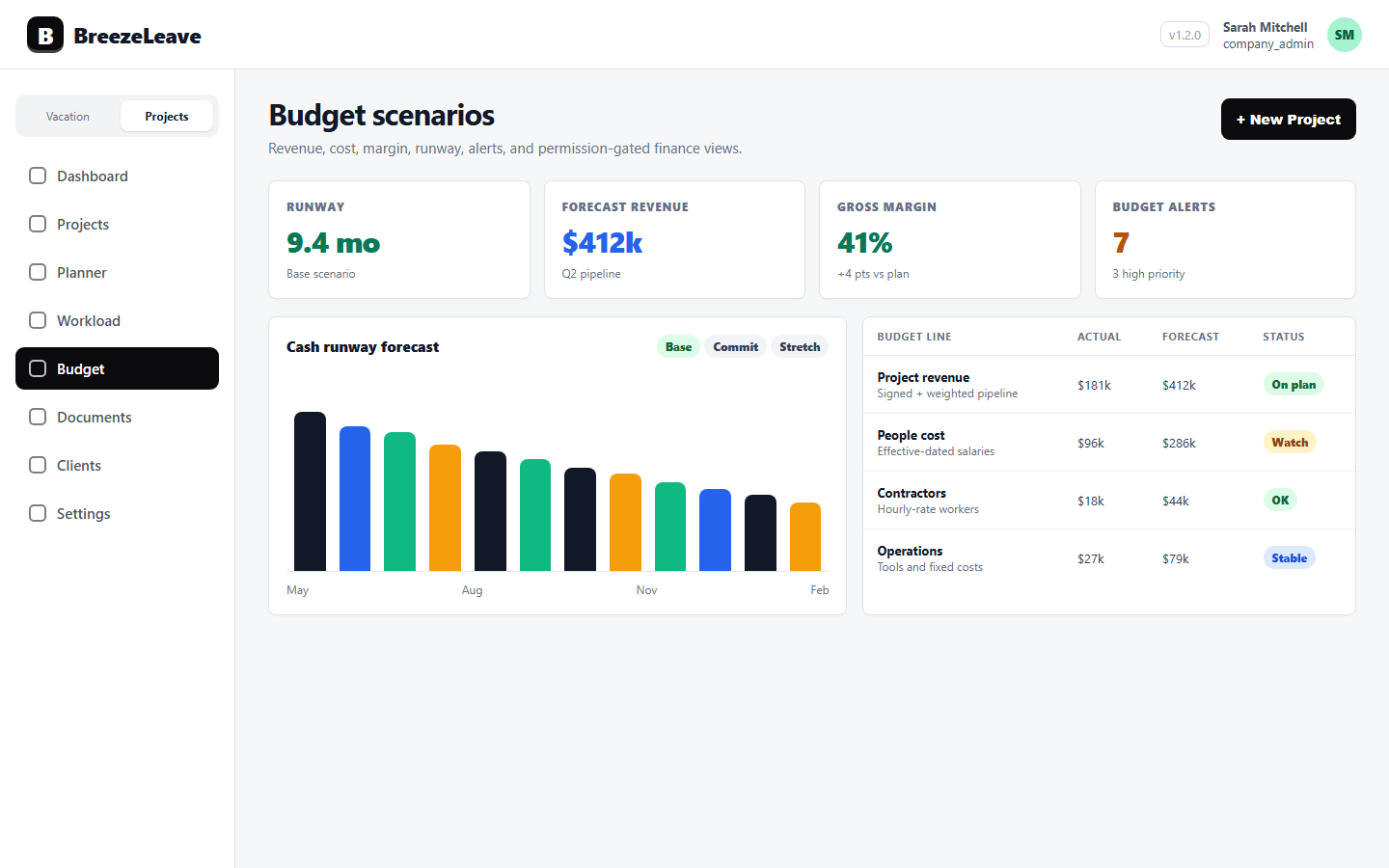
- budget_aggregate_costs_read. Grants access to the budget page with aggregate cost totals only. This permission lets a role see total budget cost while keeping per-person cost visibility separate, so a custom role can review budget health at the aggregate level only.
Two product rules sit underneath these permissions and are worth making explicit. First, granting projects_person_costs_read implies per-person visibility but does not by itself grant the budget page. Second, system roles with built-in salary access (superadmin, admin, company admin, HR) get per-person cost visibility automatically and do not need the custom permission added.
What each system role sees by default
The system roles in BreezeLeave ship with intentional defaults. The table below summarises the cost-related visibility each one carries out of the box. Custom roles override these defaults, which is usually the point of creating them.
| Role | Aggregate project cost | Per-person cost | Project revenue | Budget aggregate |
|---|---|---|---|---|
| Superadmin / Admin / Company Admin | Yes | Yes | Yes | Yes |
| HR | Yes | Yes | Yes | Yes |
| Manager (project manager) | No | No | Yes | No |
| Employee | No | No | No | No |
The manager default deserves a closer look. Project managers can see revenue because revenue tells them whether the work they own is commercially healthy. They cannot see cost, because cost is salary-derived. The intent is that a project manager can manage delivery, but cannot reverse-engineer the salaries of the people delivering it. This is the right default for most agencies. The wrong move is to grant projects_person_costs_read to managers because it is "easier."
Where the gating sits, more specifically
Three places in BreezeLeave change behaviour based on cost permissions. Knowing which surface uses which permission helps the HR lead audit a custom role on first principles.
- The projects page. Cost columns and tooltips read from projects_costs_read. Per-person rows expand only with projects_person_costs_read. A custom role that has the first but not the second can see project totals while the underlying rows stay hidden.
- The budget page. The page itself becomes visible with budget_aggregate_costs_read. Per-person cost expansion on the budget page reuses projects_person_costs_read. This means a custom role can be allowed onto the budget page to see margin and aggregate cost trends and never inherit per-person rows.
- Analytics and reports. Cost-bearing analytics views inherit the same checks. A view that includes labor cost will hide that column for a role lacking projects_costs_read, even if other parts of the view remain visible.
These behaviours are configurable, and the precise rendering can change with product updates. Treat this article as a setup map, not a runtime guarantee. The right pattern is to verify each role in the actual product before assuming it behaves as described, because permissions interact with role inheritance and feature flags in ways that benefit from a five-minute live check.
Three custom roles that show up in agencies
Most agencies converge on a small number of custom roles around cost. Three are worth describing.
Delivery lead with budget context. The delivery lead needs to manage scope, staffing, and milestones. They benefit from seeing budget health at the project level. They should not see individual salaries. The pattern is to grant projects_read, projects_revenue_read, and budget_aggregate_costs_read. Do not grant projects_person_costs_read. The delivery lead sees the project's total cost and aggregate budget health, but not the rows underneath.
Finance contributor with no HR access. A junior finance contributor helps prepare the monthly review. They need per-person cost visibility for the projects they are working on. They do not need HR or settings access. The pattern is to grant projects_costs_read, projects_person_costs_read, projects_revenue_read, and budget_aggregate_costs_read. They become a per-project finance operator and do not inherit the full admin surface.
External consultant for a single engagement. An external strategist needs to read project structure and revenue for the engagement they are advising on. They should never see cost. The pattern is to grant projects_read and projects_revenue_read. Leave both cost permissions off. Their view shows project commercial context but never see how the work is staffed financially.
Grant the smallest permission set that lets the work happen
The pattern that ages well is to start with the smallest set of cost permissions that lets the role do its job, then add more only when a specific task requires it. Custom roles created in a hurry tend to accumulate permissions they no longer need.
The 100 percent allocation problem
A specific pattern is worth naming because it catches agencies by surprise. Per-person cost on a project is a rollup of allocation percentage times loaded monthly cost. When a person is allocated 100 percent to a single project for a month, the per-person cost row on that project equals the person's monthly loaded cost. Anyone with projects_person_costs_read on that project can effectively read the person's monthly salary by simple inspection.
This is not a bug. It is the natural consequence of attaching cost to allocation. The right response is a permissions decision, not a product change. If a role is going to see per-person cost on projects with 100 percent allocations, that role is, in practice, seeing salaries on those engagements. Grant the permission only to people for whom salary visibility is acceptable, and treat any cost screenshot the same way you would treat a payroll export.
Two mitigations sit alongside the permission decision. First, prefer aggregate budget views over per-person cost views whenever the work allows. Most delivery decisions need project totals, not the rows underneath. Second, review allocation practices. A team that books 100 percent allocations habitually increases the surface area where cost equals salary.
A quarterly permissions audit
Most permissions debt accumulates because nobody owns the audit. The audit is small enough to fit in 30 minutes once a quarter.
- Open the roles configuration. List every custom role that has projects_costs_read, projects_person_costs_read, or budget_aggregate_costs_read.
- For each role, list the users assigned to it. Confirm each one still needs the cost visibility their role grants.
- For roles that grant projects_person_costs_read, spot-check three recent projects to see whether 100 percent allocations are common. If they are, decide whether the role should be downgraded to aggregate cost only.
- Confirm that anyone with projects_person_costs_read is also someone for whom salary visibility is acceptable.
- Remove or downgrade roles that no longer match a current need.
Three quarters of this audit usually changes the shape of the role list. Roles that were created during a busy week get either deleted or tightened. The audit becomes shorter each cycle, because the baseline gets closer to the "smallest permission set" pattern.
Permissions and the monthly review
Permissions decisions interact with the monthly profitability review. The wider the cost permissions, the more people can attend the review and stay on for any part that is role-appropriate. The narrower the permissions, the more carefully the meeting has to filter what is shared.
A practical pattern is to run the meeting with two views. The finance lead opens the per-person view privately for the budget block, and shares only the aggregate view in the joint discussion. Delivery leads see project margin signals and on-track status and never see individual rows. For the structure of the review itself, see project profitability review cadence for agency owners.
What this guide does not promise
It is worth being precise about the limits of any permission setup. Permissions in BreezeLeave gate views within the product surfaces described above. They do not, by themselves, control downstream copies. A user who has legitimate per-person cost access can copy the data into a spreadsheet, paste it into a chat, or share a screenshot. The permission model reduces the surface area of who can see what inside the product. It does not enforce what happens after a person sees it.
For the broader picture of role-based access across leave and operations data, see role-based access in leave management. The same principles apply: grant the smallest necessary set, name an owner for the audit, and review the role list on a fixed cadence.
Set up custom roles before the agency grows
Labor cost permissions are easier to design when the agency has 20 people than when it has 50. At 20 people, everyone knows each other and the role list is small. At 50 people, the same role list has accumulated a few "just for this" grants that nobody remembers approving. The work is the same either way. The cost of doing it late is higher.
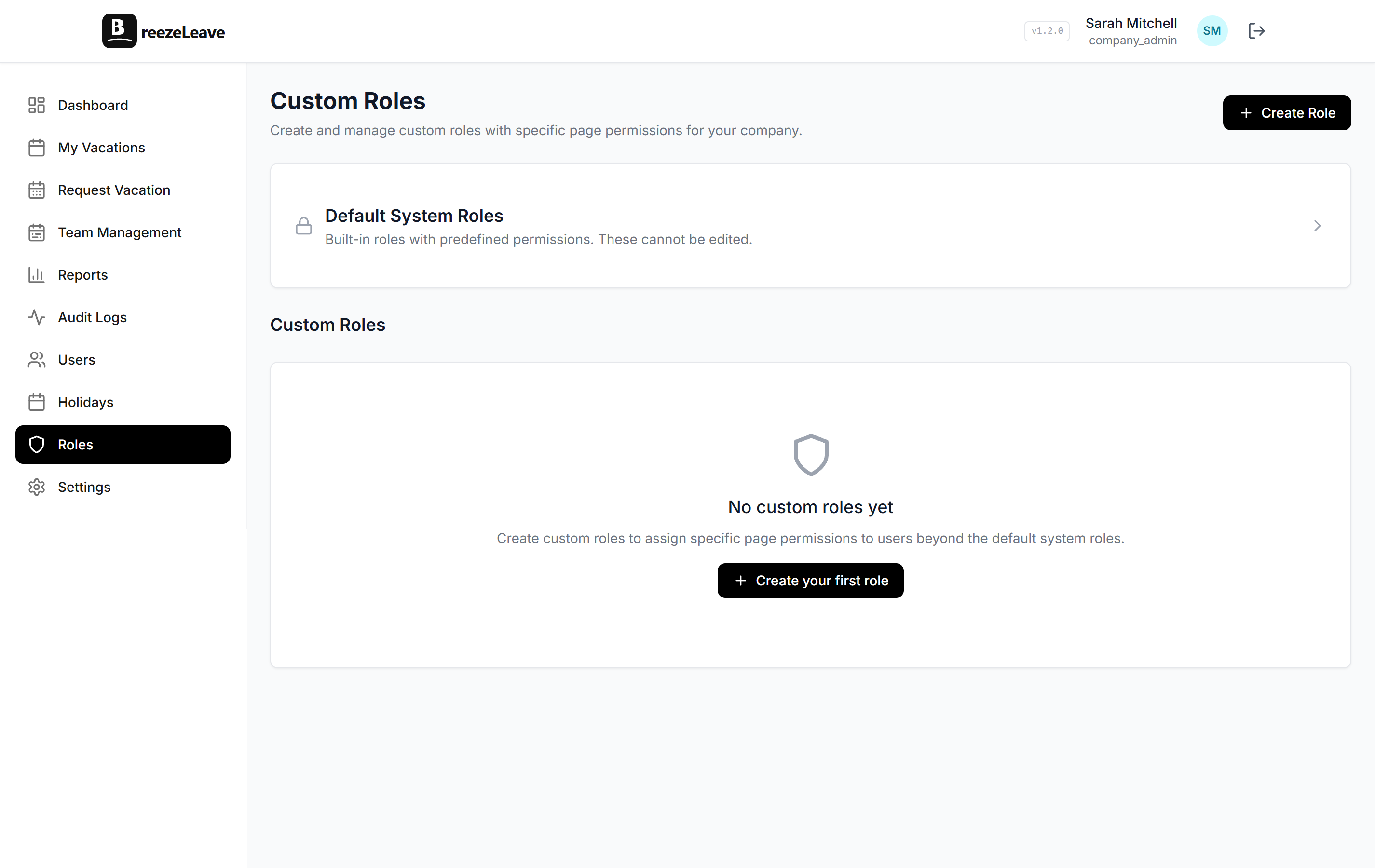
Ready to design custom roles that gate aggregate cost, per-person cost, revenue, and budget access intentionally? Control access with custom roles in BreezeLeave, and pair the setup with the project budget tracking page so the cost views your custom roles grant match the review the agency actually runs.