Project Budget Tracking for Agencies: Revenue, Cost, Margin, and Retainers
A practical guide to agency budget reviews using project revenue, costs, margins, retainers, scenarios, and logged-hour context in BreezeLeave.
Agency budget tracking breaks down when finance, delivery, and project management each keep their own version of the truth. Revenue sits in one place, costs in another, ClickUp time in a third, and retainer commitments are reviewed only after the month is already difficult.
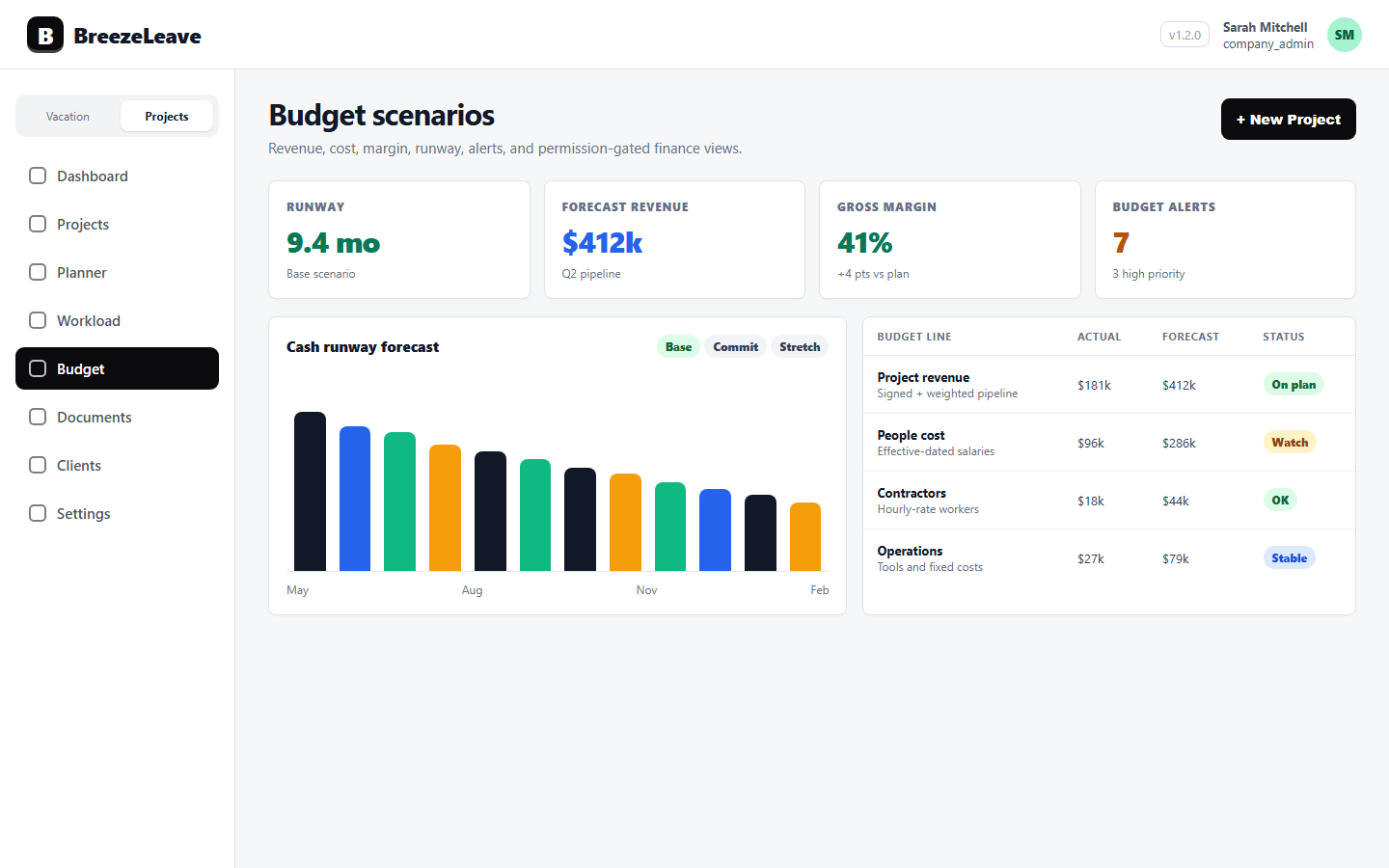
BreezeLeave supports a more connected review. Project and client financial panels, budget grids, forecast methods, scenarios, cash runway, report views, and logged-hours context help agencies discuss budget health with the same operating data delivery teams already use.
1. Start with revenue and cost visibility
A budget view should make the basic questions answerable: what revenue is expected, what cost is attached to the work, and what margin remains after delivery effort is considered. BreezeLeave keeps project and client financial views connected to the underlying client, project, retainer, and owner structure.
This is especially useful for agencies with mixed work types. One-off projects, recurring retainers, maintenance work, and internal allocations can all affect the operating picture. Finance needs the rollup, while project owners need enough detail to know what to fix.
The product-level entry point for this workflow is project budget tracking.
2. Connect budgets to logged hours
Budgets age quickly if actual effort is missing. ClickUp logged hours give agencies a way to compare project expectations with delivery reality, but the time data needs regular hygiene: expected vs. logged hours, no-log periods, unmapped users, daily drilldowns, and exports.
Once time hygiene is part of the weekly process, budget reviews become less speculative. Teams can see whether a project is consuming more effort than planned, whether a retainer is trending above its monthly hours, or whether a card-level pattern deserves a planning adjustment.
For the time side of the workflow, see ClickUp time tracking.
3. Keep retainers visible month by month
Retainers need a different budget rhythm than fixed projects. The question is not only whether the total contract exists, but whether the current month has enough planned capacity, whether actual logged hours are moving faster than the budget, and whether the client health signal matches the delivery signal.
BreezeLeave supports retainers with client and project structure, monthly allocation logic, planned hours, logged hours, and financial context. That gives account owners a cleaner way to review recurring work without treating every month like a brand-new project.
4. Use scenarios before decisions harden
Scenario planning is useful when the agency has a real decision to make: hire, delay, move scope, adjust a retainer, or change the forecast method. BreezeLeave budget scenarios and report views let teams compare assumptions without rewriting the live operating plan.
The strongest scenarios use delivery data as input. If logged hours show that QA is heavier than expected, or capacity planning shows a future bottleneck, the budget scenario should reflect that reality before leadership commits to a margin target.
Capacity planning context is covered in project capacity planning for agencies and the project capacity planning page.
5. Make the review permission-aware
Budget data can include sensitive cost, salary, person-cost, and margin information. An enterprise-safe budget process should expose the right level of detail to each role instead of copying sensitive exports into broad channels.
BreezeLeave includes permission gates around sensitive finance views, so agencies can keep budget conversations useful without making every viewer a cost-data viewer. Delivery teams still get the operational context they need: project health, logged effort, retainers, capacity, and the client work that needs attention.